- Understand the use of Catalogs
- How to create a new Catalog
- Status and settings
- Frequently Asked Questions (FAQ)
Understand the use of Catalogs
Do your audits feature different types of records and you want to learn the best way to evaluate them? Using the Catalogs tool is the best way to evaluate each record in your operation easily and quickly.
How to create a new Catalog
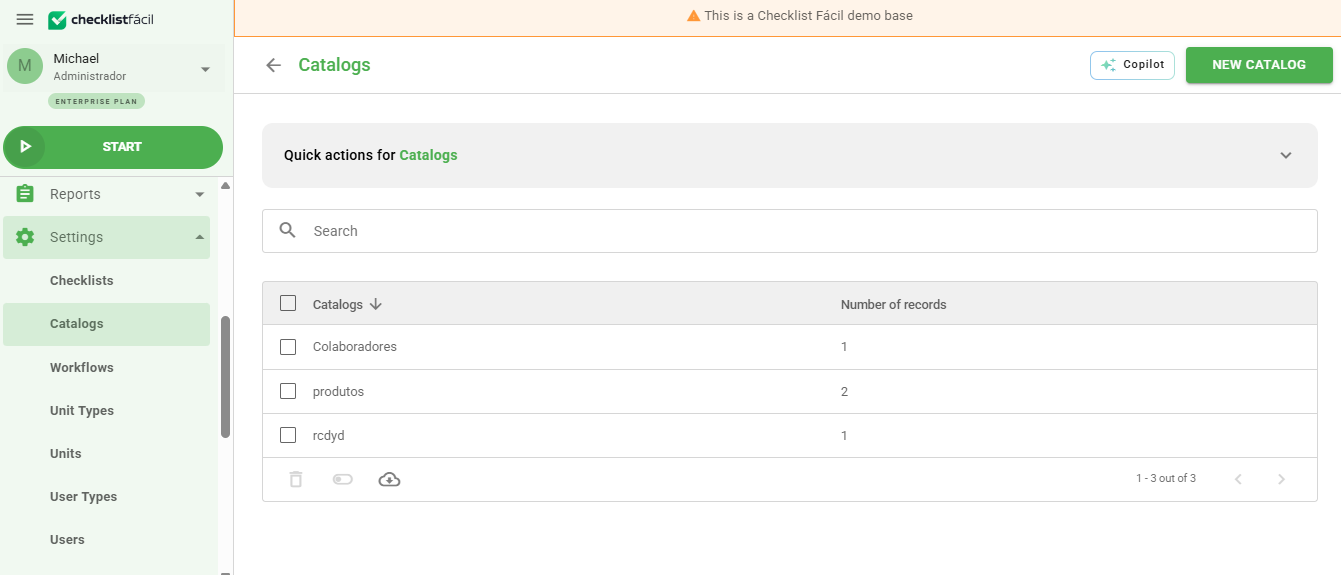
Access Settings > Catalogs and click New to start cataloging your operation's records.
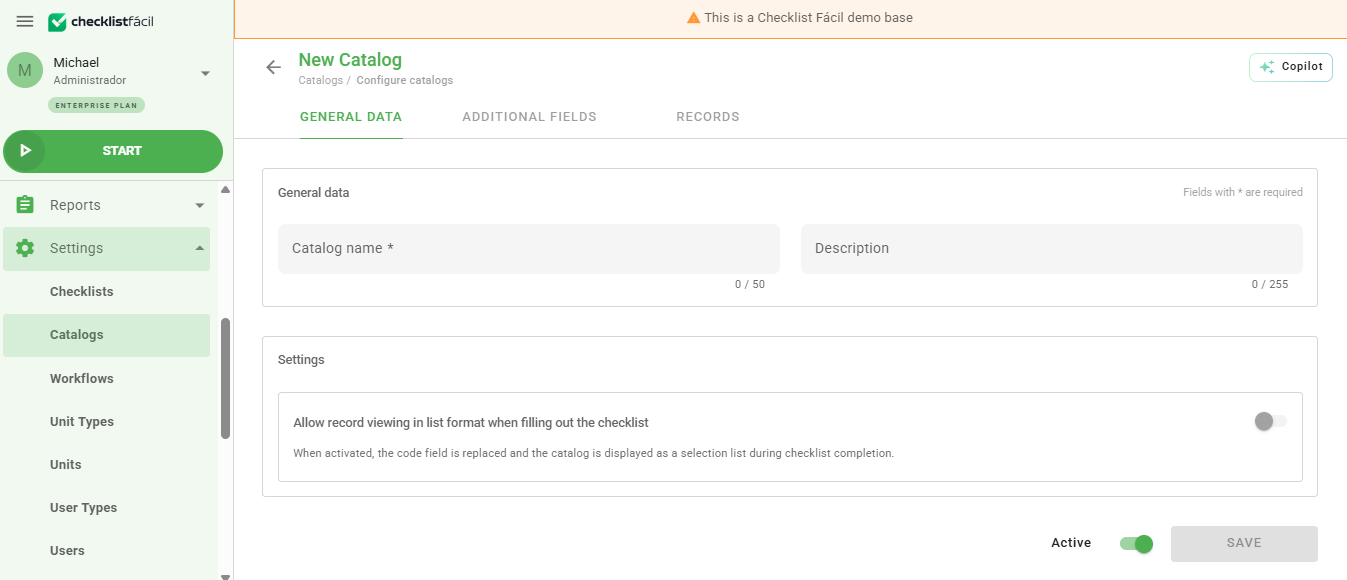
You can enter a description as a tip or a field to guide the audit. For example: in a Meat Sector, you can indicate that the auditor should pay attention to quality, cleanliness, and equipment.
Status and settings
After filling in the information, save the form to start inserting the records. If you do not want to make this catalog available to the units yet, you can keep it inactive by unchecking the Active button.

To learn how to manage items within a catalog, see the article: How to insert records into Catalogs?
Frequently Asked Questions (FAQ)
What happens if I deactivate a catalog?
The catalog will be hidden for use in new inspections, but the data already collected previously remains saved in the system.
Can I use the same catalog in different checklists?
Yes, once created, the catalog can be linked to multiple questionnaires according to your operation's needs.
❓Tem dúvidas? Entre em contato com nosso time de suporte.