- Benefits of the Catalogs module
- How to insert catalogs into a checklist
- How to import a new checklist with catalogs
- How to consult applied checklists through records
- Frequently Asked Questions (FAQ)
Benefits of the Catalogs module
The Catalogs module allows you to create an organized database with records and their respective descriptions, divided by categories. This functionality brings several advantages to checklist management:
- Standardization of information;
- Greater agility in filling out forms, with barcode reading;
- Possibility of validating data and records automatically during audits;
- Ease of consultation and traceability of applications.
When configuring a checklist with the Catalog response type, the system links previously registered records and allows responses to be filled in automatically when scanning the barcode.
How to insert catalogs into a checklist
To link a catalog to a question in your checklist, follow the steps below:
- Go to Settings > Checklists and enter the structure editing of the desired checklist;
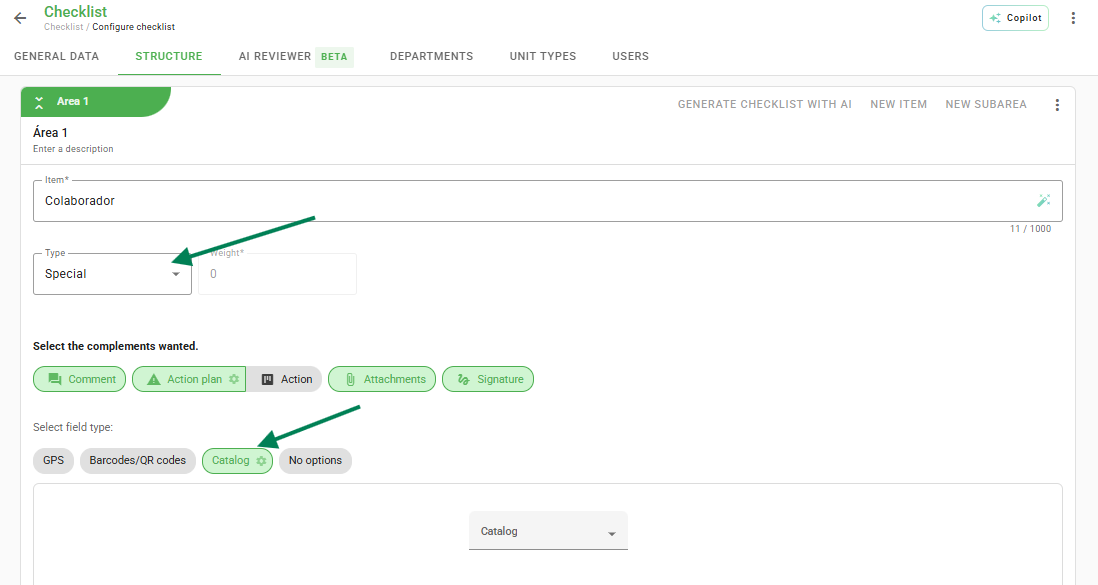
- Create or edit an item (question) and select the type Special > Catalog;
- Select the catalog you wish to link to the question;
- Click on Save.
You can also enable "Multiple selection of records", allowing you to choose several items at once. For this, the list view of records must be active in the catalog settings.
How to import a new checklist with catalogs
In addition to manual configuration, it is possible to import Catalog type items using the structure spreadsheet:
- Download the import spreadsheet according to the system instructions;
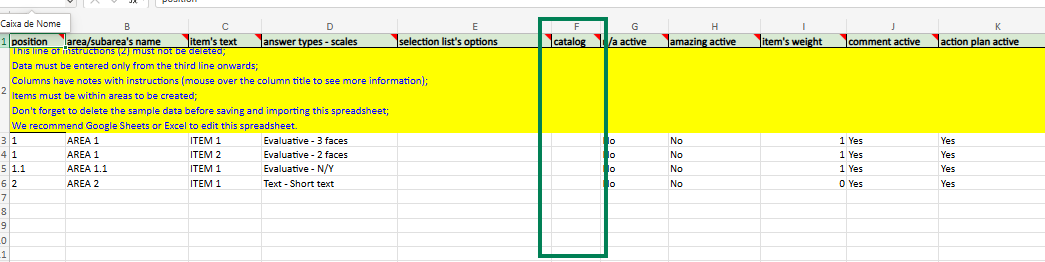
- In the item type - scale column, fill in with: Special - Catalogs - Single selection;
- In the catalog column, insert exactly the catalog name already created in the system;
- Import the file and follow the processing in the history.
How to consult applied checklists through records
To locate inspections performed on a specific record (such as a vehicle license plate or equipment):
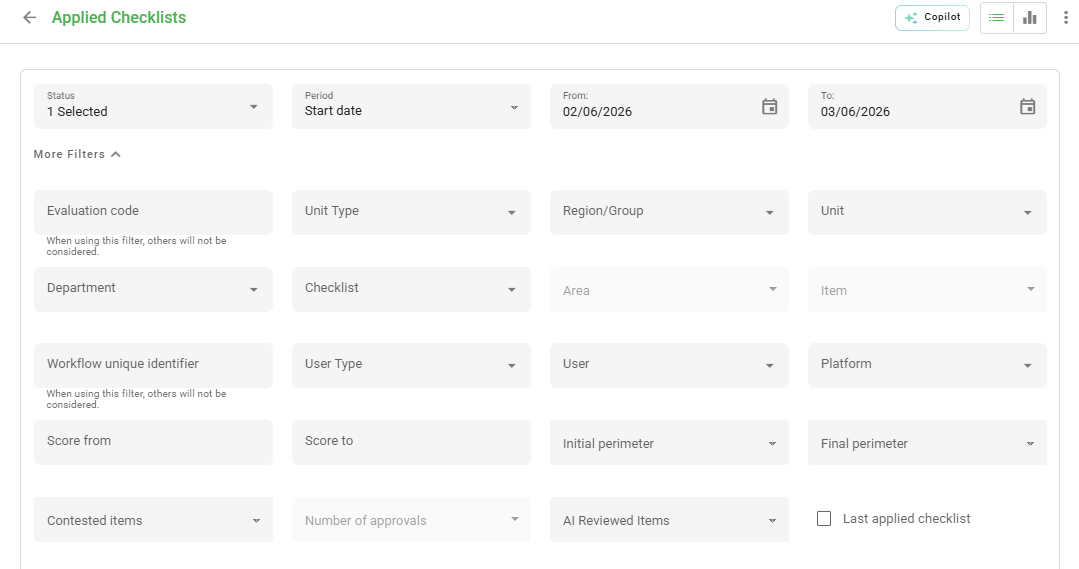
- Access the Applied Checklists menu;
- Use the Checklist, Area, and Item filters;
- When selecting the item linked to the catalog, the Catalog record filter will be available for searching;
- Select the record and the system will list all corresponding applications.
❓Tem dúvidas? Entre em contato com nosso time de suporte.