If you want to connect to the Checklist Fácil API, it is necessary to use a key created by your user. This key is used for authentication processes and data application.
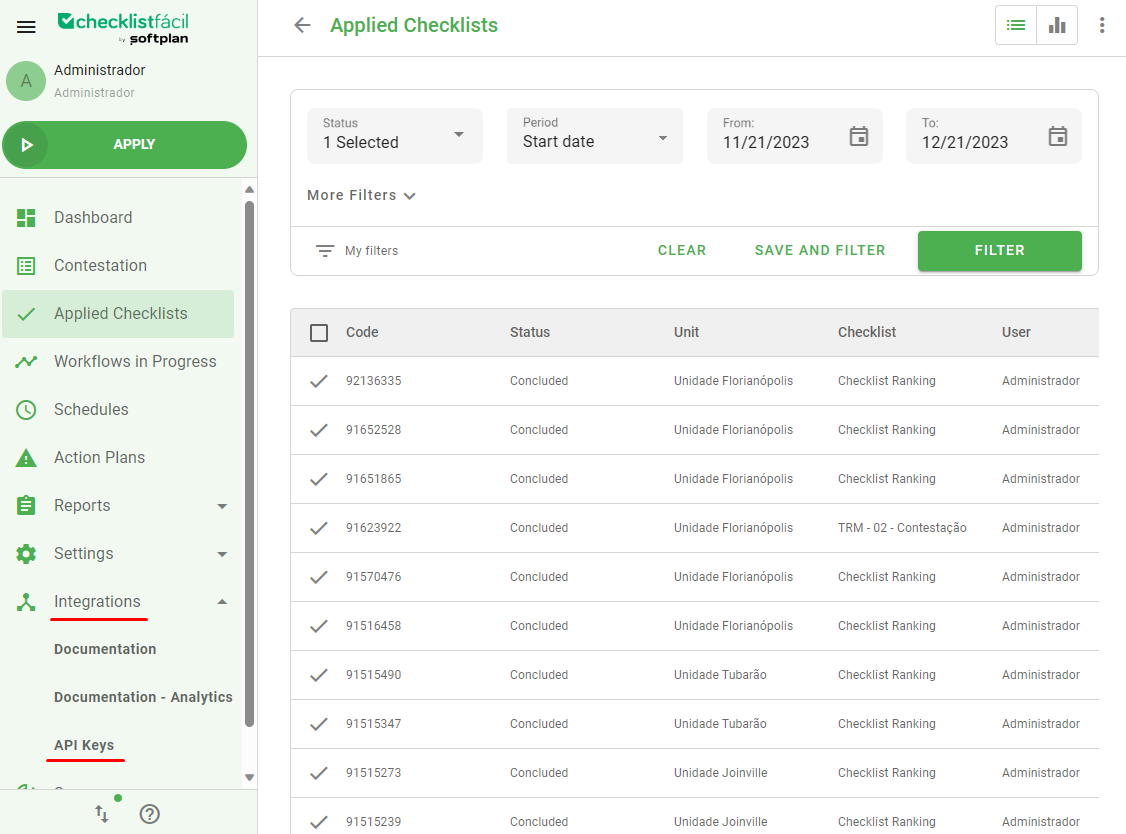
To create a new API key, go to the Integrations tab and select API keys:
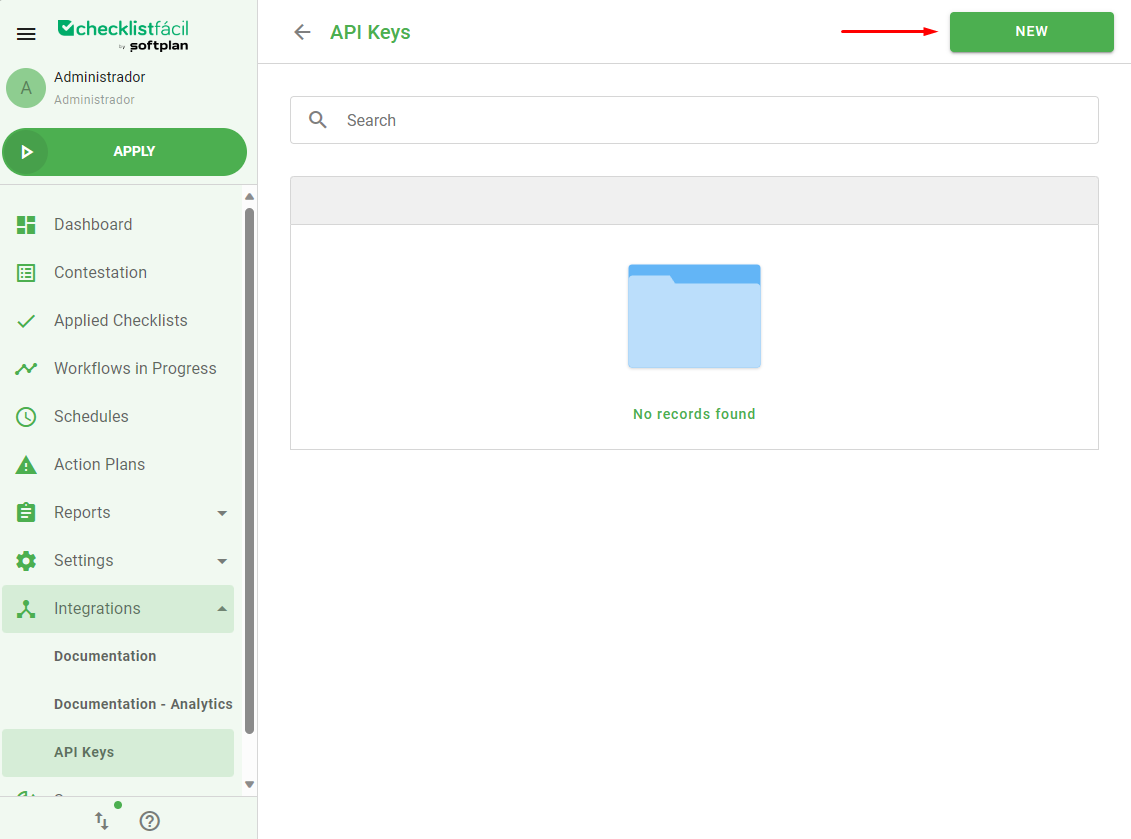
In the next screen, click on new:
Fill the Name field with a name that will be used to identify your key and select a user that will be able to use the key:
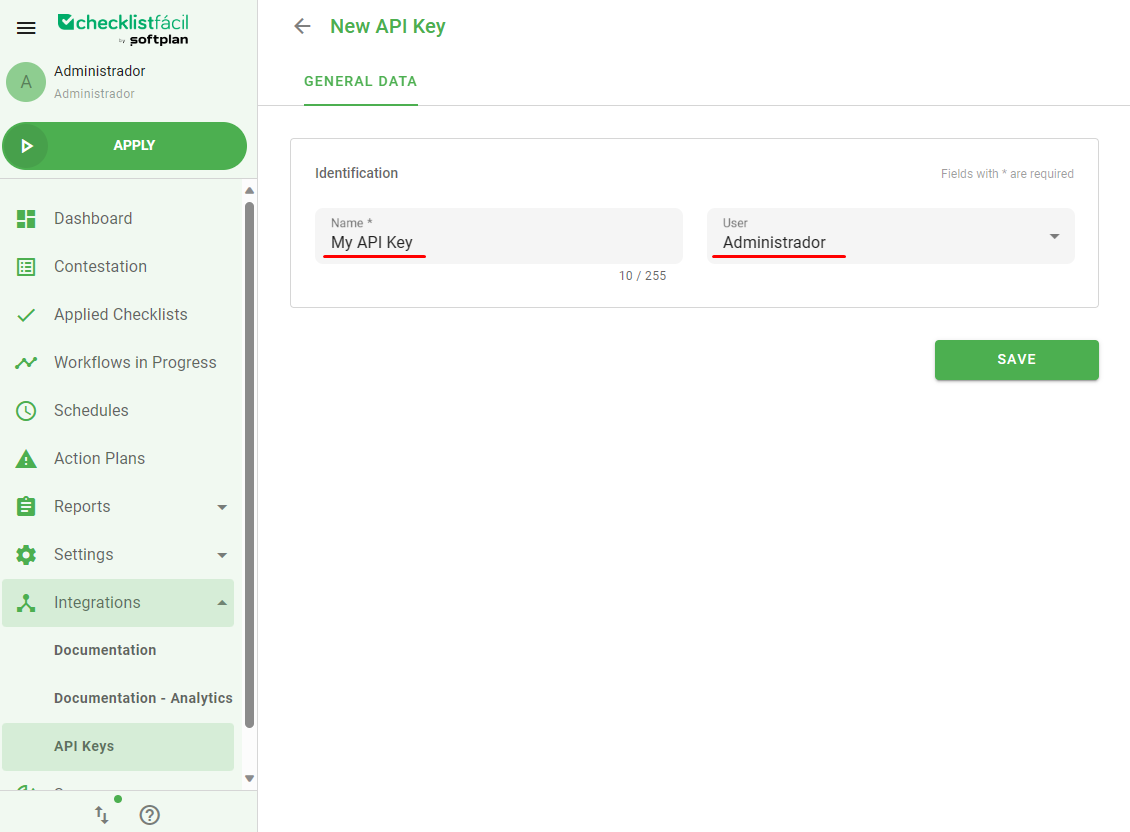
Important: Only admin users can be used to create and use an API key.
After selecting Save, the key will be presented. It's recommended that you keep the key in a safe place; you won't be able to see it again in the system.
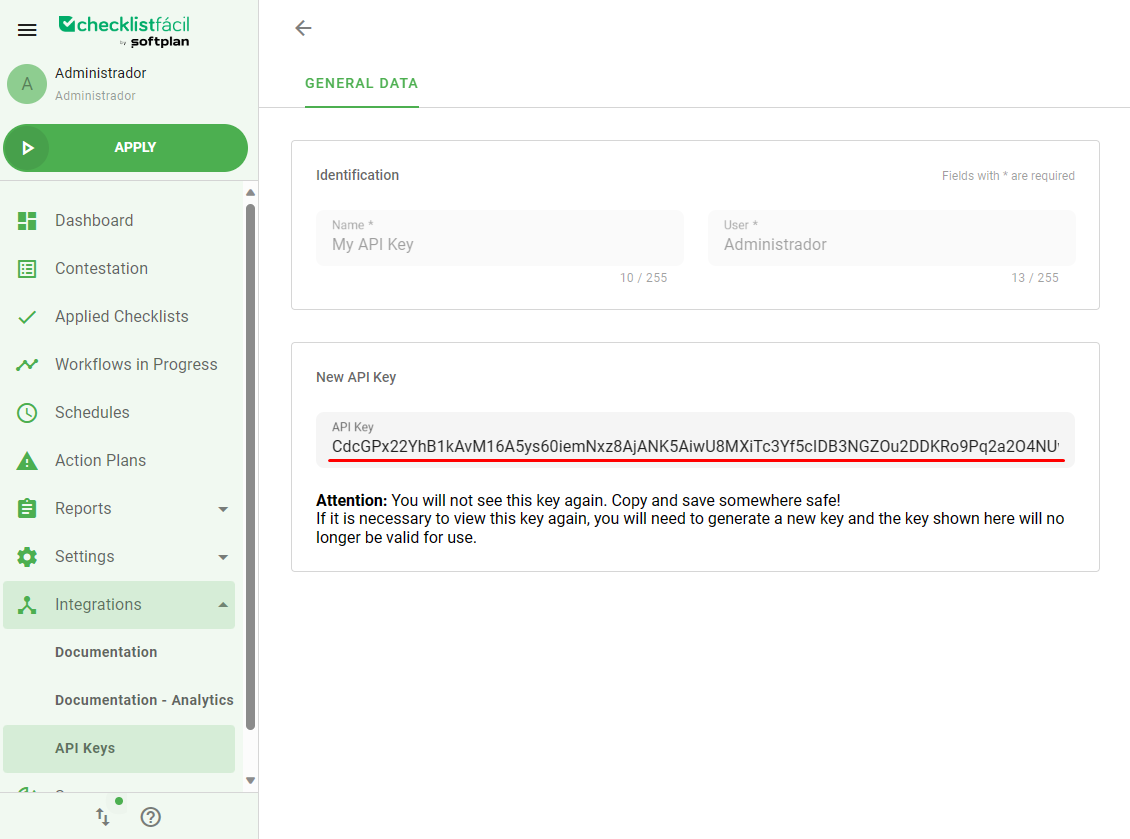
The key is a Bearer token. Keep it in mind whilest setting up your authentication method.
Was this article useful? Remember to rate it!
Got questions? Contact us through chat or ticket!
❓Tem dúvidas? Entre em contato com nosso time de suporte.