- Understanding Filters
- Available Parameters (Example)
- Practical Examples in Postman
- Frequently Asked Questions (FAQ)
In Checklist Fácil APIs, you can use filters to assist and optimize the queries performed. For each resource or route available in the API, the documentation lists the accepted filters and their respective types (the format in which they must be used).
Understanding Filters
As a didactic example, let's consider the unit listing. When consulting the documentation, we can identify which parameters this listing accepts.
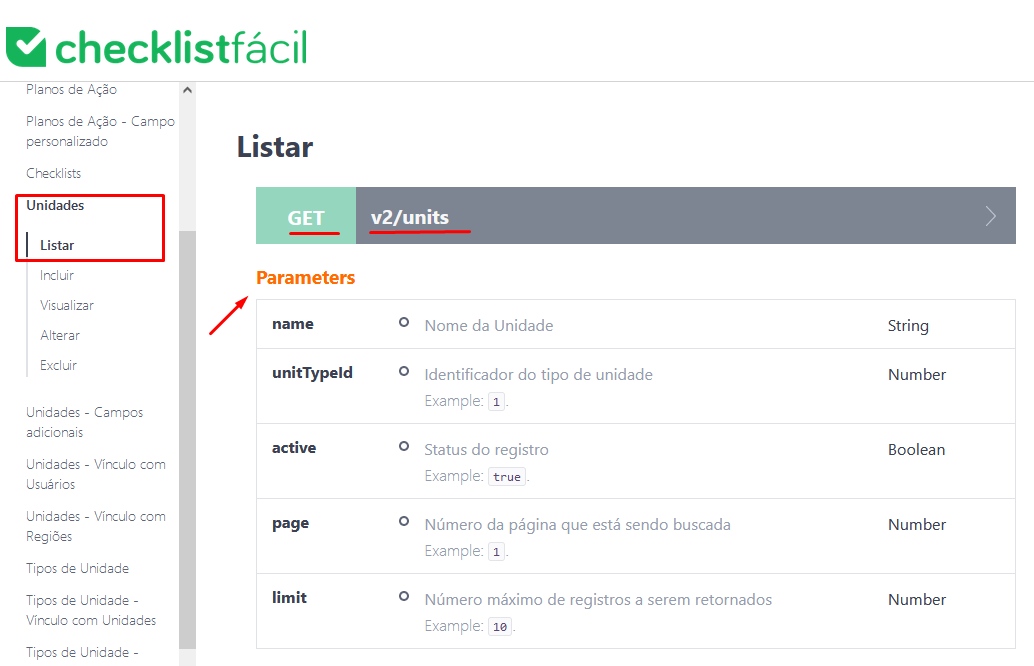
Available Parameters (Example)
Based on the image above, we identified the following parameters to filter units:
- name: Filters by the unit name, using the exact content entered in the field.
- unitTypeId: Filters by providing the ID (identifier) of the unit type.
- active: Filters by record status (e.g., searching only for deactivated units).
- page: Defines which page of results is being requested.
- limit: Defines the number of records to be returned in the query.
Regarding the limit parameter:
It has a maximum record limit. The Integration API allows returning a maximum of 100 records per page. You can decrease this number, but not increase it.
Whenever you perform a filter in the API, it will be provided as a Query String (a part of the HTTP request); for more details, you can consult https://en.wikipedia.org/wiki/Query_string.
Practical Examples in Postman
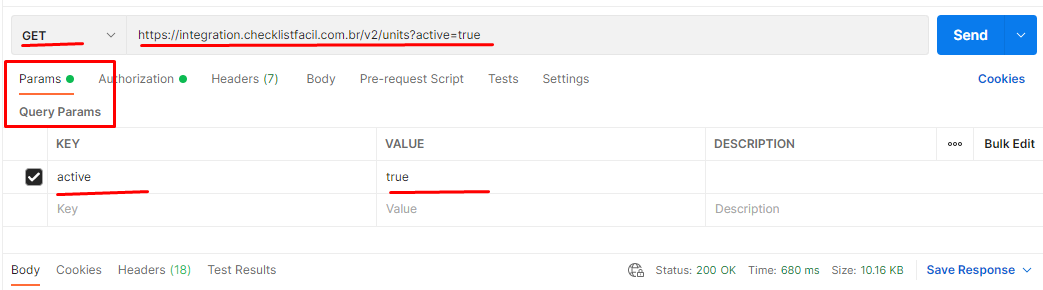
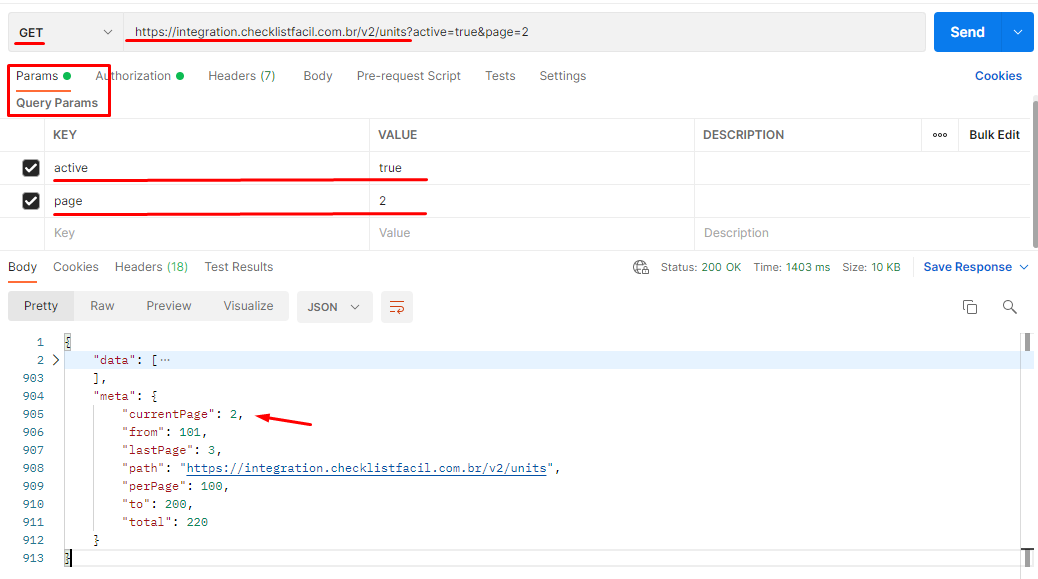
In Postman, the use of Query String is done in the Params (Query params) tab of the request.
1. Querying only active units
2. Querying the second page of active units
Frequently Asked Questions (FAQ)
1. Can I increase the record limit to more than 100?
No. The maximum record limit per page in the Integration API is 100 items. If you need more data, it will be necessary to use the page parameter to navigate between pages.
2. Where can I find filters for other routes?
Each route has its own specific documentation within the API manual, where supported filters and the expected data type (text, number, boolean, etc.) are listed.
❓Tem dúvidas? Entre em contato com nosso time de suporte.