The API Integration was developed for situations where it is necessary to automate the data register management on Checklist Fácil using an API. To consume the API Integration data, be sure you already have access to the Documentation and your API key.
In this example, we will consider a register of units, but you can check other registering possibilities that can be found on the official API documentation.
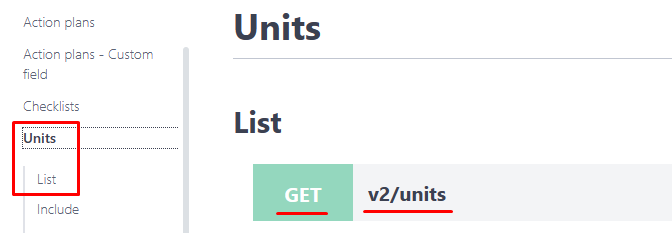
If you want to make a list with all the registered units, see the API documentation and check the HTTP and URL methods that can be used:
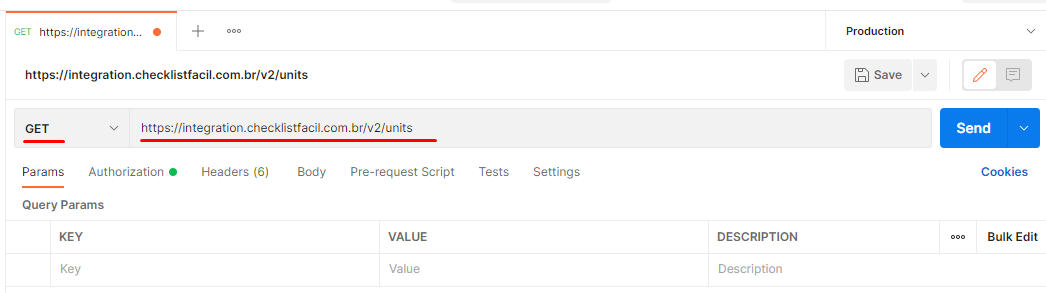
With this information, you can create your acquisition on Postman, selecting the HTTP method and filling the field with your URL for the acquisition.
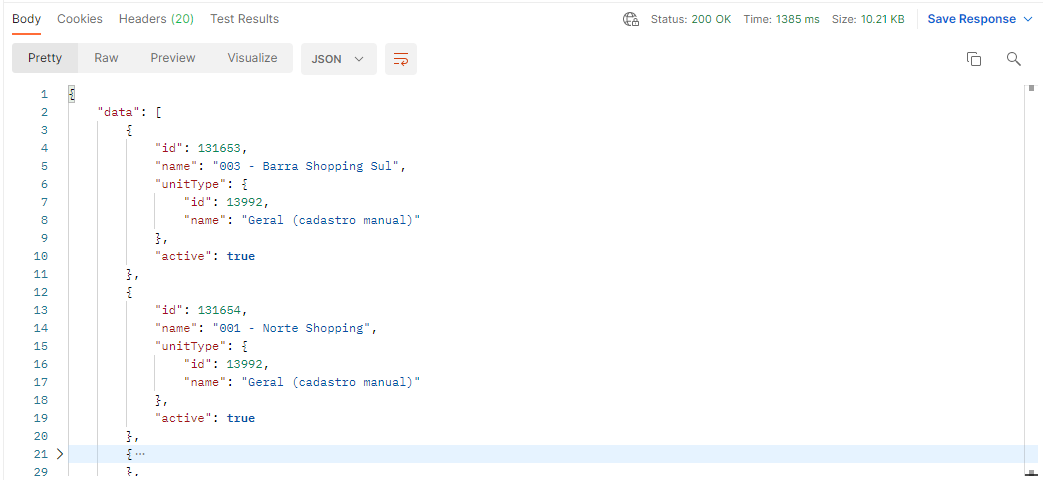
And then you will get the acquisition of the units list:
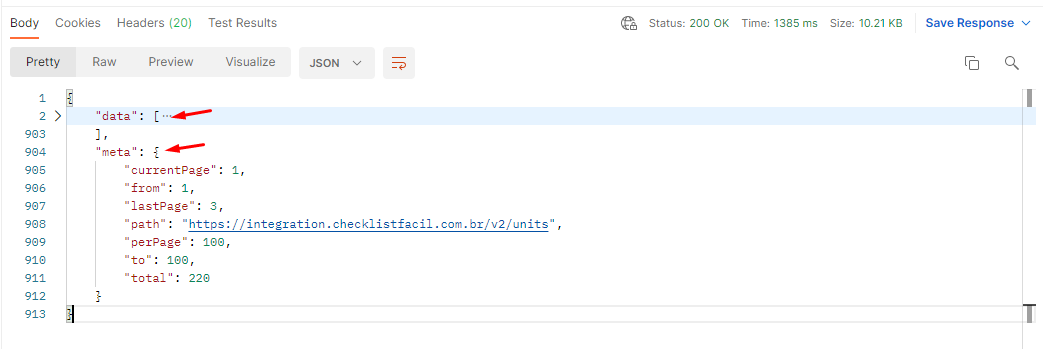
For each one of your acquisitions in the API, you will get two main properties:
data, array where you can see the object from the list you requested, with the specific properties for each case, which you can check the name and type in the documentation.
meta, object type where it will be returned the information about the return pages.
currentPage: the page you are consulting, in case the parameters are not informed, it is considered the first results page.
from: index of the first registration returned
lastPage: last page informing about registrations
path: url from the request
perPage: number of registrations returned by page
to: index of the last registration returned in this page
total: total of registrations. It doesn't depend on the number of pages requested.
Note: All API returns will always be paginated, it is important to understand and anticipate their usage when consuming the data.
Was this article useful? Remember to rate it!
Got questions? Contact us through chat or ticket!
❓Tem dúvidas? Entre em contato com nosso time de suporte.