The notifications sent by e-mail are useful to communicate to the Checklist Fácil users about actions that need to be done. These notifications are many types, from concluded checklists, to new schedules, schedules that are about to finish the programming date and Action Plans updates.
It is recommended you read the article about the notifications rules if you want to know more about notifications and how you can set them up.
You can set up your notifications by two ways:
Set up for each User;
Set up for User type;
To set up a specific user, go to Settings > Users > Edit. Here you can turn on and off the desired notifications on the Notifications tab:
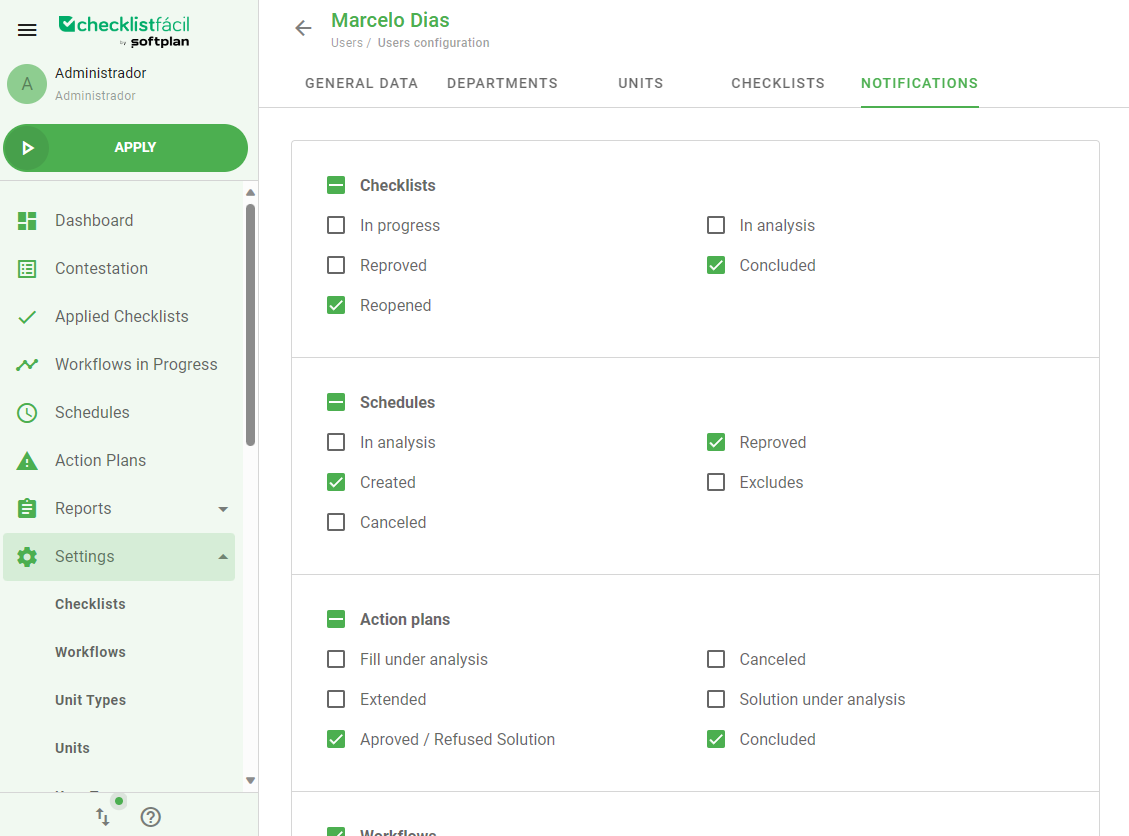
After selecting the notifications types, click Save.
The settings of the notifications can be done in Settings > Notifications. Here, it will be possible to determine the alert types the users will receive based on their User Type.
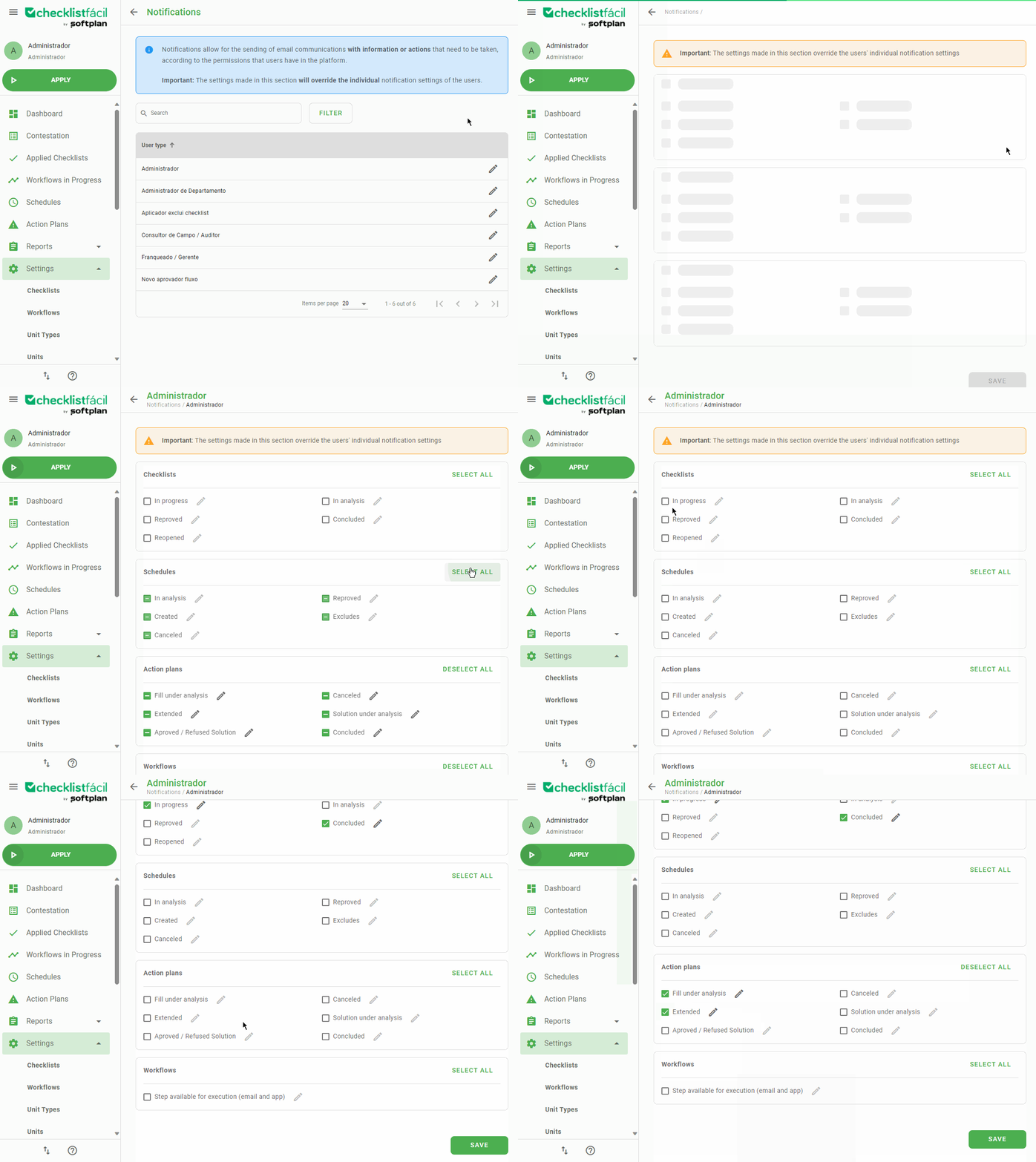
Important: The set up done here will override the individual settings of notifications for each user.
Selecting the gear, it will be possible to personalize what types of users inside the ‘User Type’ will receive specific types of notifications:
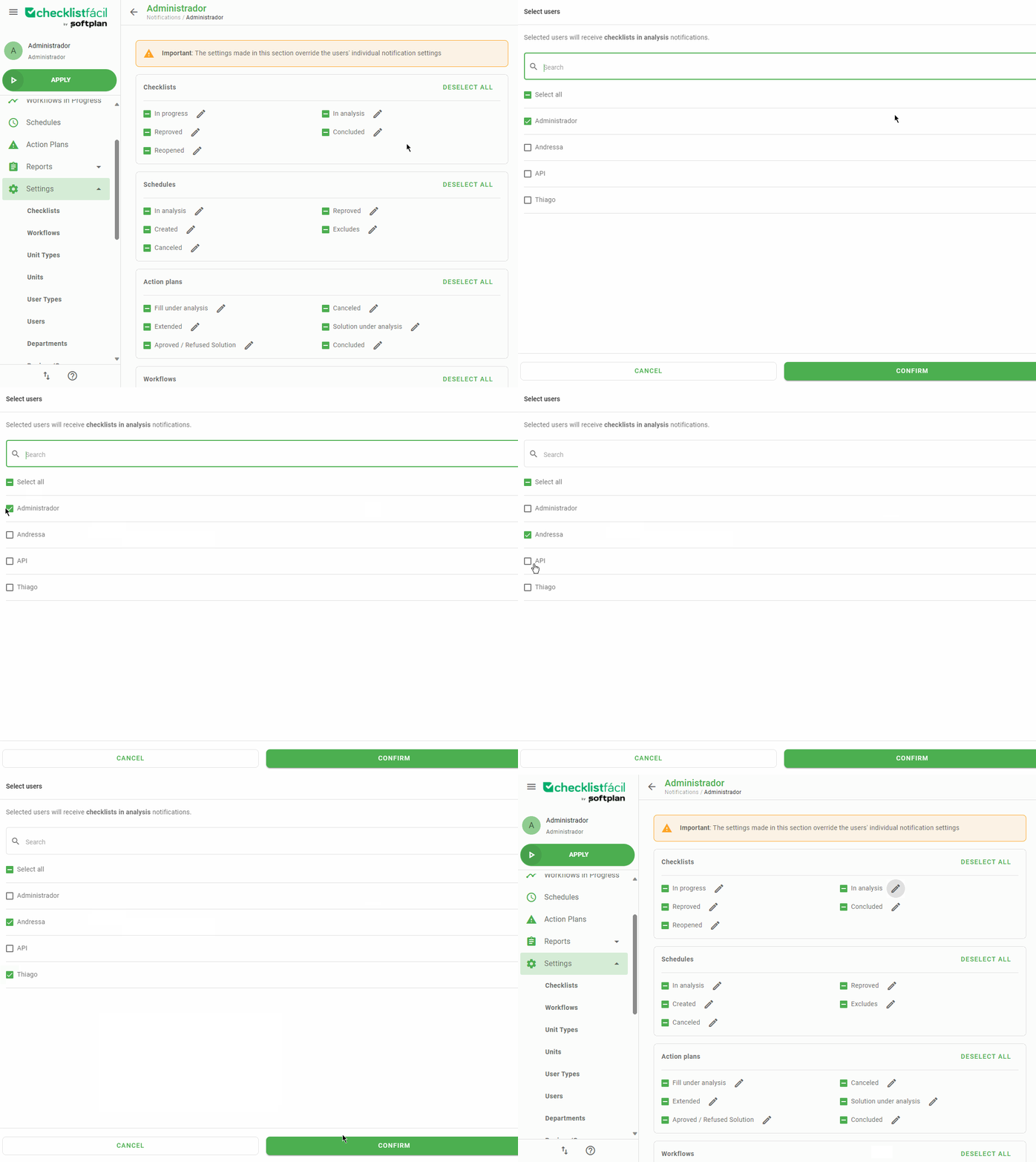
After making sure your settings are done, click Save, at the end of page.
Was this article useful? Remember to rate it!
Got questions? Contact us through chat or ticket!
❓Tem dúvidas? Entre em contato com nosso time de suporte.