- Checklist and Unit Link
- Link with the Checklist Email column
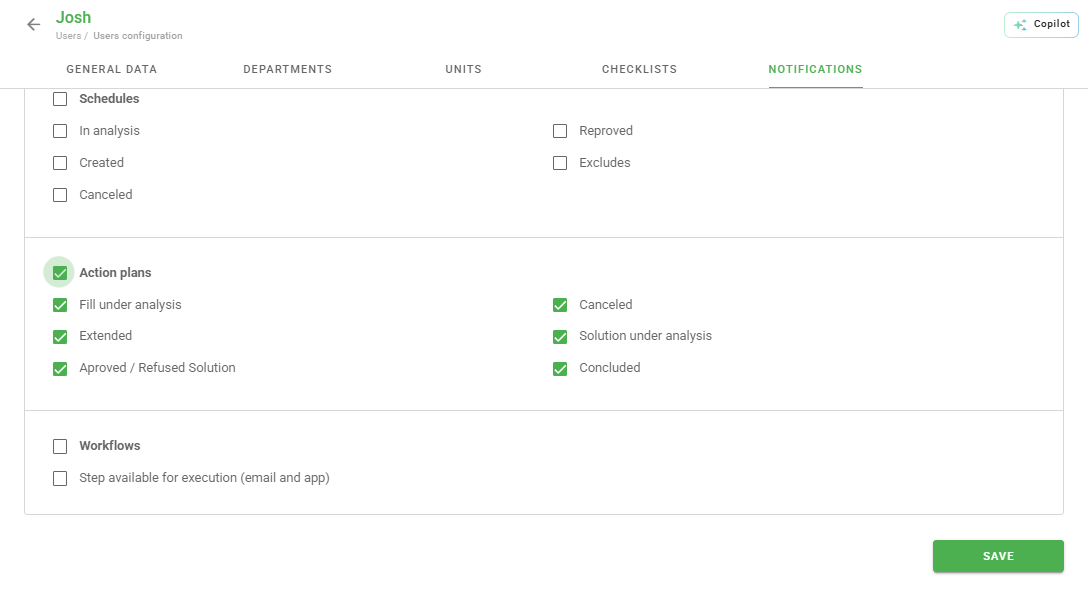
- For Action Plans
- If the company has departments
- Checklist Settings
- Frequently Asked Questions (FAQ)
Email notifications triggered by Checklist Fácil follow a series of rules that can be configured. To understand how email sending works, we first need to understand certain rules and system configuration levels.
Checklist and Unit Link
The user should only receive emails from questionnaires linked to the units they are associated with. Mandatory, the user must be linked to both the Checklist and the unit for the delivery to be performed.
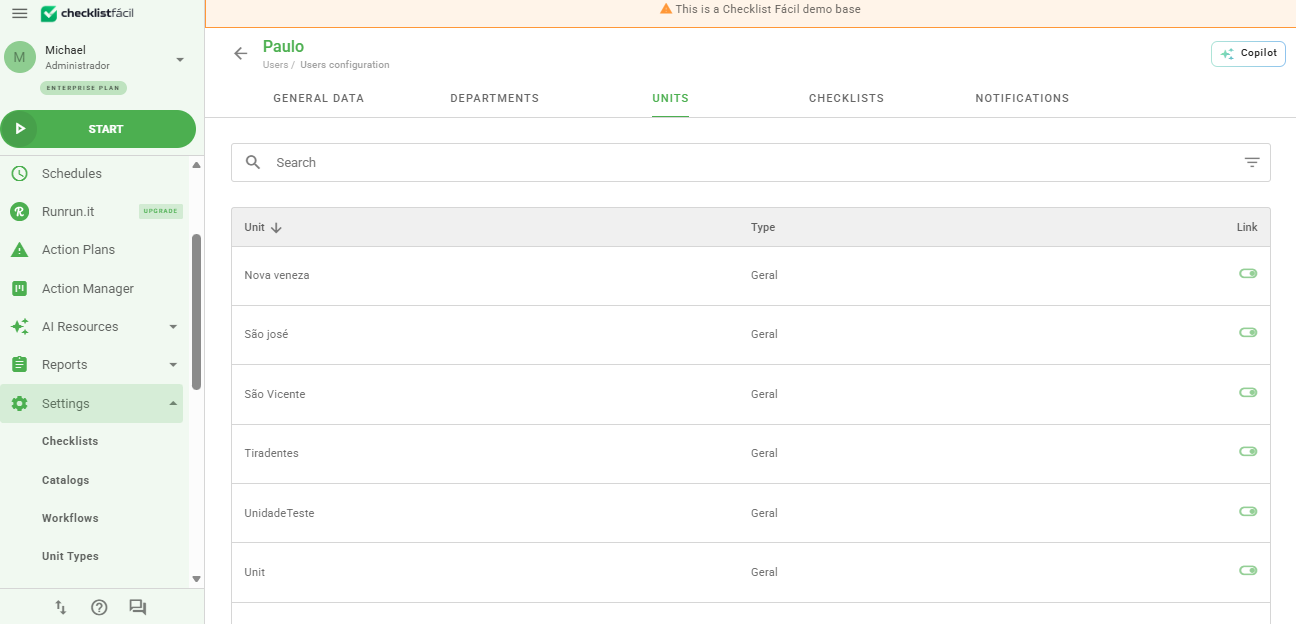
When this link does not exist, the user should not receive any email related to the Checklist or unit.
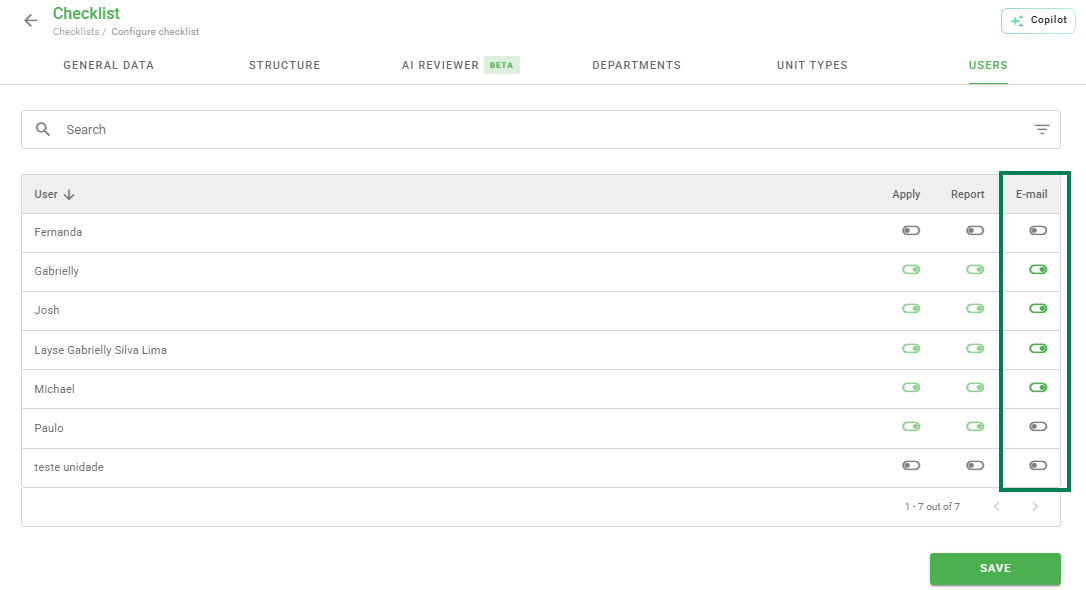
Link with the Checklist Email column
By activating the link with the email column in the Checklist in question, the user should receive emails regarding the questionnaire.
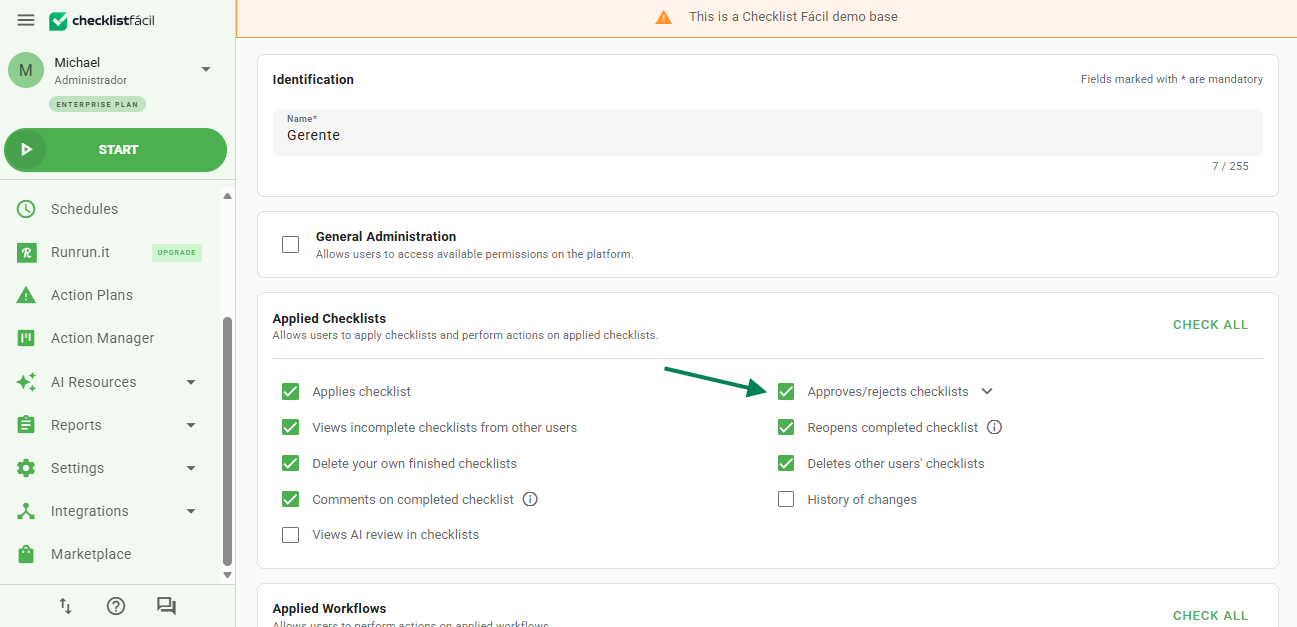
Example: For the user to receive notifications of Checklists pending approval, their user type must have the Approve Checklist permission and the Email option active in the Checklist in question.
For Action Plans
The Email configuration for a Checklist should be used in conjunction with the Action Plan notification settings, so that the user can receive proper updates based on the action plan status and their permissions.
If the company has departments
For companies that have the departmentalization module, the user should only receive emails regarding actions that are directly related to the configurations present in the department they are linked to.
Everyone must share the same department, meaning both the questionnaire used and the authoring user must also be linked to the same department. Otherwise, the email will not be triggered.
Checklist Settings
In Settings > Checklists > Edit > Registration Data > Notification, it is possible to find several email notification rules for the Checklist. These options are:
- Does user receive email of Checklists applied by them?: The applying user will receive the email of all Checklists concluded by them, regardless of any other notification setting.
- Does unit receive email of this Checklist?: Triggers a copy of the emails sent to the emails contained in the Email field of the audited unit.
- Does unit receive copy of scheduling emails?: Whenever a schedule is created, the user will receive a notification with the schedule information, and if it is overdue as well.
- Allow sending email for Checklist in progress?: Enables the delivery of an email for a Checklist that has not yet been concluded and is in the In Progress status.
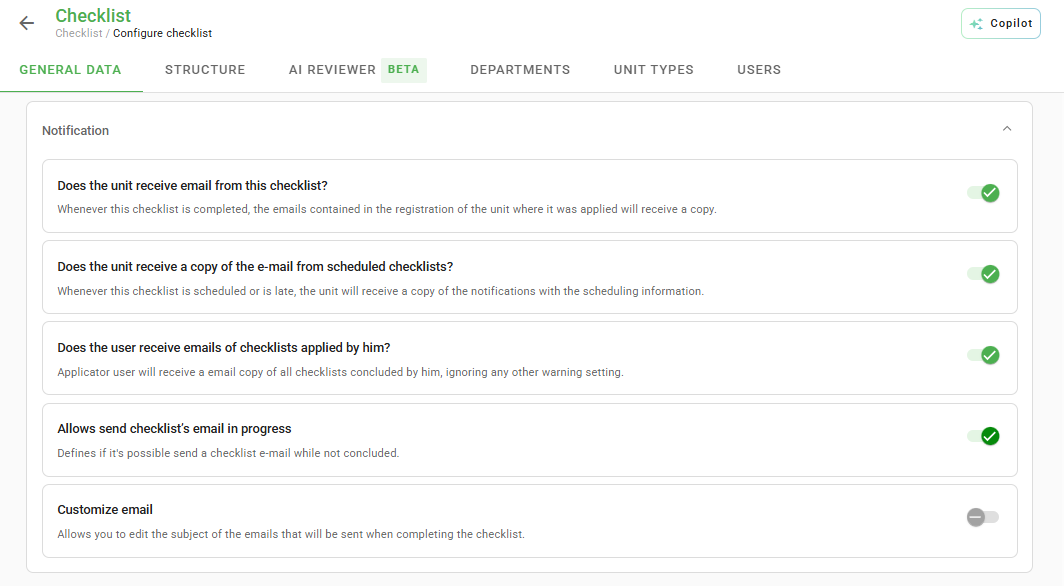
If you wish to check the rules and specific behaviors for each notification for Checklists, check the article here: Click here to access.
Frequently Asked Questions (FAQ)
1. Why is my user not receiving emails?
Check if the user has an active link with both the Checklist and the Unit in question. If there are departments, everyone must be in the same group.
2. Does the applicator receive a copy of what they filled out?
Yes, provided that the option "Does user receive email of Checklists applied by them?" is enabled in the Checklist settings.
❓Tem dúvidas? Entre em contato com nosso time de suporte.