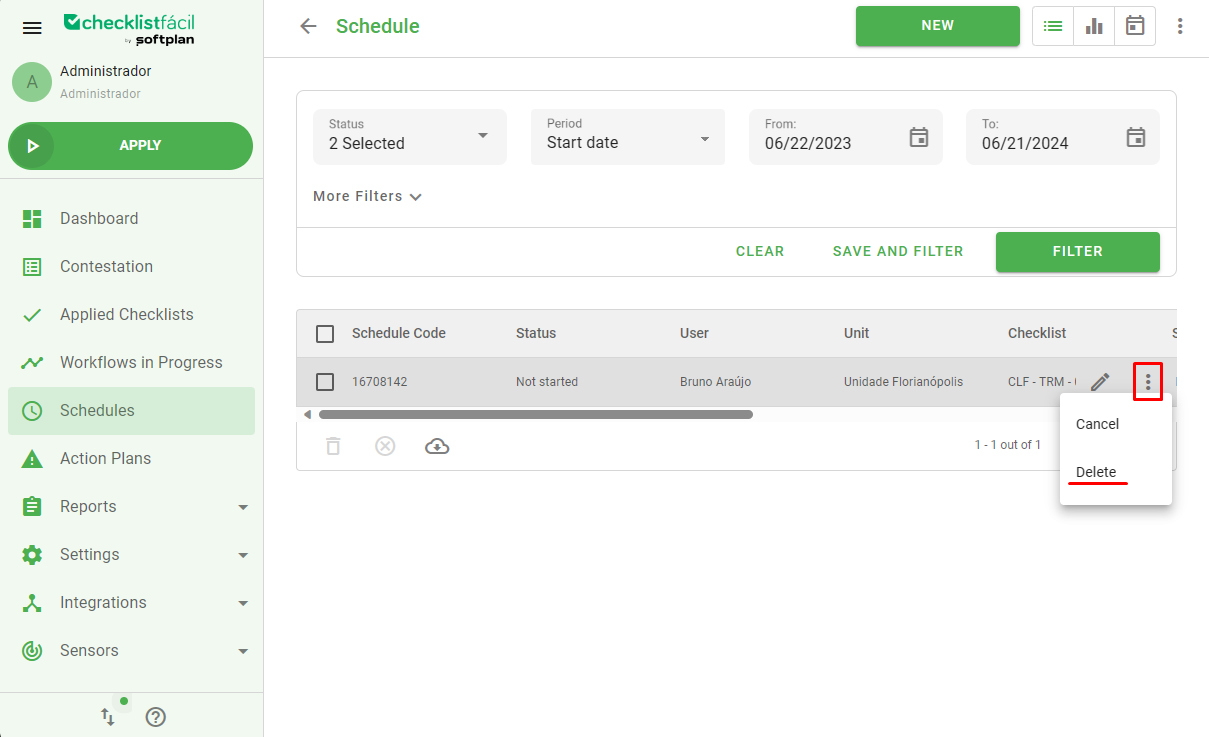
If you want to delete a schedule, just click on the icon with three dots on the right side of your schedule and select Delete. When the schedule is deleted, it is not possible to track the schedule history anymore.
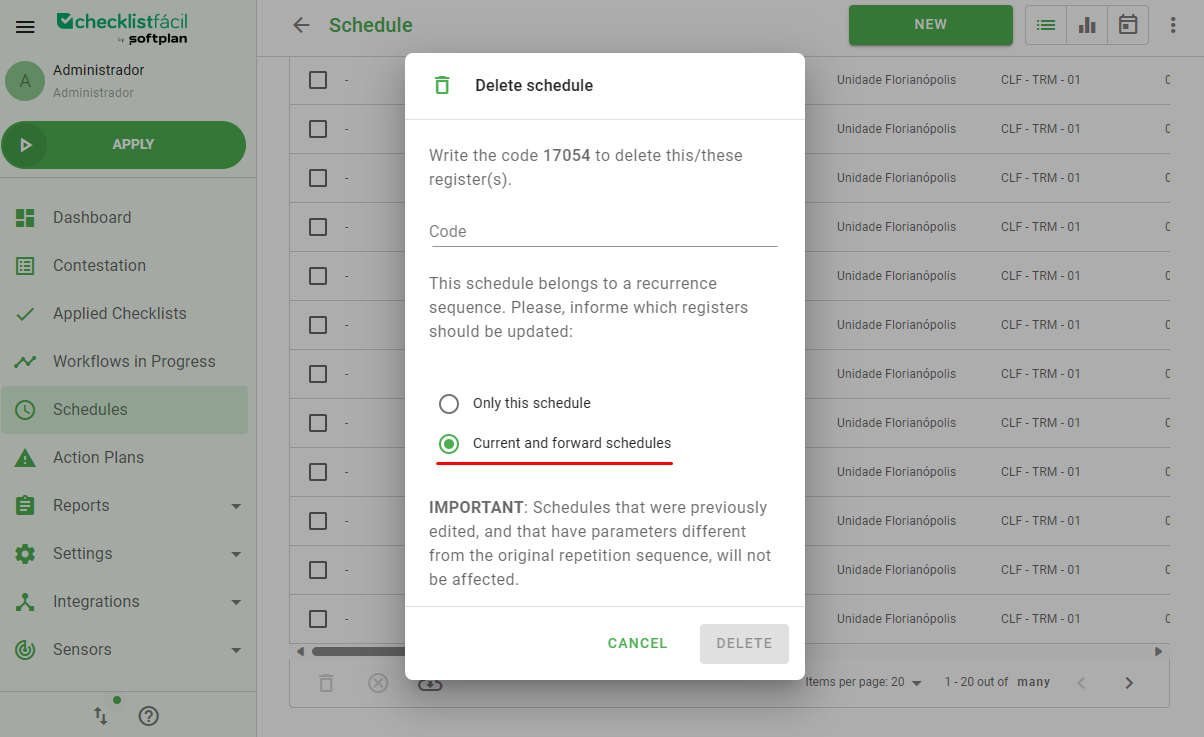
If your schedule has repetitions registered, you will see a screen opening when you click on the three dots icon. This screen is called Delete Schedule and it has the possibility of selecting the option Current and forward schedules.
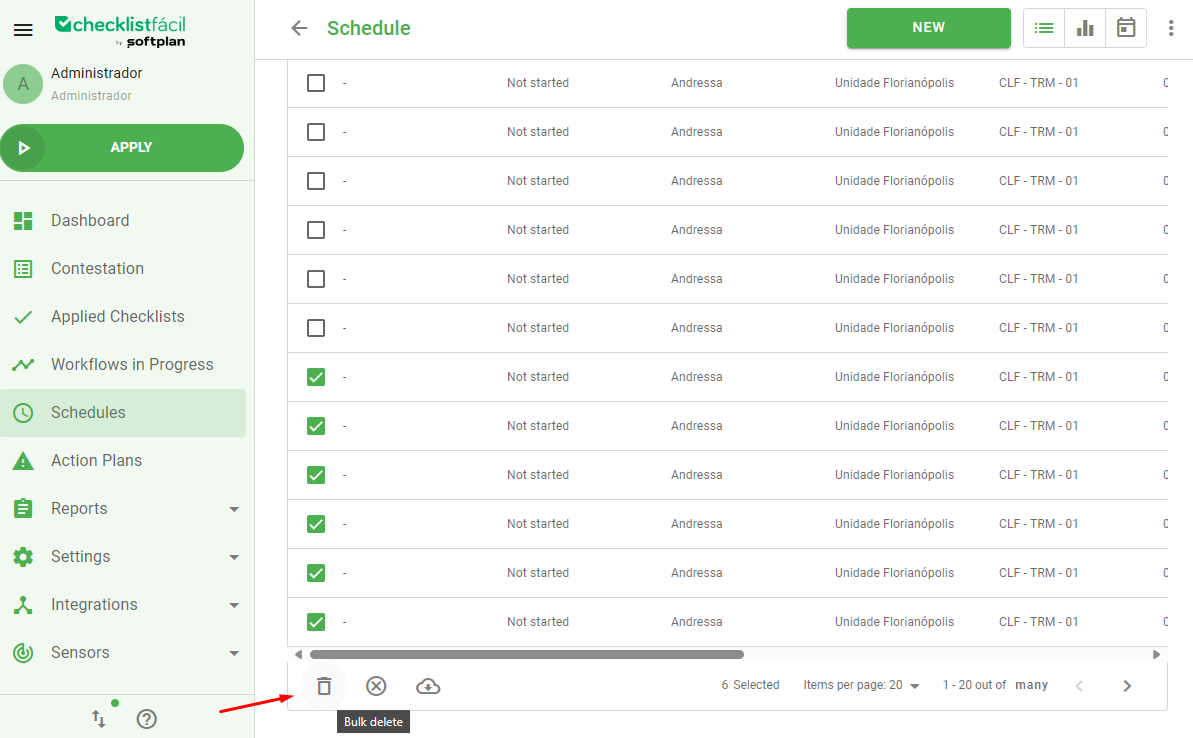
If you have a lot of schedules without repetitions, it is possible to delete many of them by selecting bulk delete, which is available at the end of the screen.
Was this article useful? Remember to rate it!
Got questions? Contact us through chat or ticket!
❓Tem dúvidas? Entre em contato com nosso time de suporte.