Scheduling a Workflow determines the date on which it can be started, however, it is not possible to create a schedule for each step.
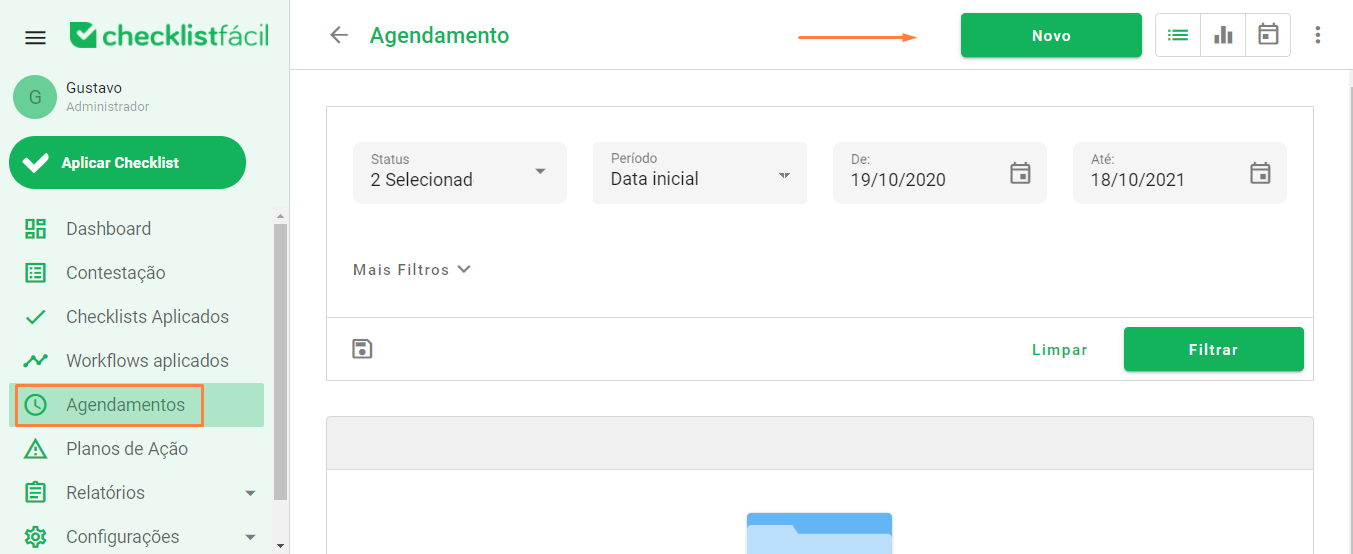
On your database's home page, access the Appointments module, then click on New:
The first field determines whether it is for a Workflow or not. By default it will be filled in with the option “No” (not a Workflow).
Click on the field (or on the arrow on the right) and select the flow (Workflow) for which you want to schedule the application's start date.
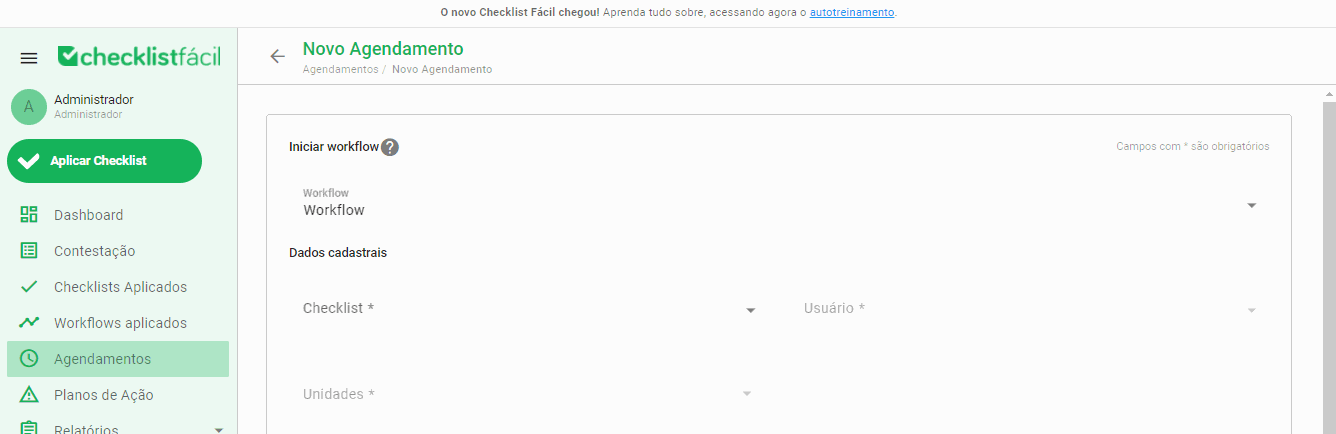
The continuation of the scheduling configuration follows the same pattern already known:
First select the Checklist (whatever is linked to the 1st step will be available), then select the user who can start the Workflow and the unit(s) that will be audited (the units that were configured when creating this Workflow will be available).
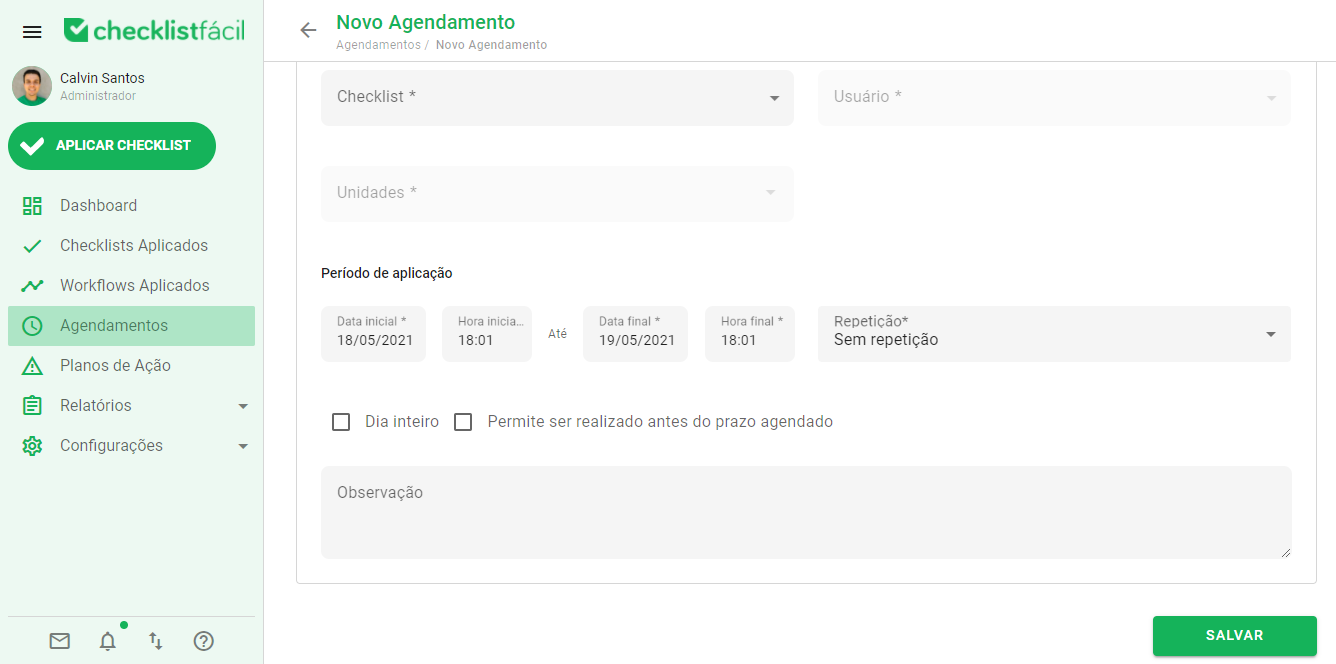
Finally, define the other available settings for scheduling (date, time, repetition and permissions) and click Save:
➡️ Was this article useful? Leave your review!
❓Do you still have questions? Contact us via chat or ticket!
❓Tem dúvidas? Entre em contato com nosso time de suporte.