By expanding the settings menu and clicking in Units, you’ll have access to Unit’s settings. At this screen, you can import data, set additional fields, do bulk actions, edit general data, deactivate or delete Units.
To perform bulk actions, just select one or more units:

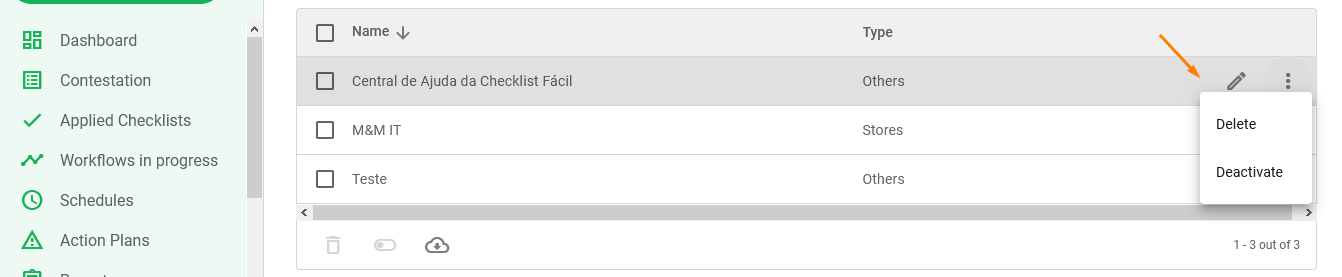
At the trash can icon, it is possible to delete* the selected units. On the toggle icon, it is possible to activate or deactivate the selected units. And at the cloud icon, it is possible to extract the registration data of these units.
*By deleting a Unit, all linked data will be deleted. It’s recommended to just deactivate the Unit, instead of deleting to preserve the data.
If you wish to edit, deactivate or delete a single unit, just hover over it, and click the pencil to edit its general data, or open the three dots menu, then click delete or deactivate.
Was this article useful? Remember to rate it!
Got questions? Contact us through chat or ticket!
❓Tem dúvidas? Entre em contato com nosso time de suporte.