- What is a Unit
- How to register a new unit
- Registration data and QR Code
- User and Region Links
- QR Code Tab
- Frequently Asked Questions (FAQ)
What is a Unit
Unit refers to everything that will be evaluated in the system, which can be a location, furniture, a vehicle, among others. In this article, we will learn how to perform the registration of a new unit step by step.
How to register a new unit
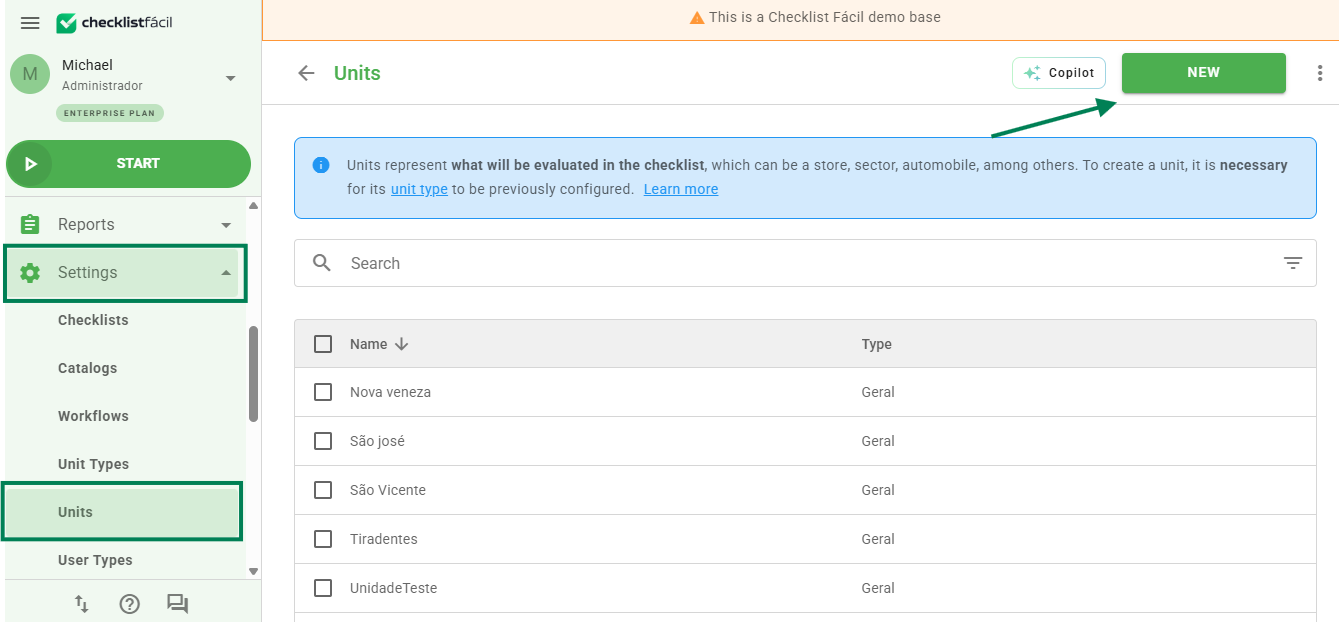
To start, expand the side menu in Settings, access the Units option and click the New button:
Attention: when deleting a unit, all data linked to it will be deleted. For this reason, we recommend only deactivating it to preserve the records. Registration data and QR Code
The first step is to fill in the Registration data. This information serves to identify the unit within the platform.
On this screen, you will find the Mandatory QR Code field. If enabled, the evaluator will only be able to start a checklist in this unit after scanning the code.
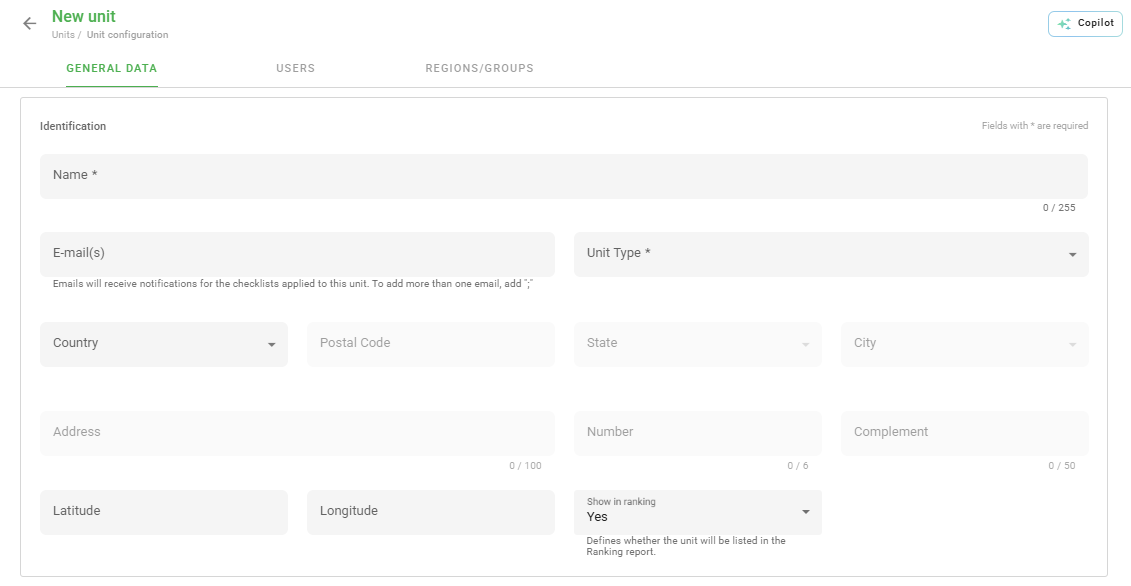
Remember: fields marked with an asterisk (*) are mandatory to complete the registration.
User and Region Links
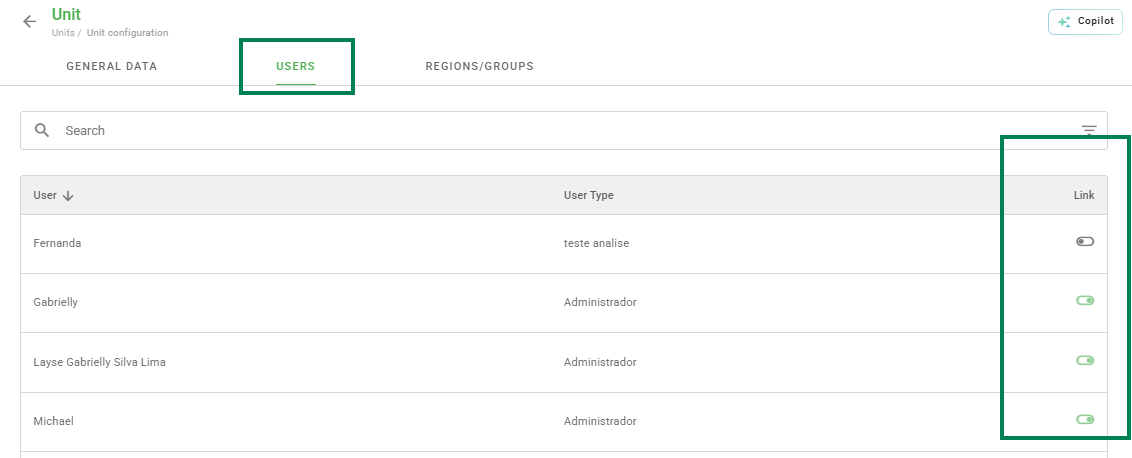
The Users tab allows you to define who will have access to this unit. You can link users individually or in bulk through the Link option.
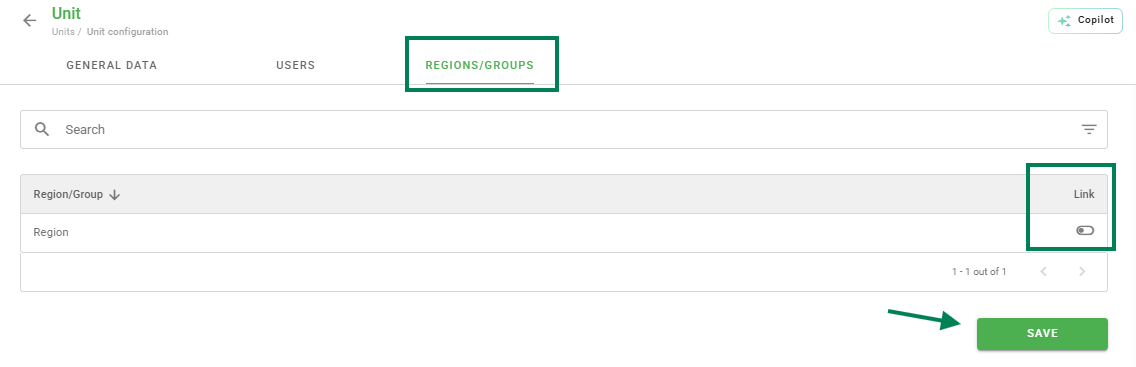
Similarly, the Regions/Groups tab is not very different from users. On this screen you will link the Regions/Groups that this Unit will be part of.
QR Code Tab
The QR Code tab speeds up the checklist application and ensures the evaluator is in the correct location. By scanning the code, the app directs the user directly to the configured unit.
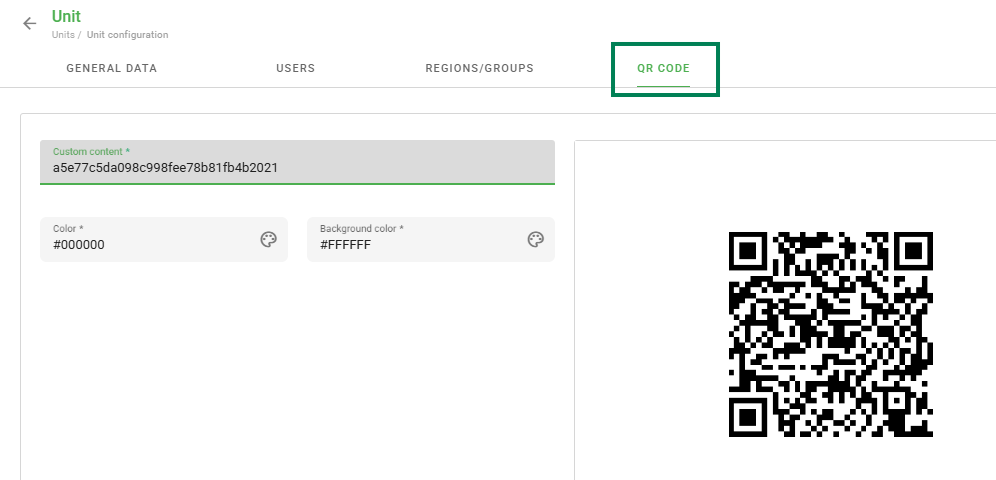
If the QR Code is not mandatory, the evaluator can select the desired unit through the list in the application.
Frequently Asked Questions (FAQ)
1. Can I change a unit's data after registration?
Yes, simply access the units list, locate the desired one, and click on the edit icon to update the information.
2. What happens if I do not link any user to the unit?
The unit will not appear for evaluators in the application. It is necessary for the user to be linked to view the unit.
❓Tem dúvidas? Entre em contato com nosso time de suporte.