- How to configure additional fields for units
- How to import units
- How to track the import status
- Frequently Asked Questions (FAQ)
Did you know that it is possible to import units directly from your platform? This functionality allows you to add multiple units in a simple way, improving your operational efficiency.
In addition, you can configure new registration fields for units, customizing the information according to your needs.
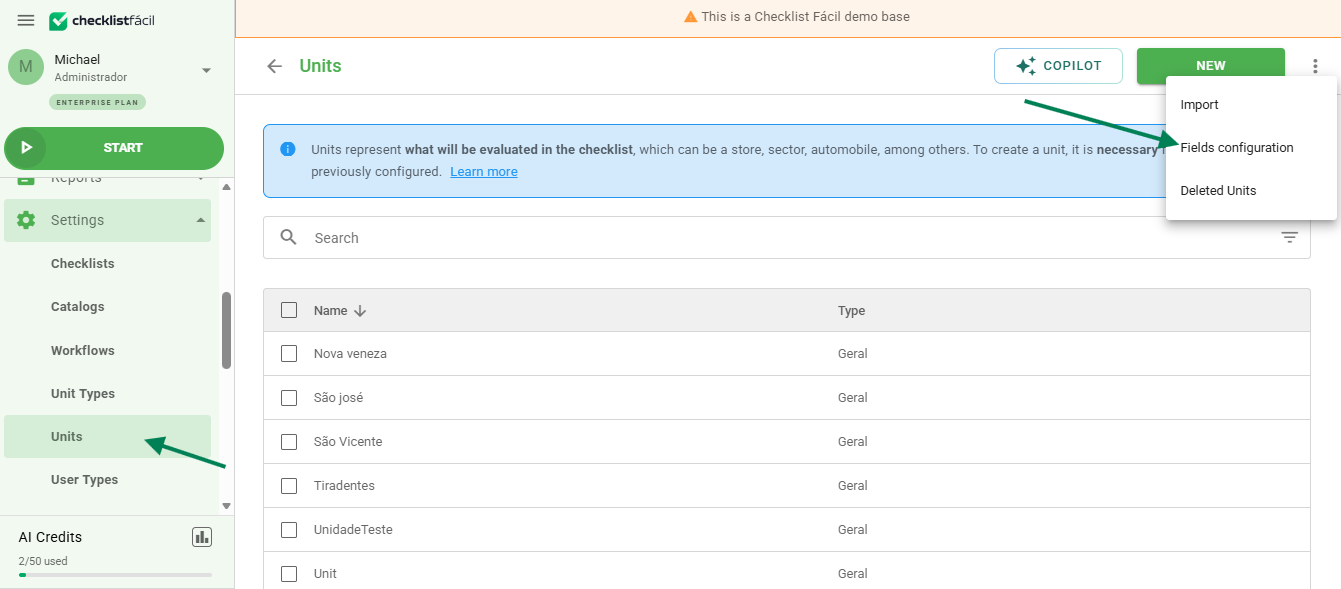
Both functionalities are available in the unit settings menu, located in the upper-right corner of the screen, next to the "New" button.
How to configure additional fields for units
To configure additional fields, click the gray three-dot icon in the upper-right corner of the screen and select the Configure fields option:
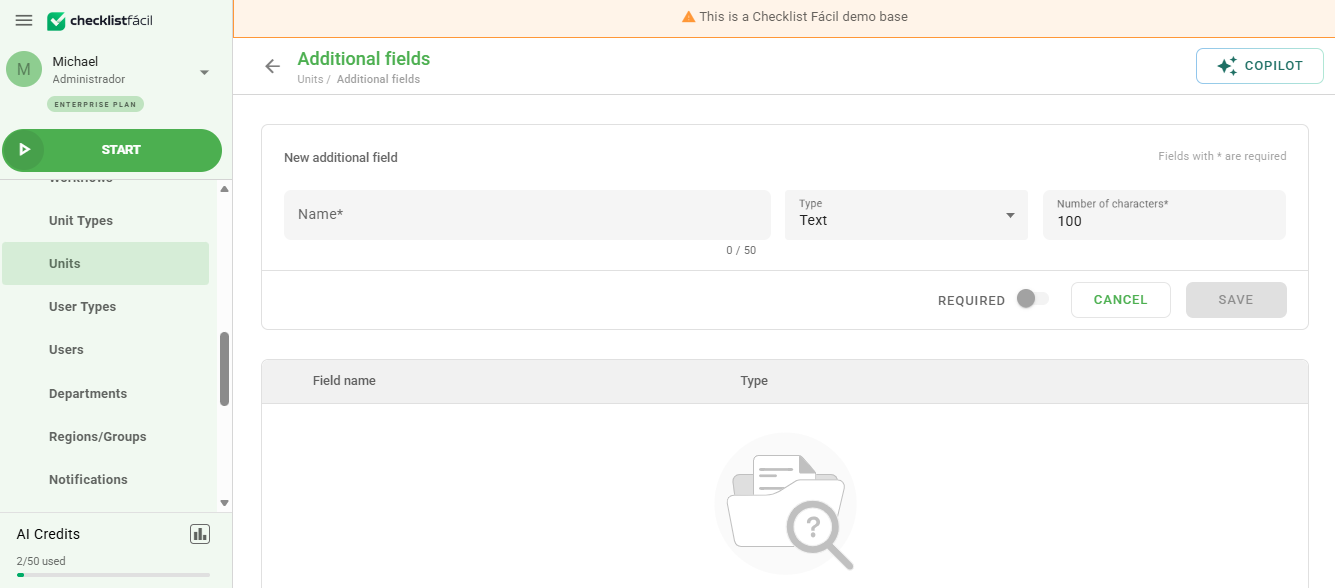
On the Additional fields screen, you can create a new field by defining:
- Name: Field identification.
- Required: Whether completion is mandatory or not.
- Field type: Can be defined as date, text (up to 255 characters), number, decimal value, or list.
After creation, it is also possible to sort, edit, or delete the created fields:
How to import units
The import path is similar to the configuration process. In the three-dot menu, click Import:
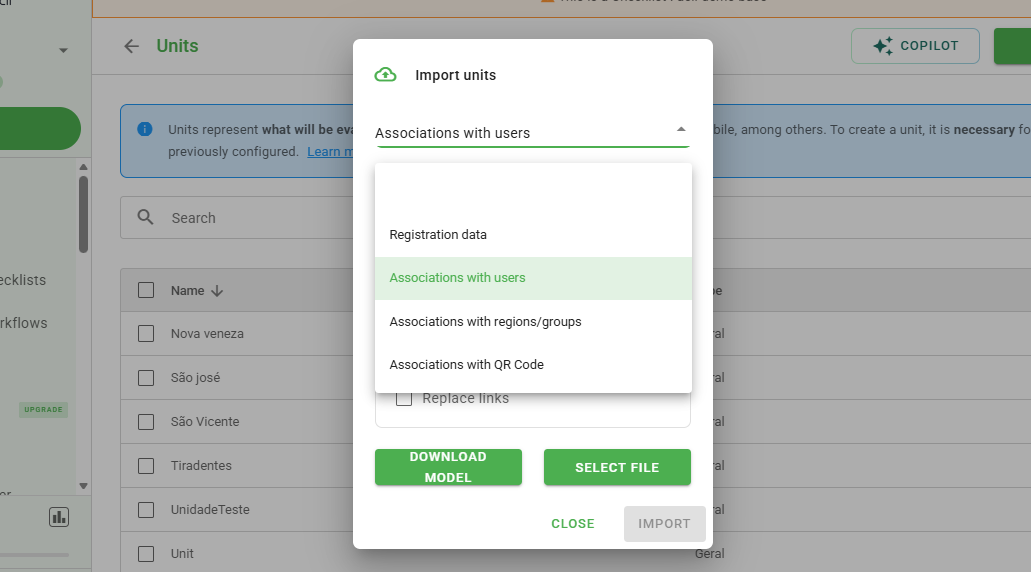
The import menu allows you to choose the type of data that will be submitted:
- Registration data.
- User associations.
- Region or group associations.
- QR Code associations.
Within this screen, you can download the spreadsheet template that must be completed, select whether you want to overwrite existing data, or simply choose the file for upload.
How to track the import status
After uploading the file, you can monitor the processing progress by accessing the Imports and exports menu, located at the bottom of the main menu:

Frequently Asked Questions (FAQ)
1. What is the character limit for additional fields?
The maximum limit for text-type fields is 255 characters.
2. Can I update already registered units through import?
Yes, simply select the option to overwrite the data when performing the import process.
❓Tem dúvidas? Entre em contato com nosso time de suporte.