- About Digital Fence
- How to configure Digital Fence
- Unit Settings
- Checklist Settings
- Frequently Asked Questions (FAQ)
About Digital Fence
The digital fence is a feature aimed at limiting the application of a checklist to a specific unit. It considers the location registered for the unit and the user's current location via the mobile device's GPS.
Check the availability of this feature in your plan with the Solution Team or Account Manager (CS).
The purpose is to ensure information integrity, guaranteeing that the applier is actually at the evaluated location. If the user is outside the permitted radius, the application may be limited or prohibited.
This feature is available only on the app for iOS and Android devices.
How to configure Digital Fence
To activate the functionality globally in the system, follow the steps below:
1. Navigate to Settings > Advanced Settings.
2. Click on the Location tab.
3. Enable the Active GPS in App option (required for the fence to work).
4. Enable the Digital Fence and define the desired range radius.
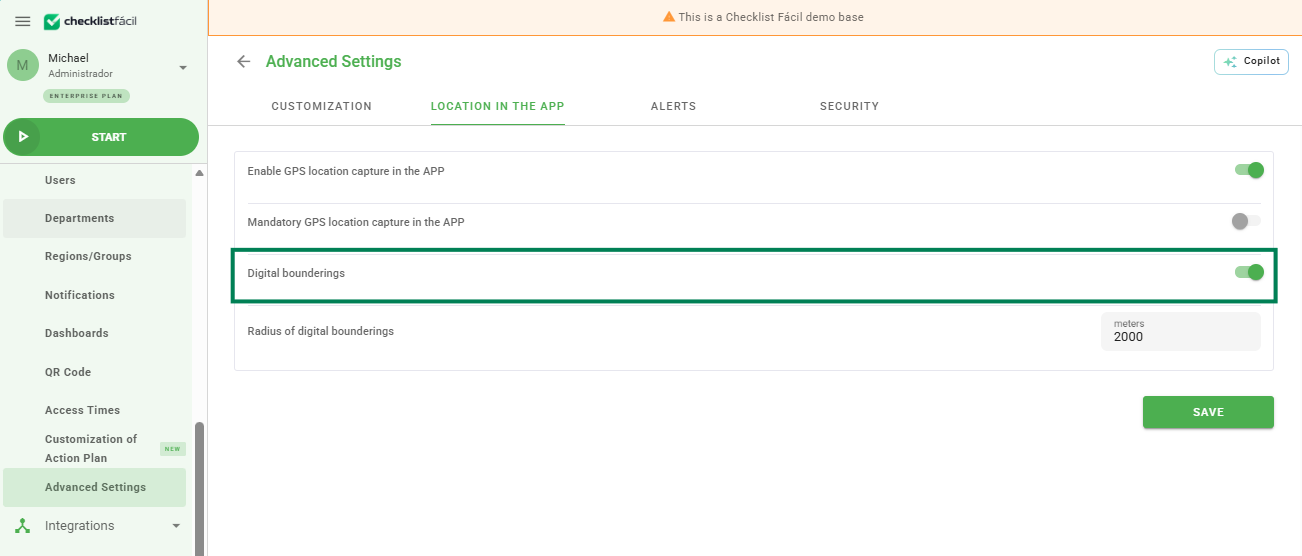
The radius is a circular measurement. The higher the value, the greater the allowed distance for the applier to Start the checklist in relation to the unit.
After defining the preferences, click Save.
Unit Settings
For the fence to work, each unit must have its geographic coordinates registered:
1. Go to Settings > Units and click Edit on the desired unit.
2. Fill in the Latitude and Longitude fields.
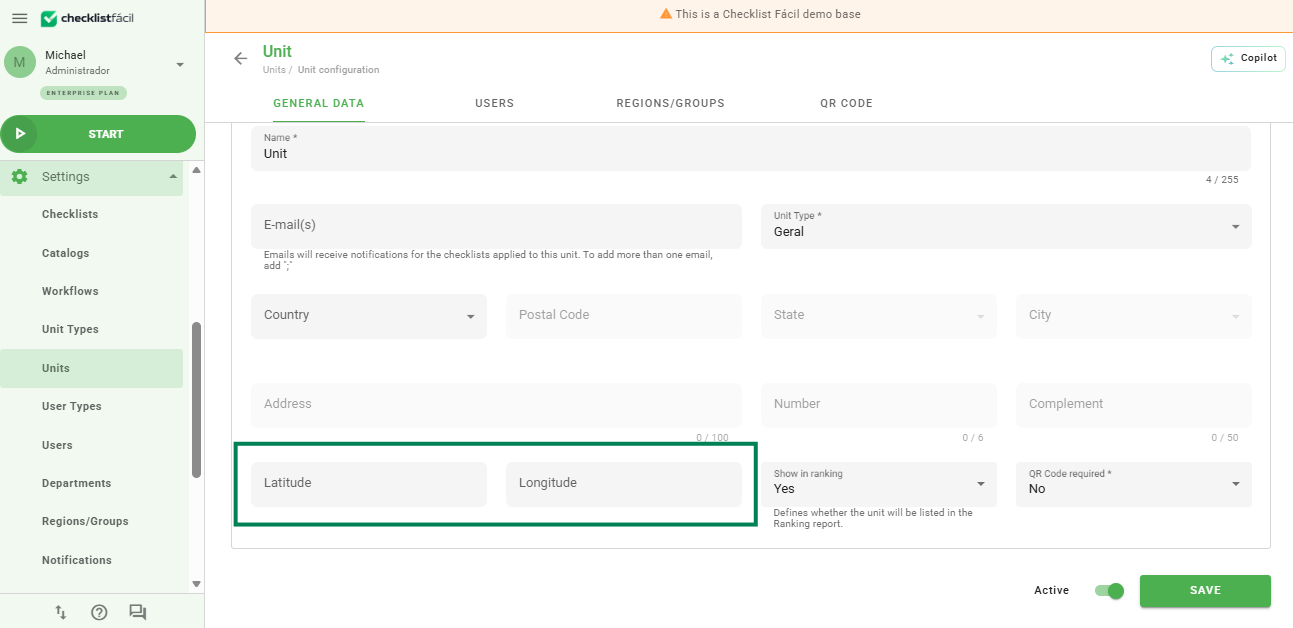
When finished, click Save.
Checklist Settings
Finally, it is necessary to determine the fence behavior for each checklist model:
1. Go to Settings > Checklists > Edit.
2. In the Registration Data tab, locate the Digital Fence section.
3. Activate the desired behaviors for this specific checklist.
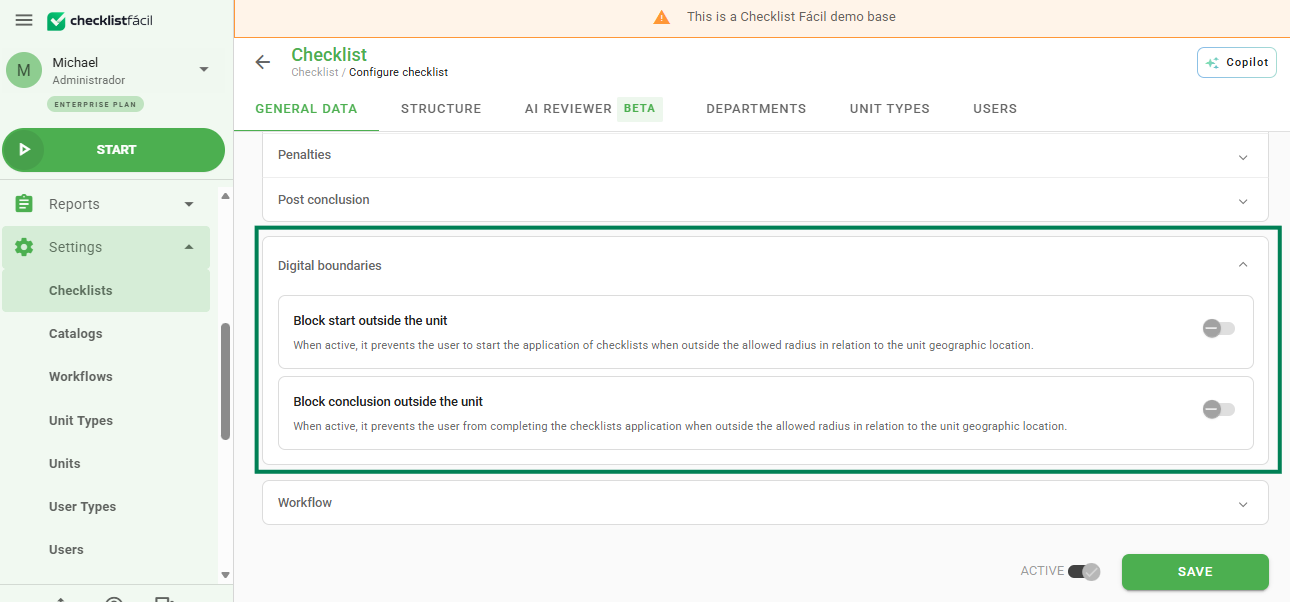
Click Save to complete the configuration.
Frequently Asked Questions (FAQ)
1. What happens if the phone's GPS is turned off?
The application will request the user to enable the GPS. If the Digital Fence is configured as mandatory, the user will not be able to start the checklist without the location active.
2. Can I define different radii for each unit?
The radius configuration is global within the advanced settings, but the feature activation can be controlled per checklist model.
❓Tem dúvidas? Entre em contato com nosso time de suporte.