- Date Standards and Timezone
- Comparison Operators
- Practical Query Examples
- Frequently Asked Questions (FAQ)
Date Standards and Timezone
In the Analytics API, it is possible to use date filters in various resources. To ensure query accuracy, it is essential to understand the format accepted by the system.
→ All dates used in the API must follow the ISO 8601 format. Additionally, records are always returned in UTC Timezone.
Comparison Operators
To refine your search for specific periods, you must use the operation comparators below:
- [eq]: Equal.
- [gte]: Greater than or equal.
- [lte]: Less than or equal.
With these operators, you can query records from a start date, up to a limit date, or create period intervals.
→ If no operator is provided in the query, the system will automatically interpret it as [eq] (equal to the information sent).
Practical Query Examples
Below, we present common scenarios using the assessment query (Applied Checklists).
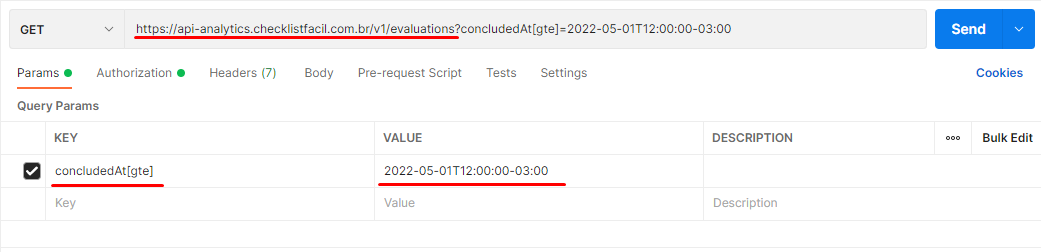
1. Assessments concluded after a specific date
In this example, we search for records after 05/01/2022 at 12:00:00 (considering the America/Sao_Paulo Timezone, i.e., -03:00).
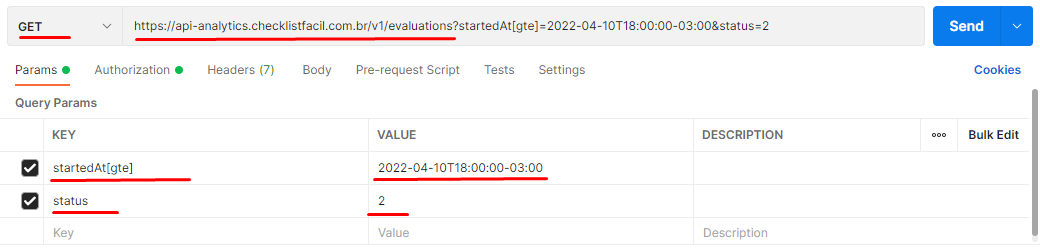
2. Applied Checklists In Progress started after a date
Here we filter assessments that started being applied after 04/10/2022 at 18:00:00 (America/Sao_Paulo Timezone).
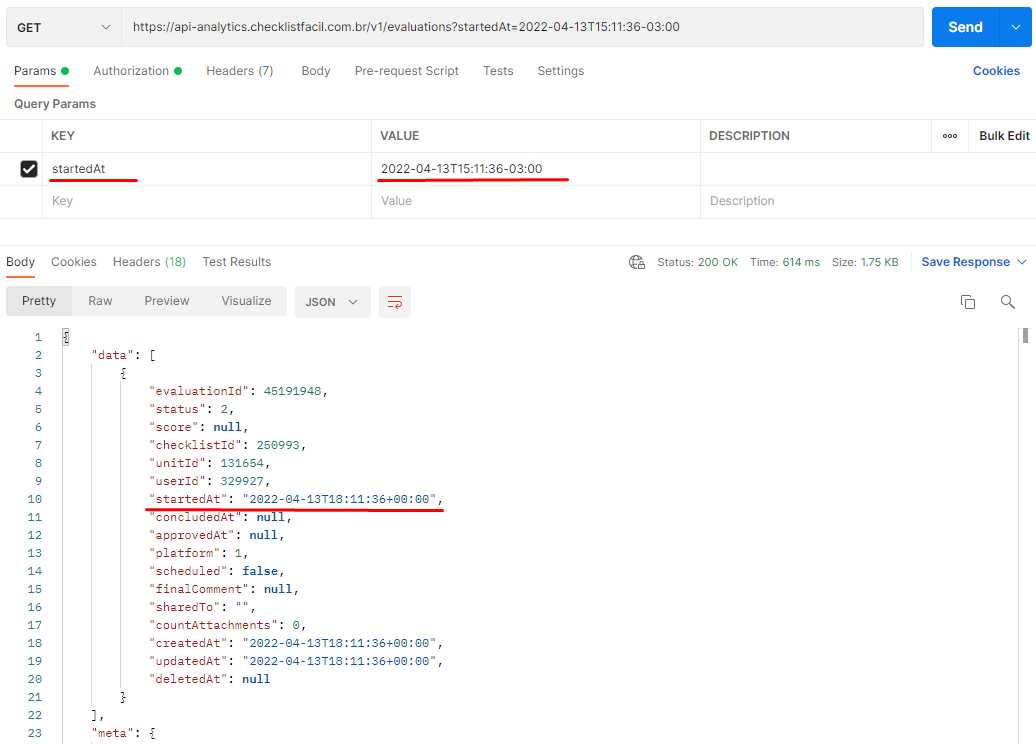
3. Query by exact date (without operator)
When searching for an exact date, note the difference between the timezone provided in the filter and the one returned by the API (UTC).
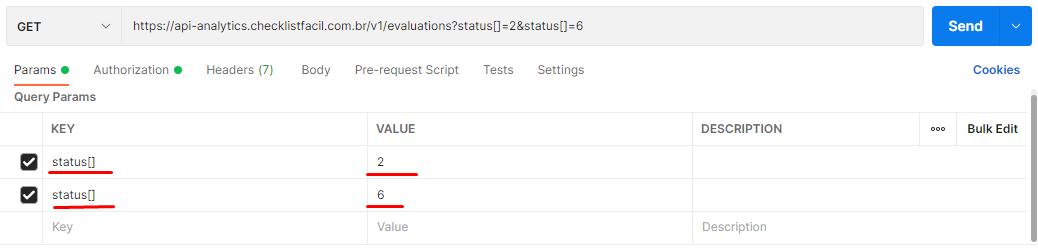
4. Querying multiple statuses in the same request
To filter more than one status (e.g., assessments In Progress AND Concluded), we use the [] suffix in the parameter. In the example below, we filter by status 2 (In Progress) and 6 (Concluded).
5. Filter non-deleted records
Some records may be marked in the system before final deletion. To search only for what is active, we use the deletedAt filter with the value null.
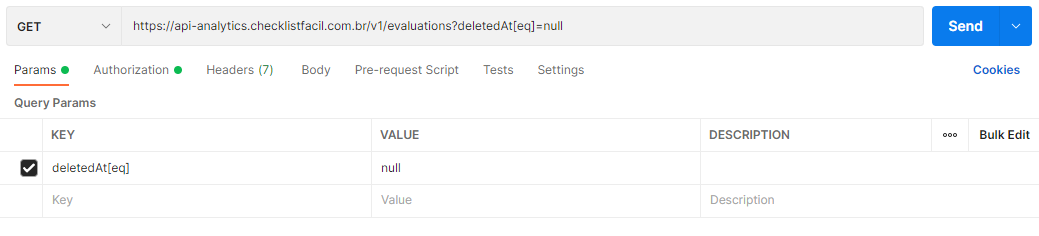
→ This informs the API that we only want records where the deletion date field is empty.
Frequently Asked Questions (FAQ)
1. Why is the returned date different from the one I filtered?
This occurs due to the timezone. The API always returns data in UTC (Coordinated Universal Time), while your filter may have been made considering a local timezone (such as -03:00 from Brasilia).
2. How do I filter multiple values for the same field?
Add square brackets [] to the end of the parameter name in the URL. Example: status[]=2&status[]=6.
❓Tem dúvidas? Entre em contato com nosso time de suporte.