See how to use the Integration API module and further automate your processes.
What is the Integration API module?
The API Integration module was developed to meet scenarios where it is necessary to automate the management of Checklist Fácil records using an API. With this solution, you can integrate the system with any other platform and perform various actions, such as:
- Generate tokens;
- Search, insert, and update registration data;
- Search application history;
- Register webhooks and much more.
How to use the Integration API?
To consume data from the Integration API, you must have access to the module documentation and your API Key in hand.
To access the documentation, you must be logged into Checklist Fácil. Log in and click the link: Access official documentation
To facilitate understanding, we will exemplify usage starting from the registration of units. Remember that other possibilities can be consulted in the official documentation.
To list the registered units, consult the documentation to obtain the HTTP method and the URL that will be used, as shown in the example below:

With this information, you can create your request in tools like Postman, selecting the HTTP method and providing the full URL.
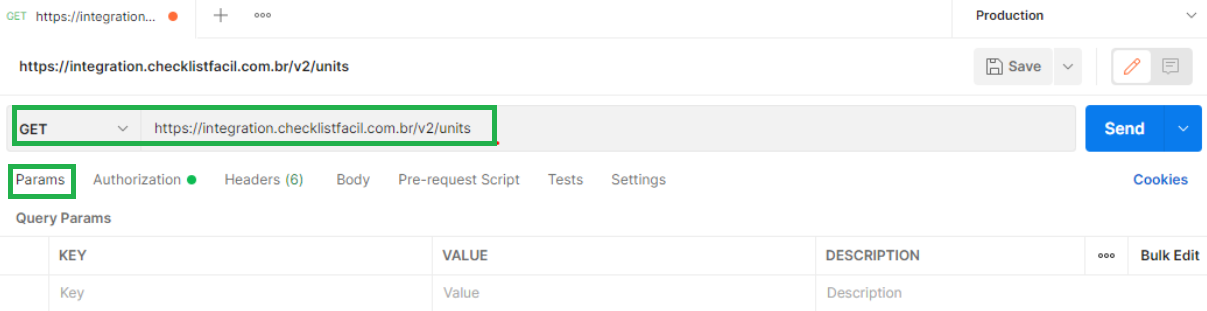
In this way, you will successfully perform the request to list units:
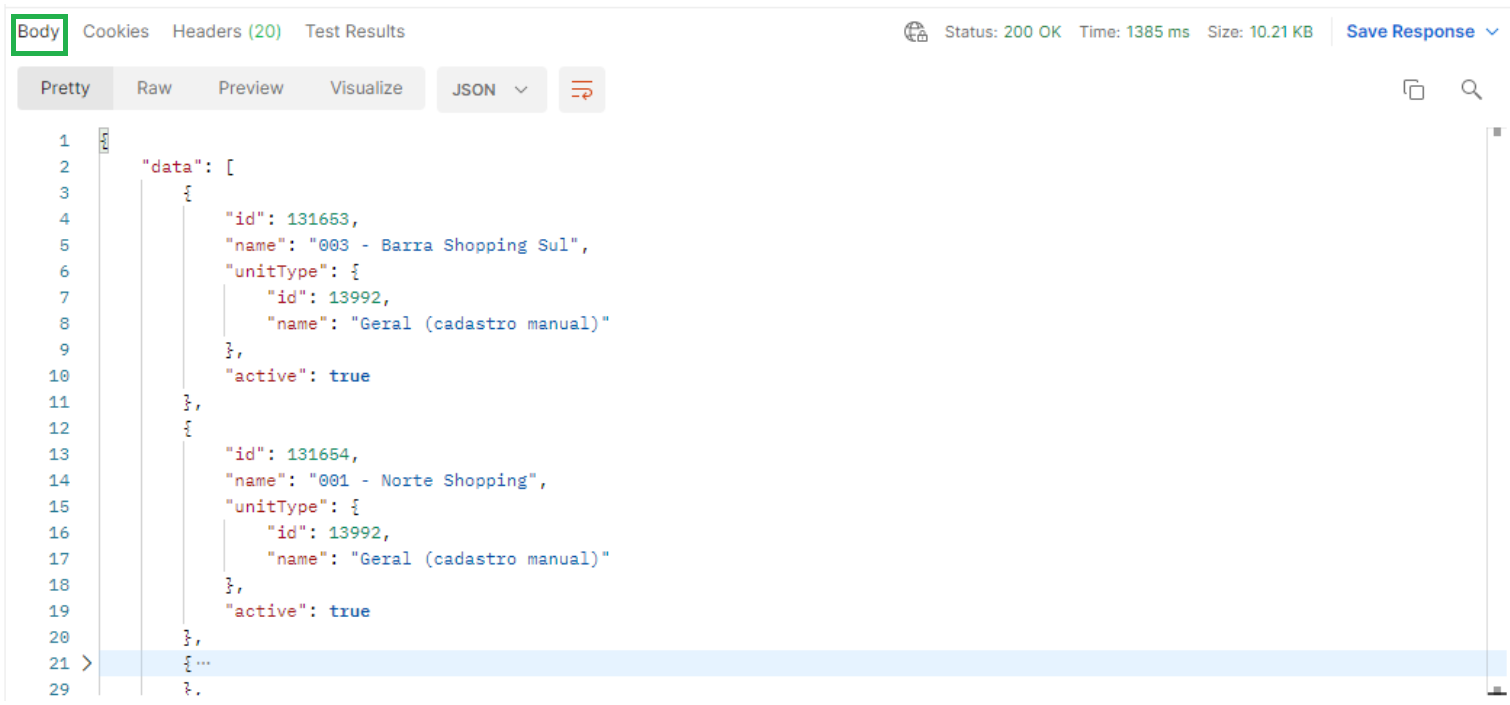
For any list request in the API, you will obtain two main properties:
- data: array type, where the return objects of the requested list are displayed.
- meta:object type, containing information about the pagination of the results, such as:
- currentPage: the page currently being consulted.
- lastPage: the last page containing records.
- perPage: number of records per page.
- total: overall total of records.
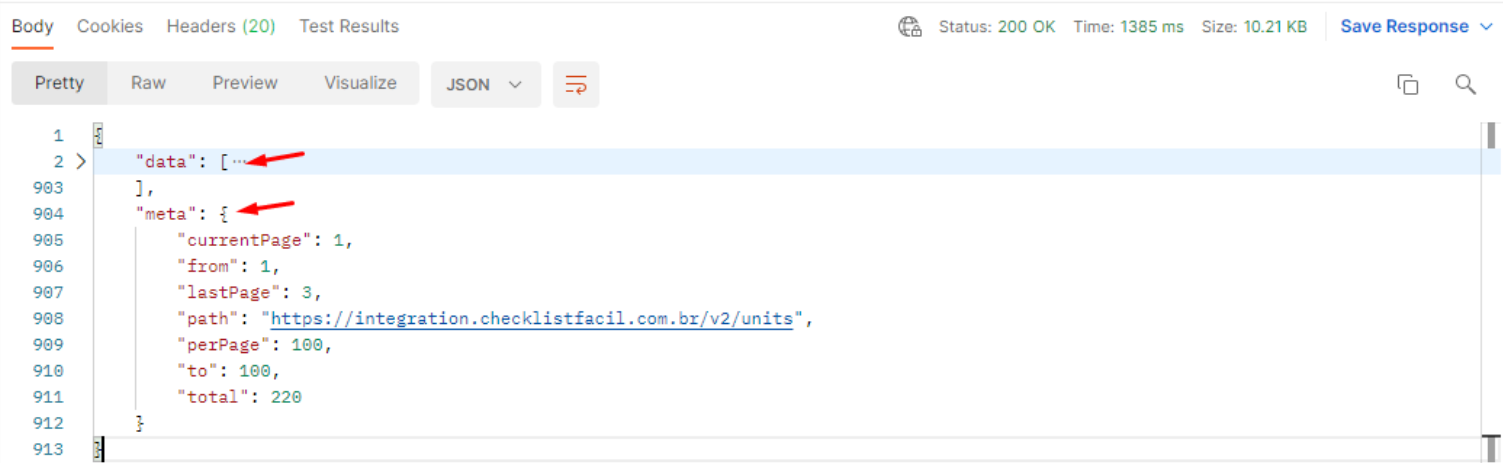
Note: All API listings are paginated. It is essential to account for this structure when consuming data to ensure that all information is processed correctly.
Frequently Asked Questions (FAQ)
1. Which HTTP methods are supported?
The API supports industry-standard methods: GET for queries, POST for creating new records, PUT for updates, and DELETE for deletions.
2. Can I test the API before programming?
Yes, you can use tools like Postman to simulate requests and view the returns before starting development in your software.
3. What happens if I do not specify the page in the query?
If the page parameter is not sent, Checklist Fácil will always automatically return the data corresponding to the first page of results.
❓Tem dúvidas? Entre em contato com nosso time de suporte.