The Checklist Fácil application is currently available on the two main mobile platforms, Android and iOS/iPadOS. In this article, we will talk about some adjustments that can be made to improve the experience of using images collected with iOS/iPadOS.
Image formats in iOS/iPadOS
These operating systems currently use specific video and image formats for devices manufactured by Apple. This can become an impediment when you choose to share this type of file in other applications, such as Checklist Fácil and its attachments.
Recommended configuration setting
With that, we recommend making a small adjustment to your device settings:
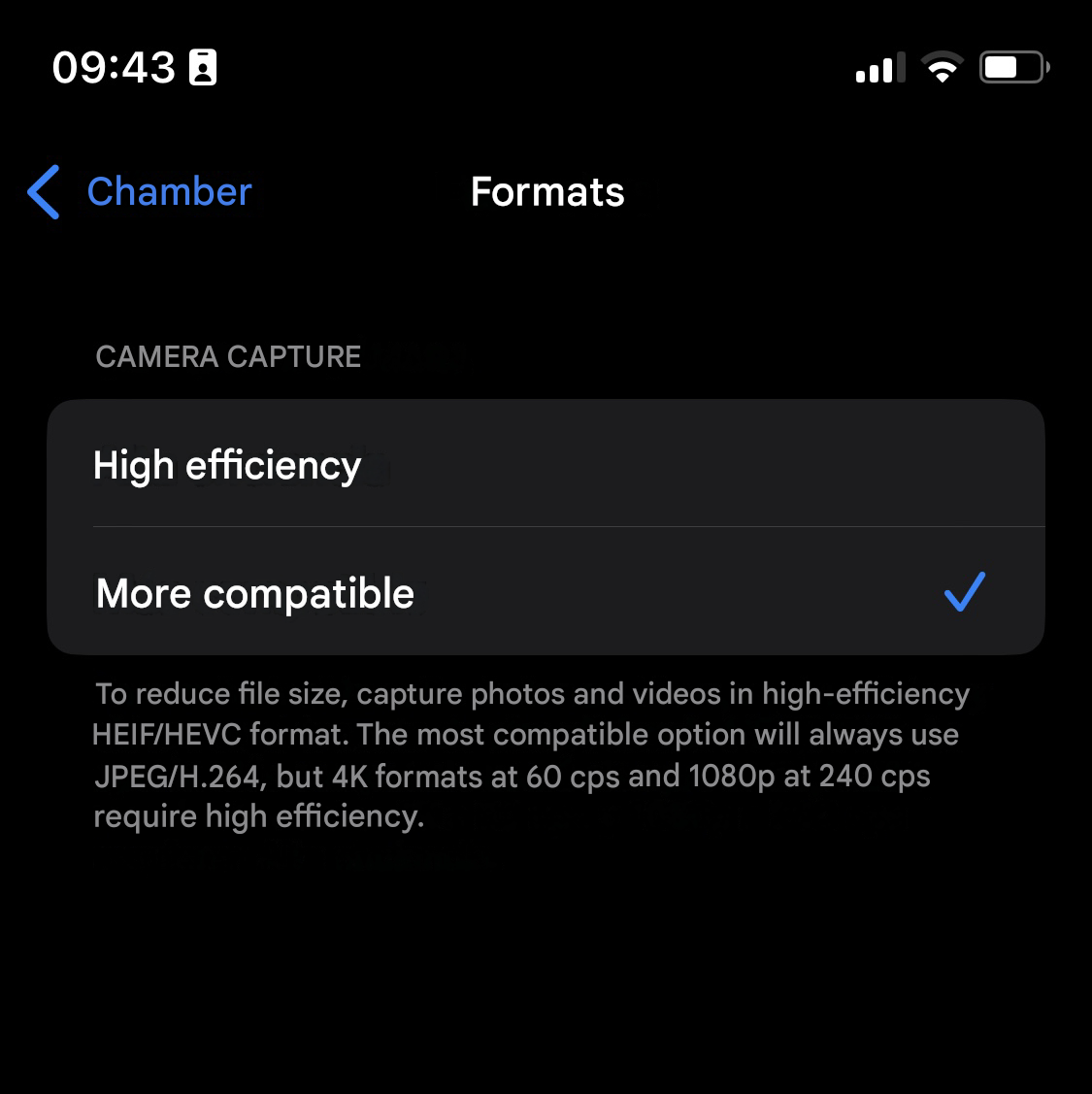
Open the Settings app, and then select the Camera feature. Here, tap on the first option, Formats. We recommend using the Most Compatible option to deliver better results in the Checklist Fácil application:
Frequently Asked Questions (FAQ)
1. What changes when activating the "Most compatible" option?
By activating this option, your iPhone or iPad will save photos in JPEG format and videos in H.264, which are universal formats fully recognized by the web platform and other operating systems.
❓Tem dúvidas? Entre em contato com nosso time de suporte.