- What is AI Reviewer
- Benefits
- 1. How to enable the feature
- 2. Configuring Audit per Item
- 3. Saving your Settings
- 4. Analysis of Applied Checklists
- 5. Viewing Details and Feedback
- 6. Providing Feedback to the AI
- Frequently Asked Questions (FAQ)
What is AI Reviewer
The AI Reviewer is our new artificial intelligence solution that automates the analysis of your applied checklists. It automatically identifies inconsistencies between responses provided in the field and what was expected for each item, ensuring greater data reliability without the need for exhaustive manual checking.
Privacy and Security: Checklist Fácil does not use data entered into our AI Resources to train external or public models. Your data remains secure and is used exclusively for your operation.
Benefits
- Reduction of rework: Eliminates item-by-item manual verification.
- Scalability: Allows auditing thousands of checklists simultaneously.
- Innovation: Cutting-edge technology to assist in your decision-making.
1. How to enable the feature
The AI Reviewer feature is available only for some databases. If you cannot find the tab, contact your Account Manager (CS) or our Support to verify activation possibilities.
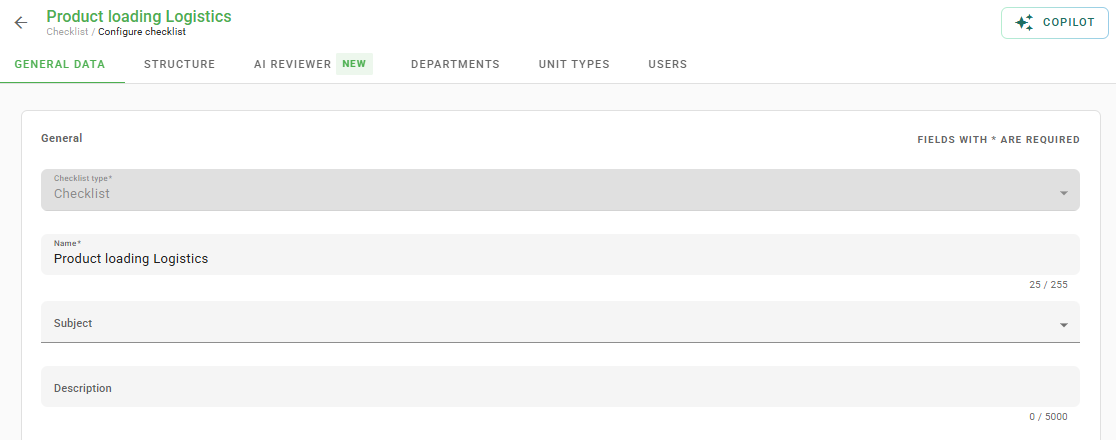
Configuration Step-by-Step:
- Access the configuration of a checklist (new or existing).
- Click on the AI Reviewer tab (it appears right after the "Structure" tab).
At least 1 item must be created in the checklist to perform the configuration.
2. Configuring Audit per Item
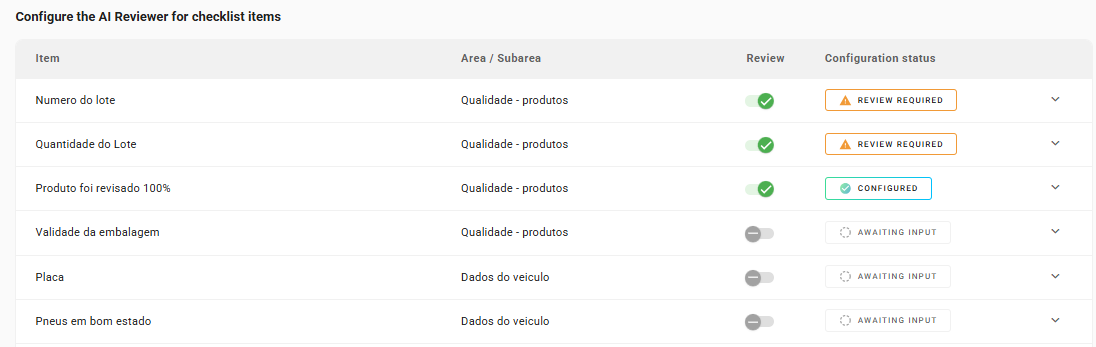
When accessing the AI Reviewer tab, you will see a list of all your checklist items. You have the flexibility to choose which and how many items you want the AI to audit.
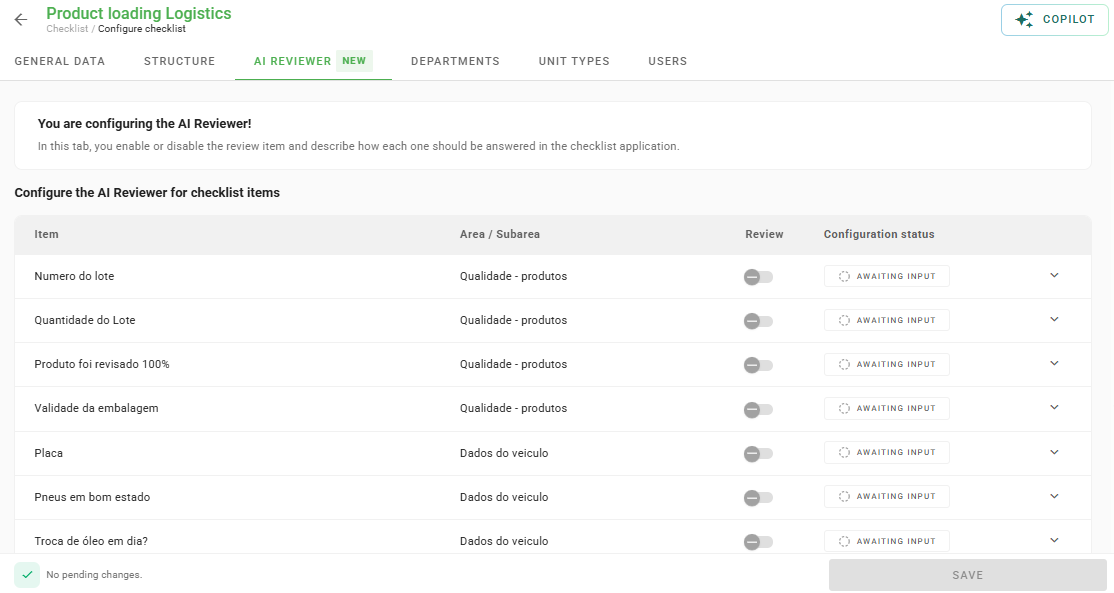
Defining Instructions:
For the AI to know what to validate, you must provide clear instructions:
- Click on the desired item.
- In the text field, describe the verification criteria in detail.
- Enable the "Audit" toggle for the item.
The more detailed the instruction, the more assertive the AI review will be.
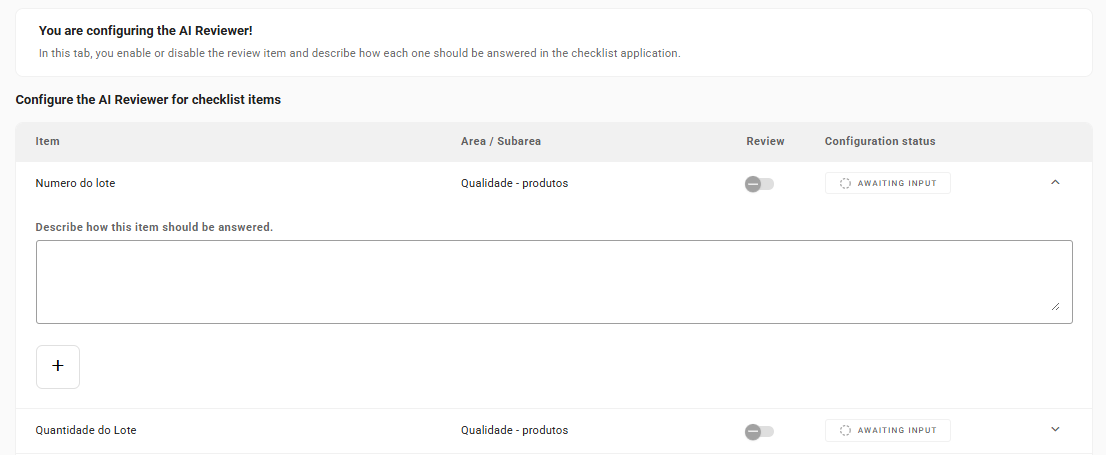
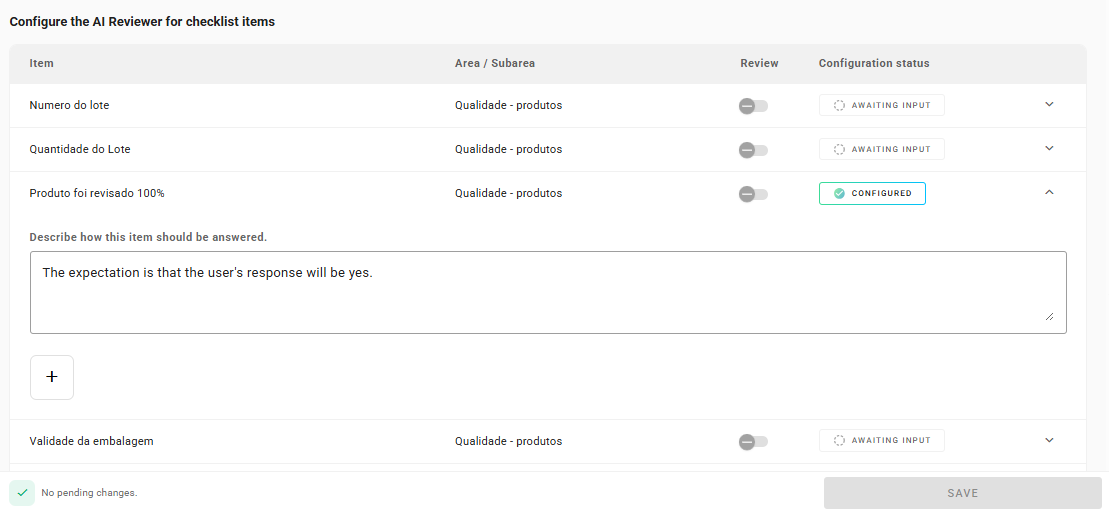
Configuration Status:
- Waiting for Completion: The instruction has not been written yet.
- Configured: Instruction completed and item ready to be audited.
- Review Necessary: You enabled the "Audit" toggle but forgot to write the instruction.
3. Saving your Settings
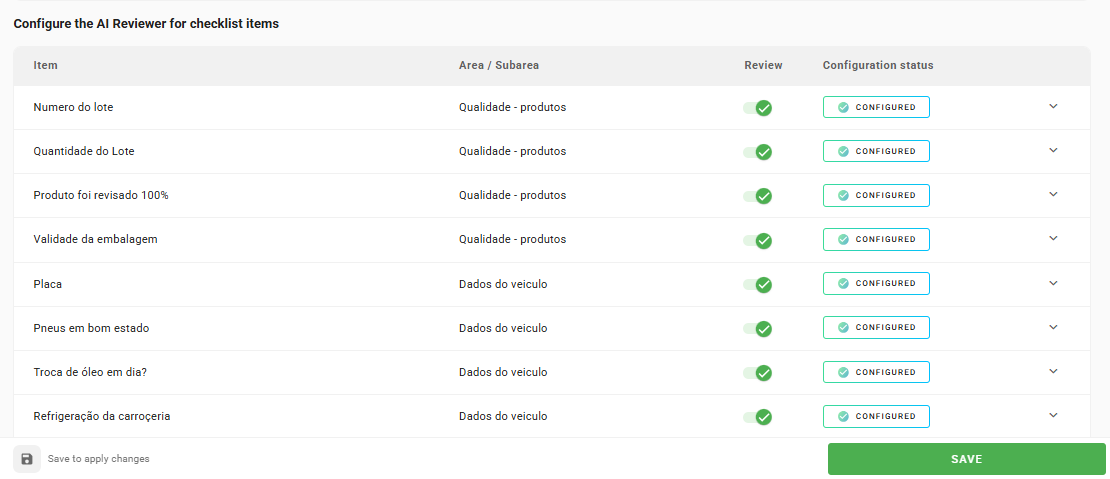
You can enable or disable auditing for all items in bulk by clicking the button next to the "Audit" column. After finishing the settings, click Save Auditor.
4. Analysis of Applied Checklists
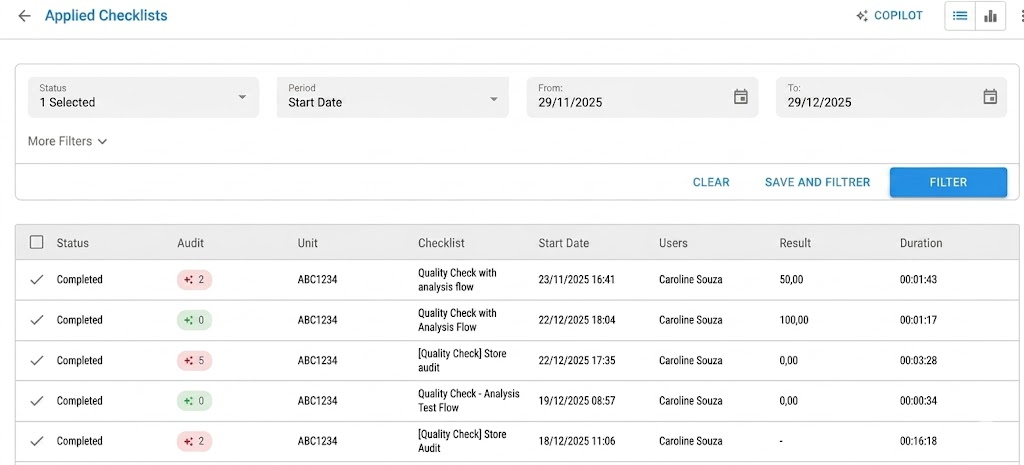
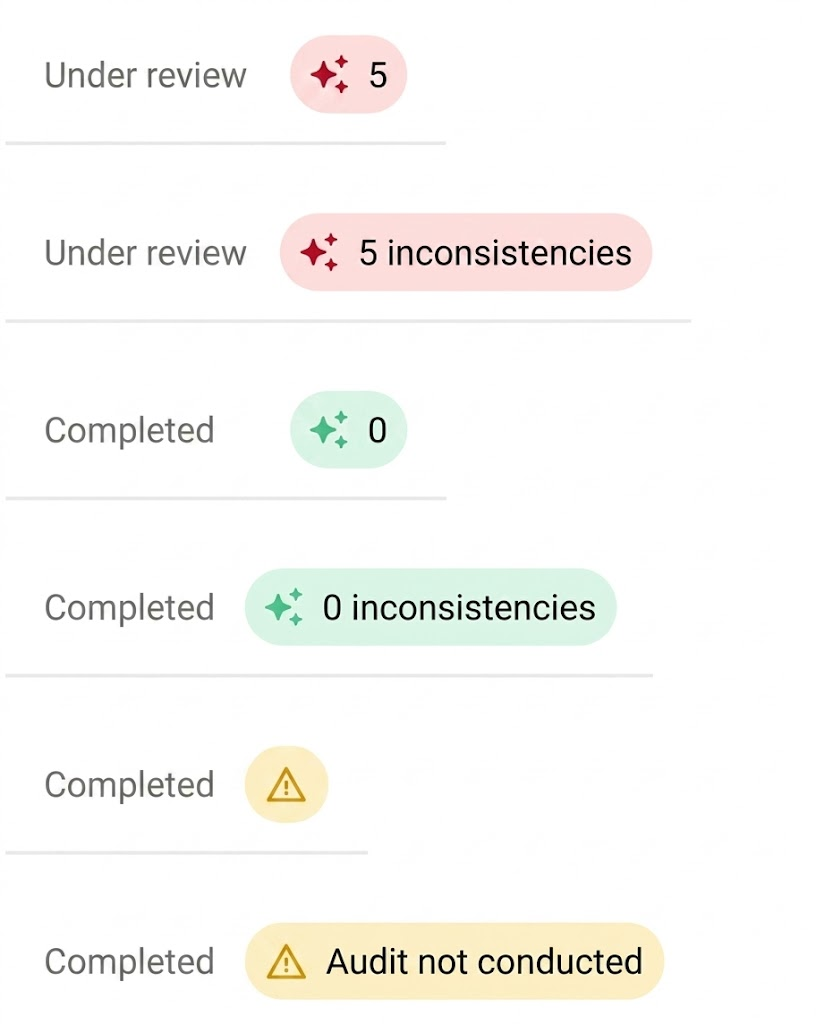
Once configured, every concluded checklist will be automatically analyzed by the AI Reviewer. On the Applied Checklists screen, you will find the Audit column, which indicates the number of inconsistencies found.
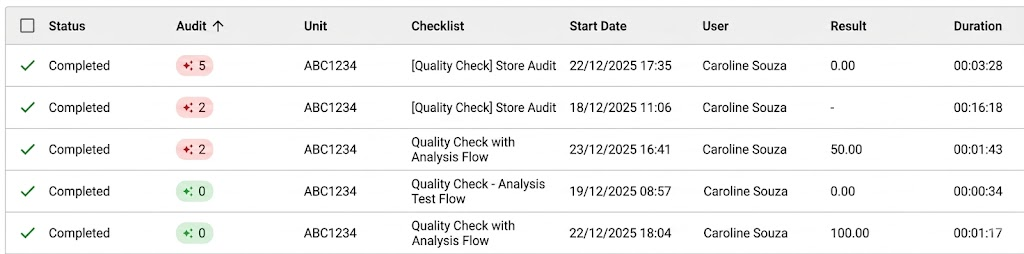
You can also sort by the number of inconsistencies found by clicking on the column name:
Understanding Indicators:
- Auditing/In Analysis: The AI is processing the information.
- Number (Ex: 5): Indicates the quantity of detected inconsistencies.
- Green Check (0): No inconsistencies found.
- Alert Triangle: Audit not performed.
5. Viewing Details and Feedback
To understand what the AI identified, click to view the checklist details.
In Summary:
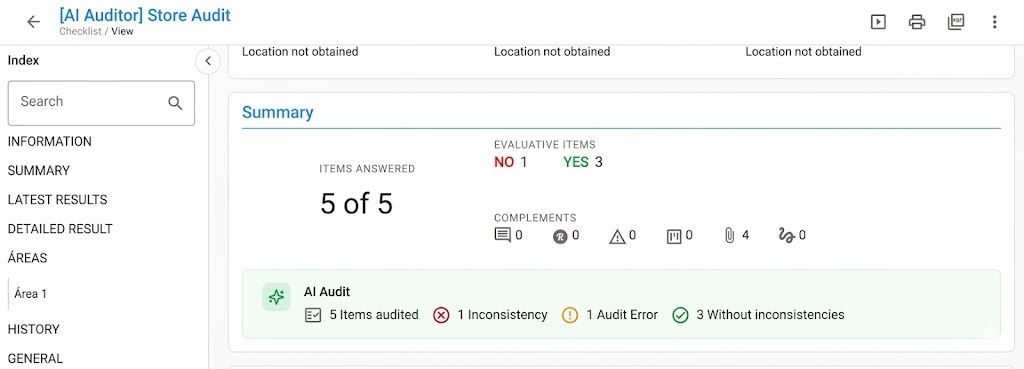
The summary section will highlight the total audited items, inconsistencies, errors, and compliant items.
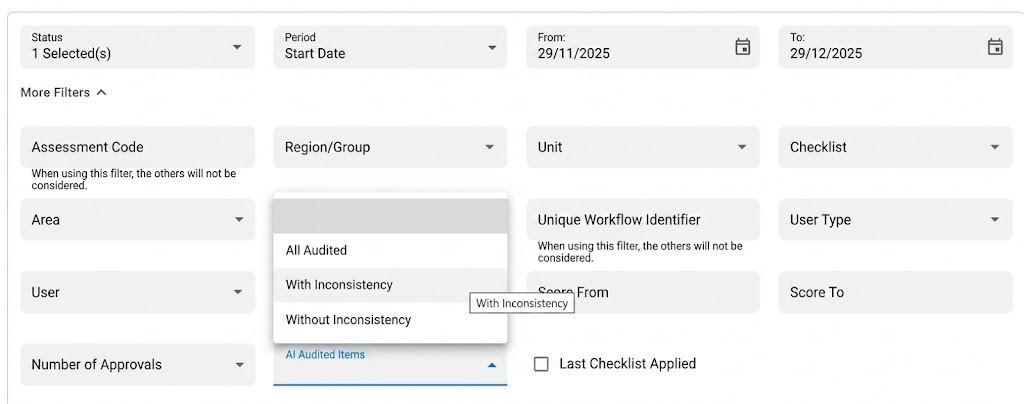
It is also possible to apply a filter to view only audited checklists, with or without inconsistencies.
In the Item:
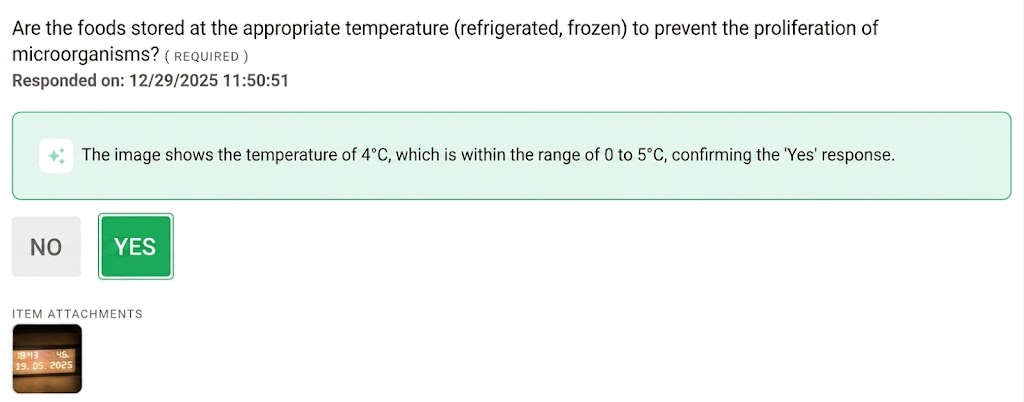
Below each question, you will see the response given by the applier and the AI's explanatory comment (up to 250 characters).
6. Providing Feedback to the AI
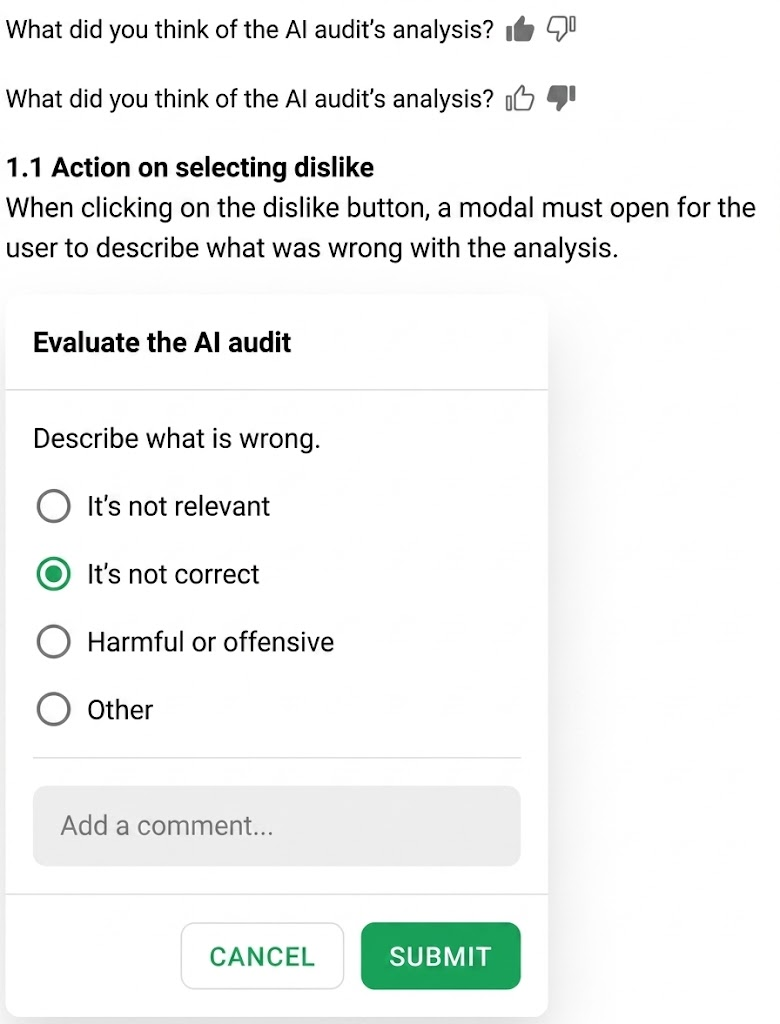
Your opinion helps improve our model! Below each analysis, you can rate:

- Positive (Like): Registers that the AI was assertive.
- Negative (Dislike): Opens a menu for you to report the error (e.g., "It is not correct", "It is not relevant").
Note: At this first stage, the review is only informative. The AI does not perform blocks or automatic actions if it finds errors.
Frequently Asked Questions (FAQ)
1. Why doesn't the AI Reviewer tab appear for me?
The feature needs to be enabled internally by our team. If you cannot see it, please contact our support.
2. Can the AI prevent the completion of a checklist?
No. Currently, the AI only acts in post-completion analysis for audit and verification purposes.
3. Is my data used to train artificial intelligence?
No. Checklist Fácil values the security and privacy of your information. Data entered into AI resources is not used to train or improve public artificial intelligence models.
❓Tem dúvidas? Entre em contato com nosso time de suporte.