- Introduction
- Step-by-Step Guide to Perform Replication
- Important Information
- Frequently Asked Questions (FAQ)
The Settings Replication feature was developed to optimize time in user management. With it, you can quickly copy the settings from a template user to other team members, ensuring standardization and agility in the configuration process.
Step-by-Step Guide to Perform Replication
1. Accessing the Feature
In the user management menu, locate the user who has the settings you want to copy. Click the three-dot icon located on the right side of the user row to expand the options.
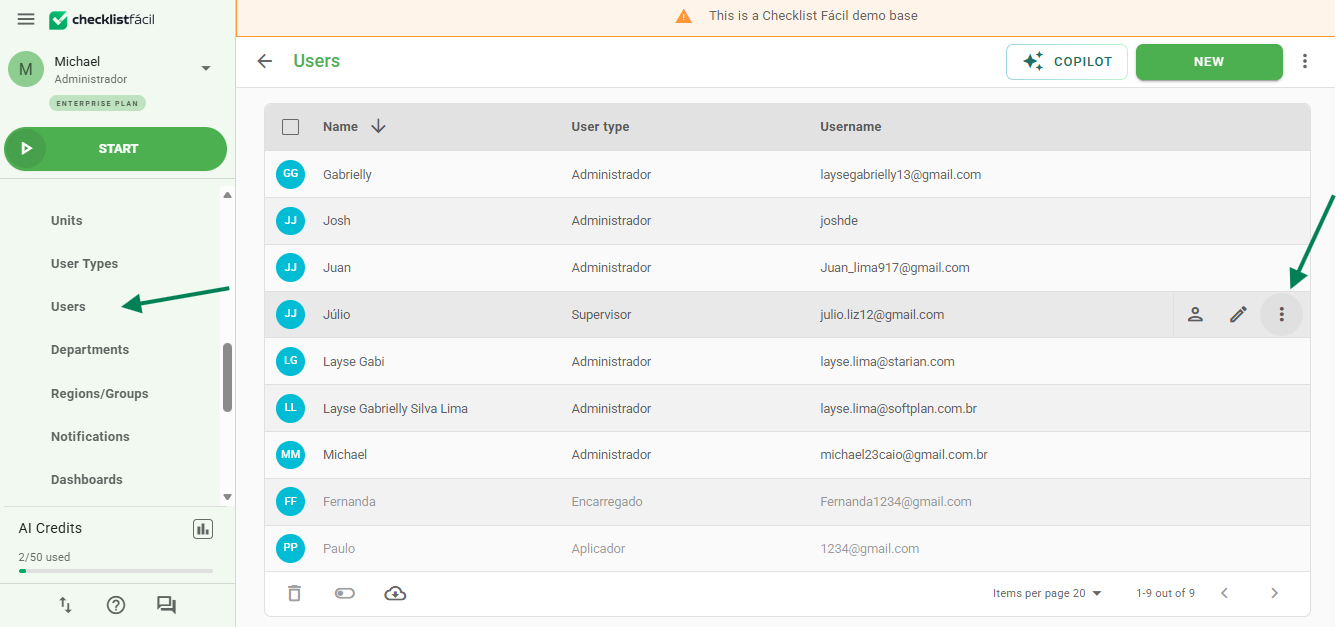
Select the Replicate Settings option.
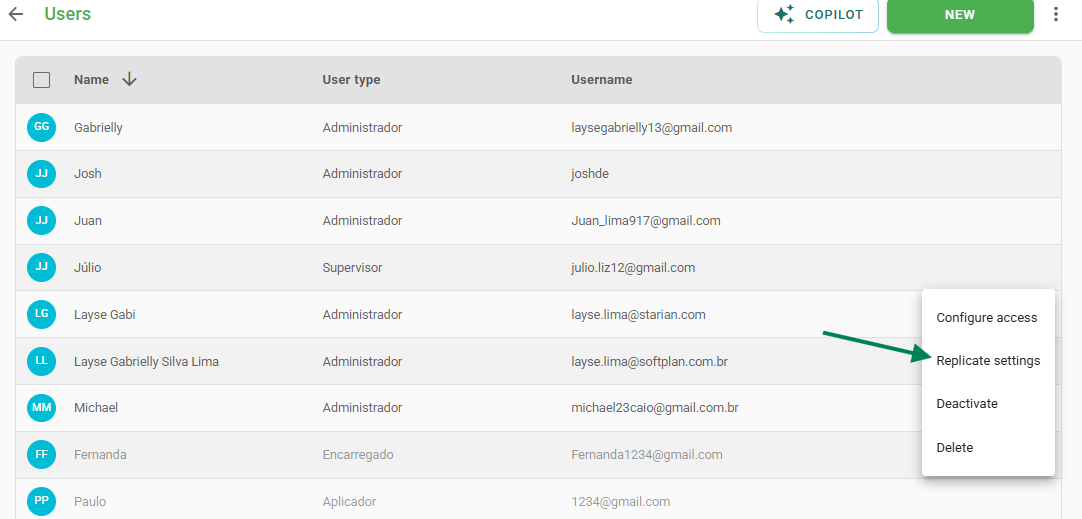
2. Security Confirmation
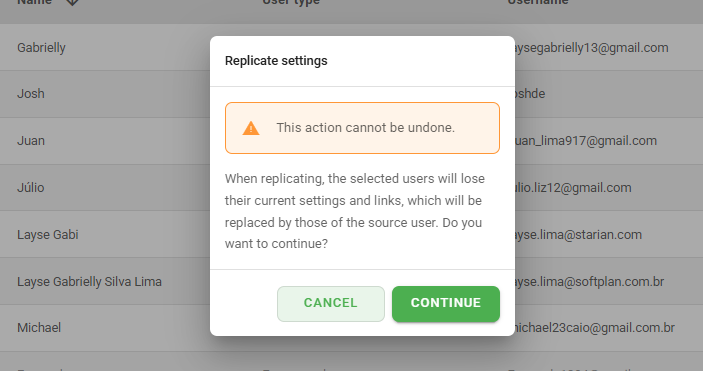
A warning pop-up will be displayed. It is important to read it carefully, as this action cannot be undone. By confirming, you acknowledge that the target settings will be replaced by the new ones.
3. Selecting Items for Copying
On this screen, you will see the list of settings linked to the selected user.
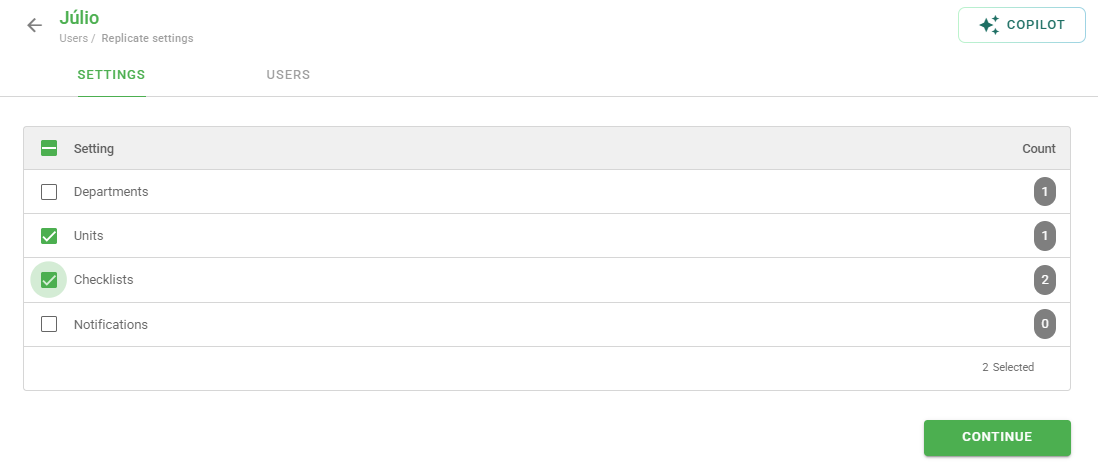
Check the selection boxes only for the items you want to replicate.
Reading Tip: The number displayed to the right of each item (e.g.: Departments: 1) indicates the number of active links that the user has with that setting.
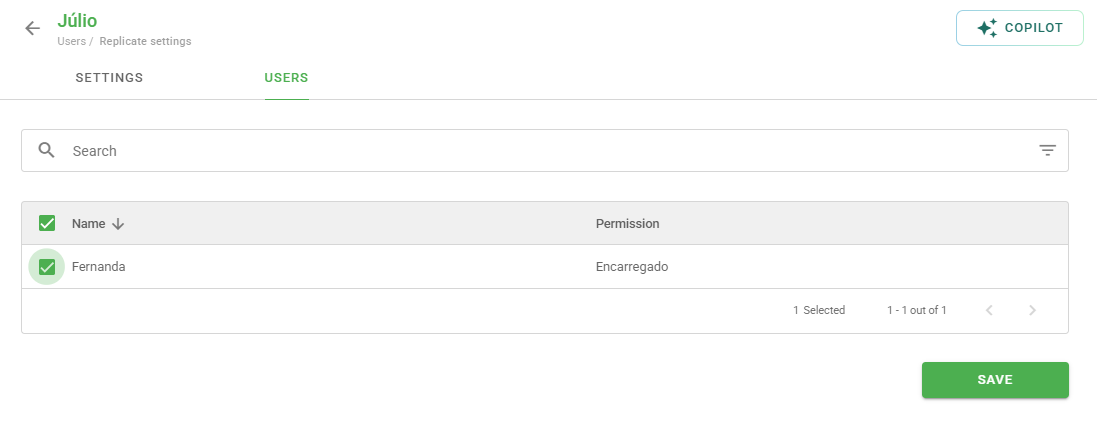
4. Choosing the Target Users
Select from the list which users should receive these settings.
Attention: Users with the Administrator profile will not appear in this list because their settings cannot be replicated, and they also cannot receive replications through this feature.
5. Process Completion
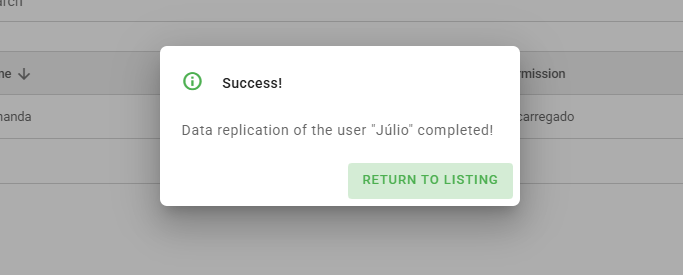
After clicking continue, the system will display a message confirming that the replication has started.

As soon as the processing is completed, you will receive a Success confirmation.
Important Information
Links vs. Permissions: This feature focuses on replicating links (such as departments, checklists, or units) and does not change the User Type or permissions in the system.
Replacement: Keep in mind that the target user's previous settings will be overwritten by the new selections.
Frequently Asked Questions (FAQ)
1. Can I replicate settings to an Administrator?
No. Users with the Administrator profile cannot receive or provide replications through this method because, by default, they already have all system links.
2. What happens to the target user's old links?
They are replaced (overwritten) by the new links selected during the replication process.
❓Tem dúvidas? Entre em contato com nosso time de suporte.