When creating the items (questions) of a checklist, it is possible to insert guidelines on how to perform a certain check and support the applicator to answer the questions.
The tip can be through text, images, video and even a PDF file of up to 3MB.
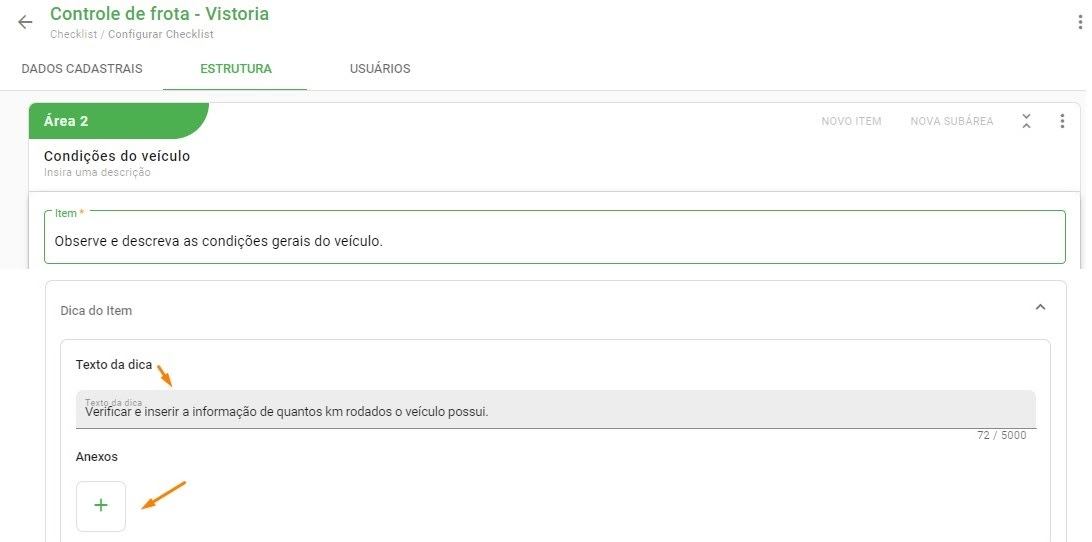
The option to insert the tooltip is available when creating a new item or editing an existing one in Settings > Checklists > Structure.
Setting up the tooltip on the item:
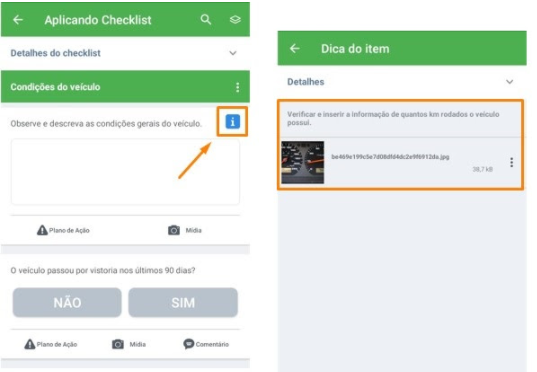
Visualizing the tip in the checklist application:
➡️ Was this article useful? Leave your review!
❓Do you still have questions? Contact us via chat or ticket!
❓Tem dúvidas? Entre em contato com nosso time de suporte.