To manage your processes in the app, you can start new workflows or continue existing steps. Follow the instructions below:
How to start a new Workflow
1. Access the Workflows tab in your application.
2. Click the Start button (+ icon) located in the lower right corner.
3. Select the desired Workflow and unit.
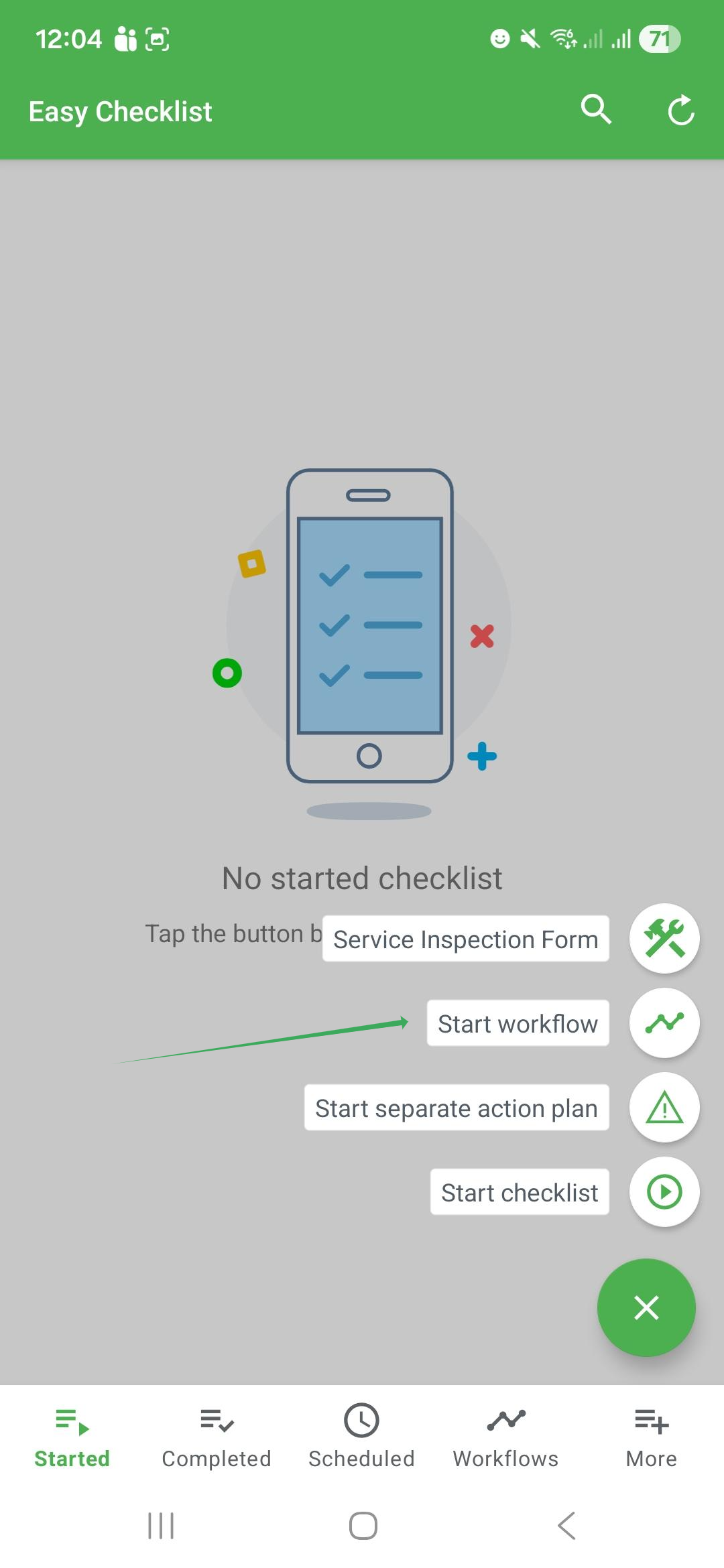
→ You must be connected to the internet to start a step or a new workflow.
How to apply an in-progress step
If you are already linked to an ongoing flow, do the following:
1. Access the Workflows tab.
2. Select the pending step and the corresponding unit.
Frequently Asked Questions (FAQ)
1. Why is my Workflow list empty?
This happens if you do not have any link to checklists or to the unit where the Workflow is configured.
2. Can I start a Workflow offline?
No. To start new flows or load steps, the device must be connected to the internet.
❓Tem dúvidas? Entre em contato com nosso time de suporte.