We are introducing a new filter to the Action Plans screen, focused on optimizing data localization and the management of your demands.
New filter: Unique Workflow Identifier
It is now possible to filter Action Plans using the Unique Identifier of a Workflow. This functionality allows you to locate, in a centralized and fast way, all plans that are linked to a specific workflow.
This update is ideal for managers who need to monitor the progress of various actions within the same operational process.
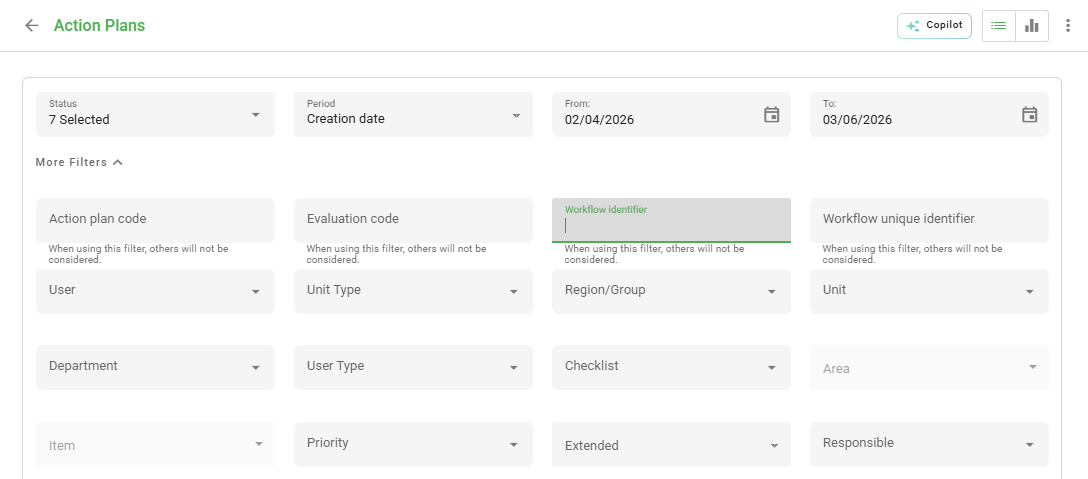
By using the Workflow ID, you avoid confusion between plans with similar names and ensure accuracy in reports.
Frequently Asked Questions (FAQ)
1. Where can I find the Unique Workflow Identifier?
The identifier can be viewed in the identification column within the workflow listing.
2. Can I filter more than one Workflow at the same time?
The unique identifier filter is designed for precise searches. For multiple workflows, it is recommended to use the category or status filters.
❓Tem dúvidas? Entre em contato com nosso time de suporte.