Individual Actions in Action Plans
When hovering over an Action Plan, you will see two main options. The first allows you to consult the full history of the movements of this plan.
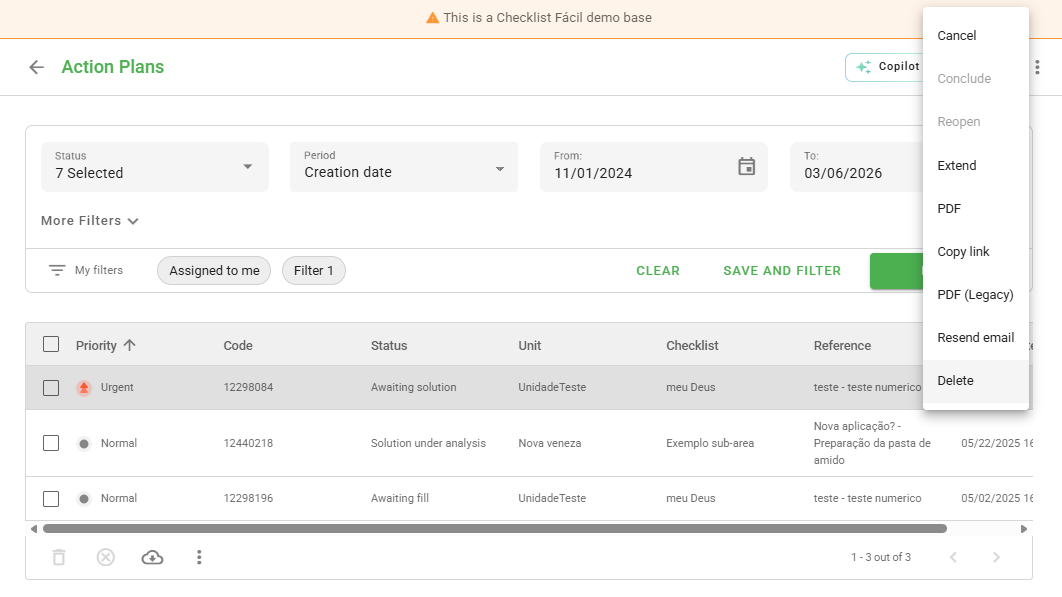
In the second icon (represented by three dots), the system offers a list of quick actions for managing the item:
Available options include: conclude, cancel, reopen, export (in PDF format), and delete the Action Plan.
Bulk Actions in Action Plans
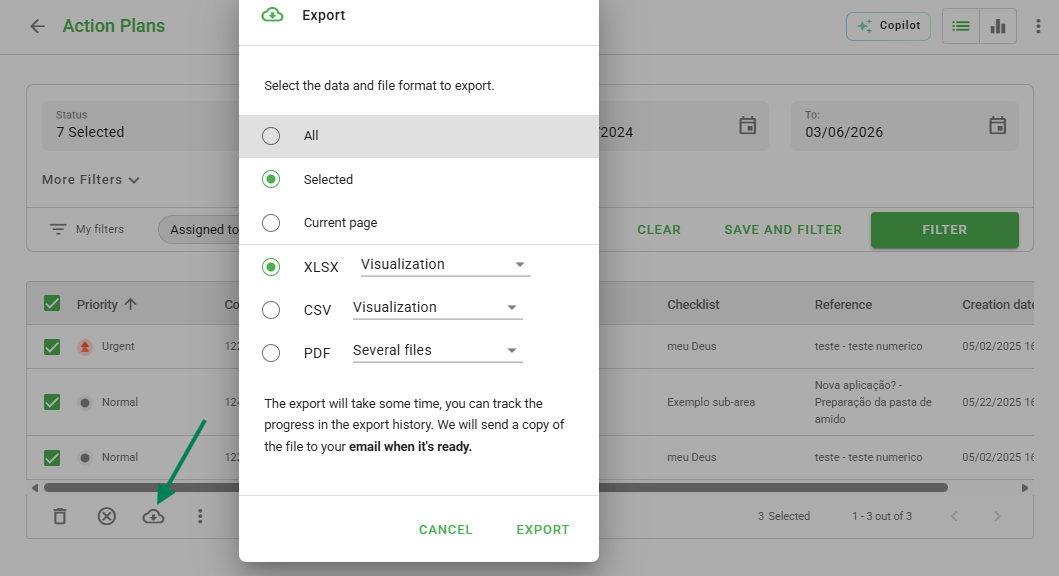
To optimize your time, you can select several Action Plans simultaneously. When performing a multiple selection, the system enables batch execution tools.
With this functionality, it is possible to delete, cancel, or export data from several plans at once.
Frequently Asked Questions (FAQ)
1. Is it possible to recover a deleted Action Plan?
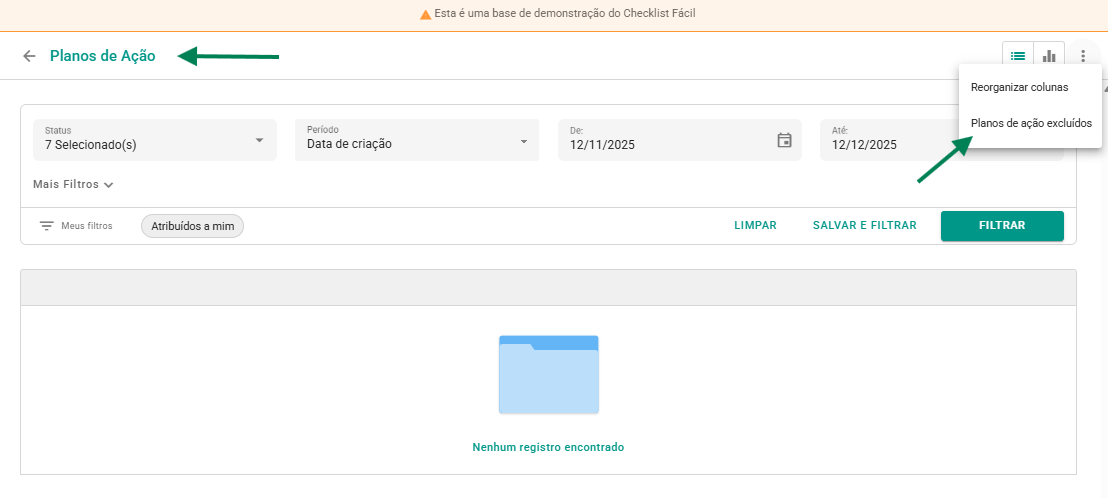
Yes. If you have management permission, access the three-dot menu on the Action Plans screen and select Deleted action plans to restore the desired item by providing a reason.
❓Tem dúvidas? Entre em contato com nosso time de suporte.