To facilitate the management of your processes, Checklist Fácil allows for the mass conclusion of action plans, optimizing operation time on the platform.
Mass Conclusion of Action Plans
To conclude several action plans at the same time, follow the steps below:
- Access the Action Plans screen.
- Select the desired plans using the checkboxes located on the left side of the list.
- Click on the three dots located in the options bar.
- Click on the Conclude option.
- Type the confirmation code requested by the system and click Confirm.
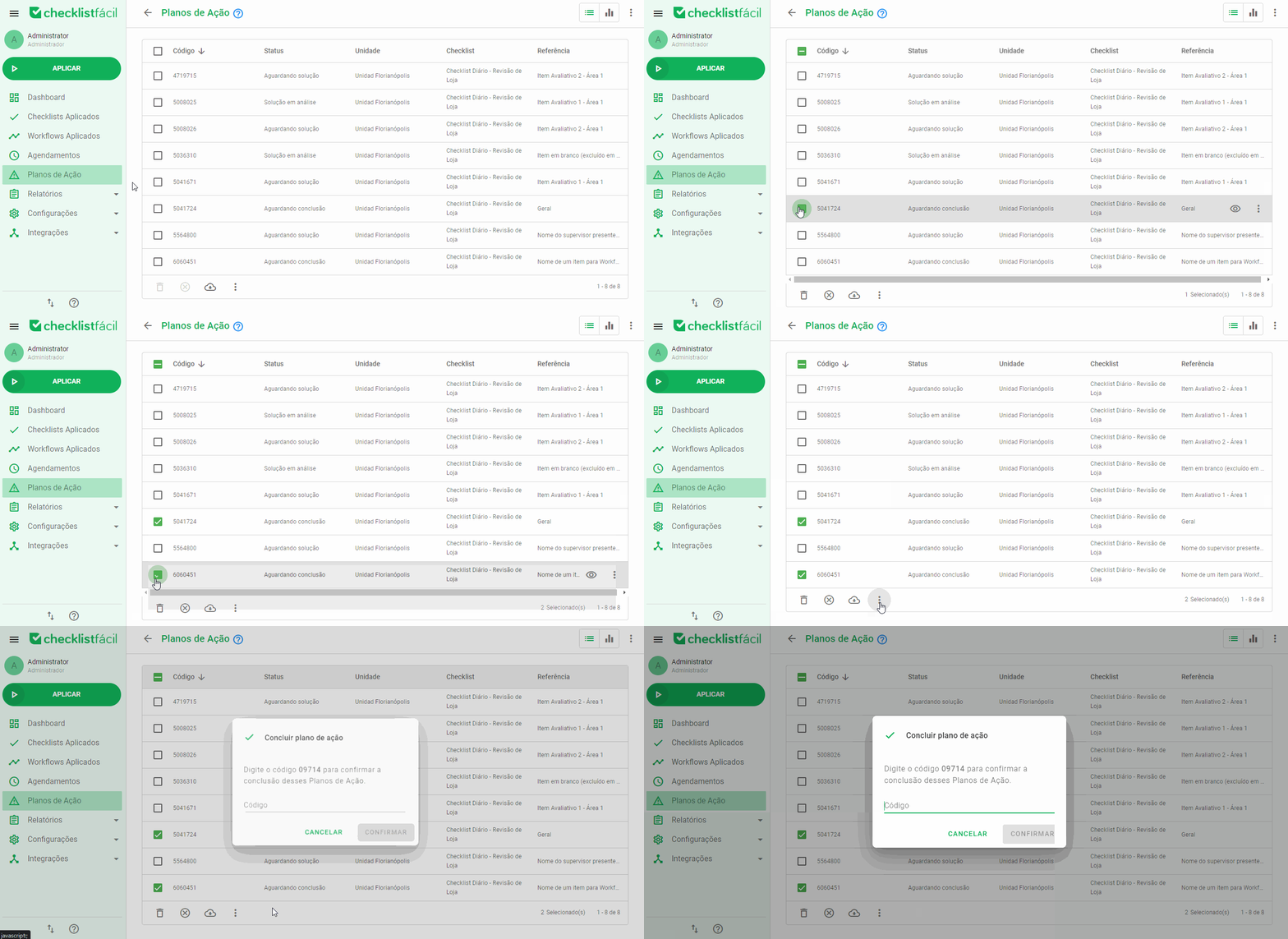
This feature is ideal for streamlining the closure of pending items that have already been properly addressed in the field.
Restrictions for mass conclusion
It is important to note that not all plans can be finalized this way. If you select items that have restrictions, the system will display an informative alert.
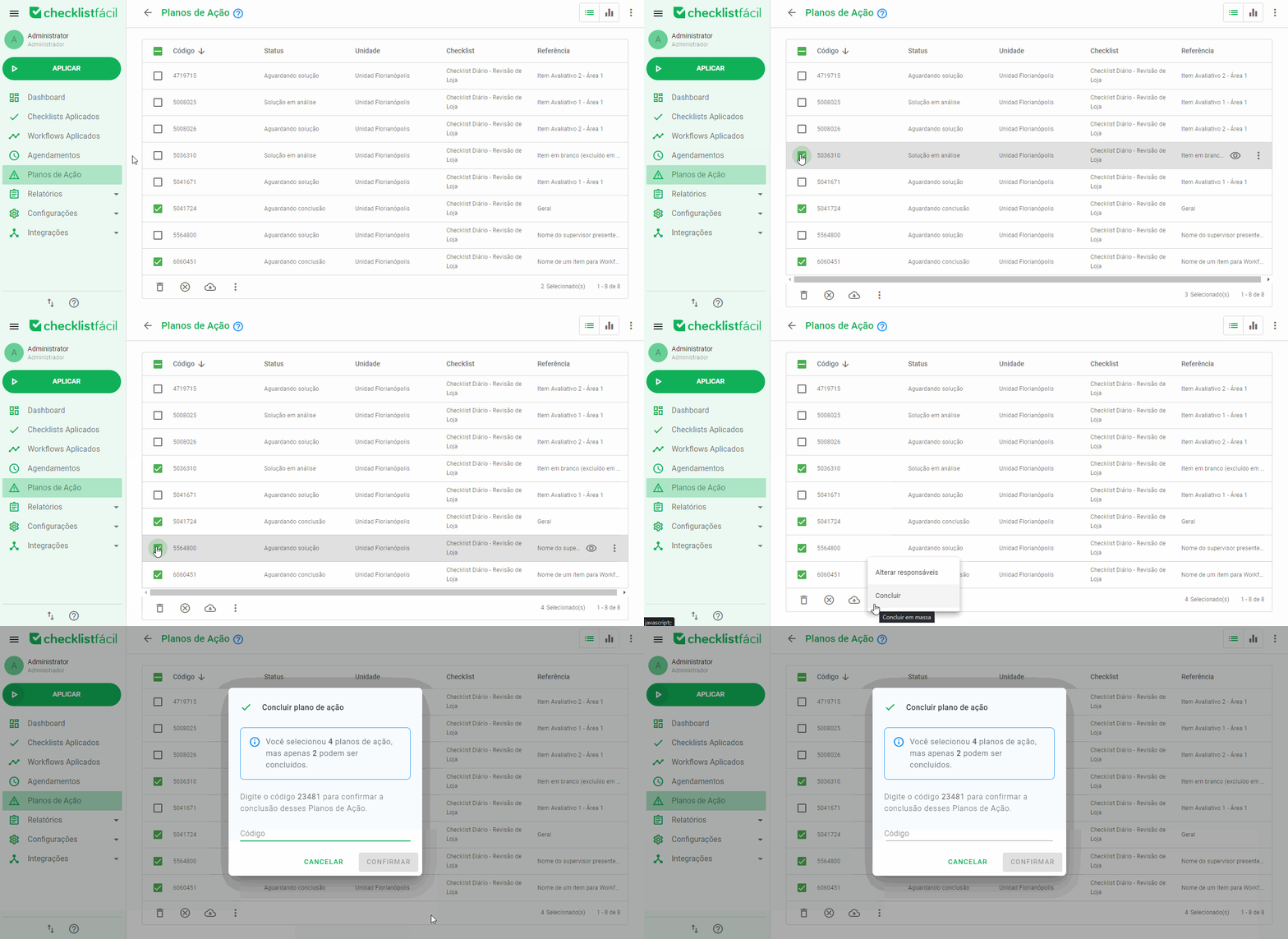
The plans that cannot be concluded in batches are:
- Plans that have the setting “Mandatory solution for action plan conclusion” active.
- Plans with the following statuses:
- Waiting for completion;
- Completion under review;
- Completion disapproved;
- Canceled;
- Concluded.
Frequently Asked Questions (FAQ)
1. Why can't I select the Conclude option?
This usually occurs when one or more selected plans require the mandatory filling of the solution or are already in a status that does not allow direct conclusion, such as "Canceled".
2. Is there a limit to how many plans I can conclude at once?
The tool allows the selection of all plans visible on the current page of the listing.
❓Tem dúvidas? Entre em contato com nosso time de suporte.