How to resend the notification
To resend the email of a checklist that has already been completed, access the Applied Checklists menu and use the filters to locate the desired inspection.
After identifying the checklist, click on the options icon (three dots) and select the Resend email option.
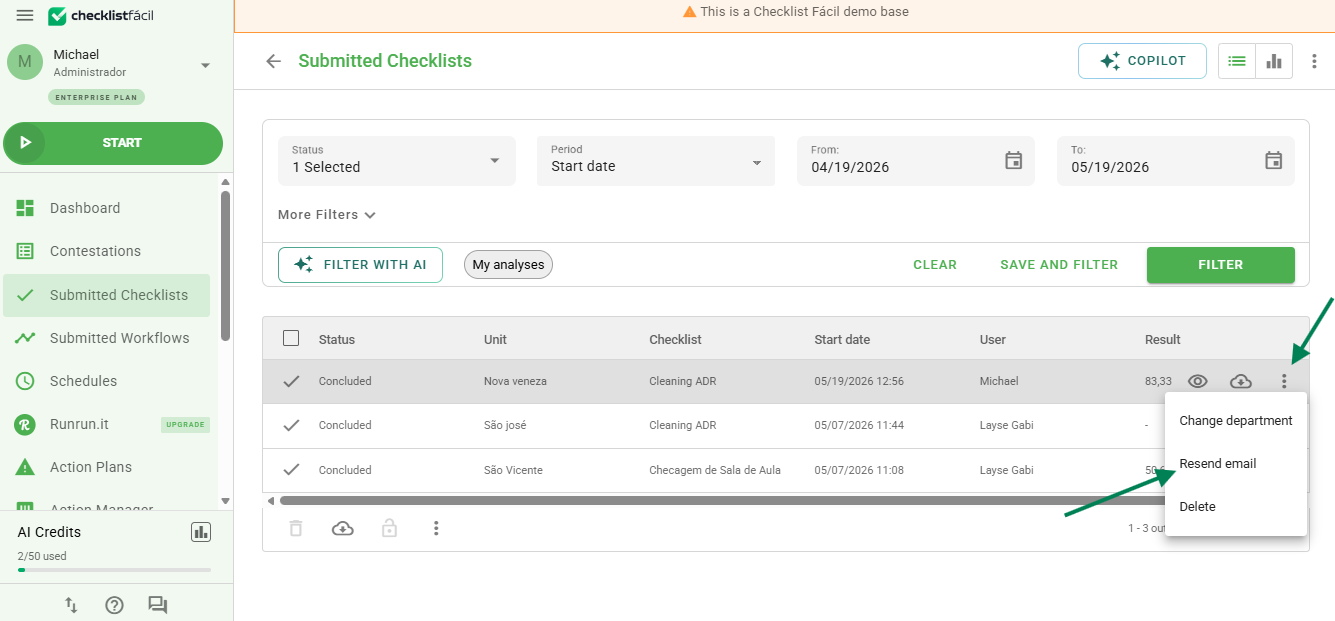
The delivery is not instantaneous; please wait a few minutes after clicking. The email will be sent following the notification rules previously configured for this checklist.
Frequently Asked Questions (FAQ)
1. Can I change the recipients before resending?
No. When using this function, the system resends the message only to the emails that were already part of the original notification rule for the checklist.
❓Tem dúvidas? Entre em contato com nosso time de suporte.