- About the change history
- Permission configuration
- How to view the history
- Registered actions
- Frequently Asked Questions (FAQ)
The checklist change history is a feature that allows tracking all modifications made to the structure of your forms. It details the addition, editing, and deletion of items, areas, and subareas, as well as registering the checklist creation data.
This feature is available only for the Enterprise plan.
About the change history
Logs start being stored from the moment the feature is activated in your environment. Therefore, it is not possible to consult retroactive changes, with the exception of the original checklist creation date.
Permission configuration
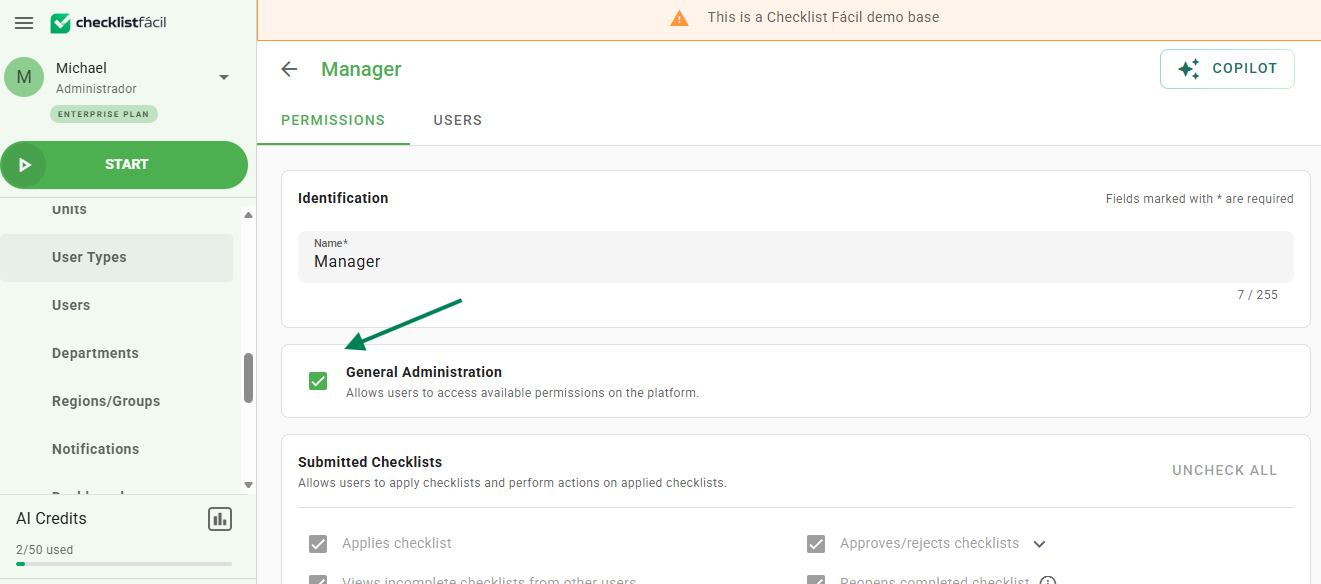
To access the changes, the user profile must have the General Administrator permission.
How to view the history
To view the logs, follow the steps below:
1. Access the menu Settings > Checklists.
2. Locate the Last Update column in the checklist list.
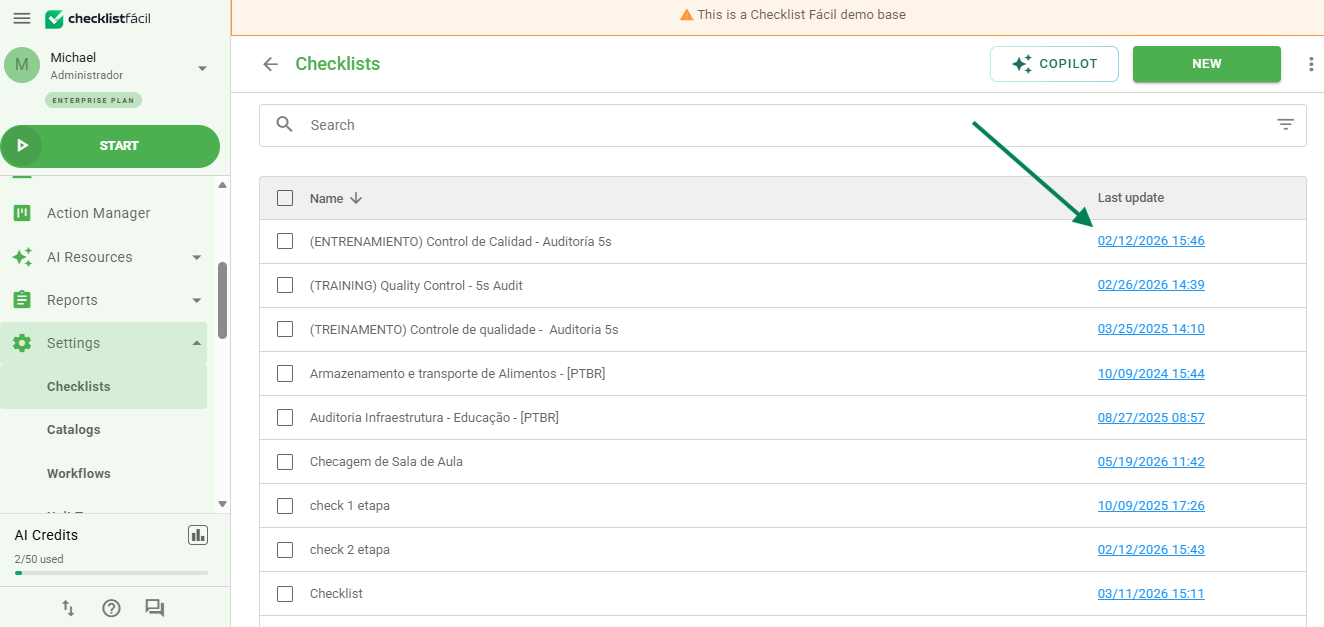
3. Click on the link corresponding to the checklist you wish to audit.
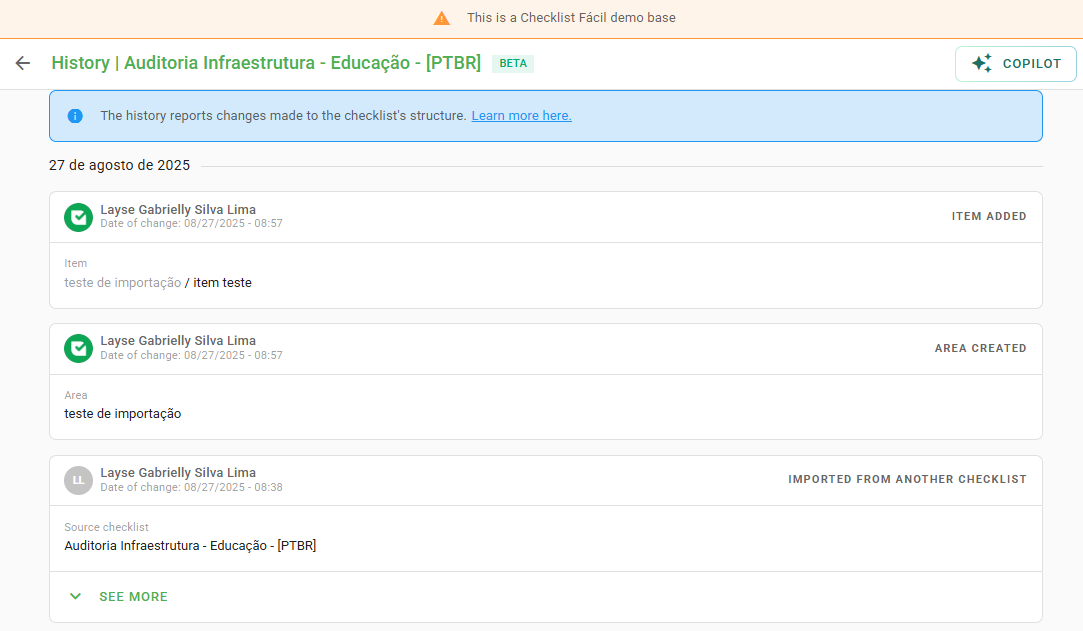
Inside the history page, changes are displayed in chronological order (from most recent to oldest) and grouped by date to make reading easier.
Registered actions
Check below the list of actions that the system can monitor in the checklist structure:
| Level | Action Type | Details |
|---|---|---|
| Checklist | Addition | Manual creation, via spreadsheet or template. |
| Area/Subarea | Addition / Editing / Deletion | Name, description, and Action Plan settings. |
| Item | Addition | Added via AI, spreadsheet, or import. |
| Item | Property Editing | Name, weight, mandatory requirement, format, and position. |
| Item | Settings | Activation of comments, photos, signature, N/A, and alerts. |
| Item | Responses | Addition, deletion, and reordering of answer options. |
Tip: Use the history to audit critical changes in checklists that directly affect the scoring of your inspections.
Frequently Asked Questions (FAQ)
1. Can I see who made the change?
Yes, the history registers the user responsible for each listed modification.
2. Why don't I see changes from past years?
Logs are only recorded starting from the release date of the feature in your environment.
3. How can I know the creation date of the checklist?
The original creation date of the checklist is available for consultation within the Change History.
Example of how it is presented:
❓Tem dúvidas? Entre em contato com nosso time de suporte.