This article aims to help identify and solve when a checklist (assessment) does not appear in Completed Checklists.
- Missing links (Checklists, Units and Departments)
- Missing permissions
- Checklist still being processed by the system
The material will address issues about configurations within the Easy Checklist system. Most of the time, these settings are only available to users with the Administrator/General Administrator User Permission/Type. If you do not have access to these settings and are having problems viewing the checklists, check with your department's administrator.
Missing links (Checklists, Units and Departments)
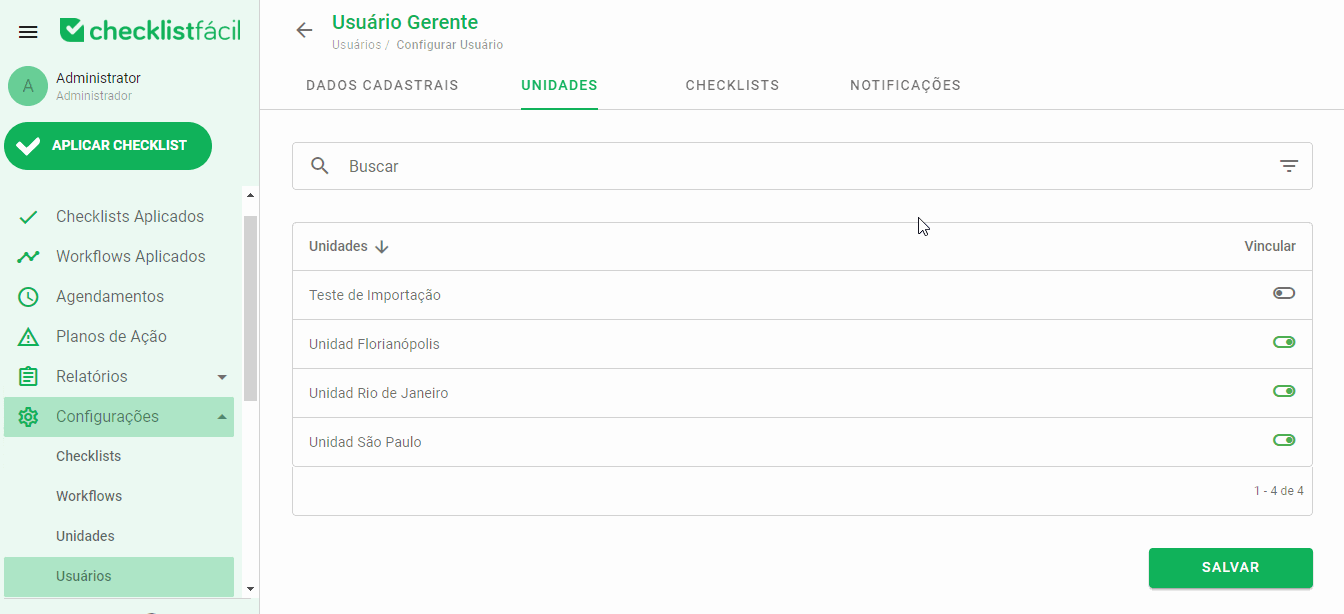
Links are responsible for relating your user to various features and settings in Checklist Fácil. When there is a lack of them, it may happen that certain information and functionality is not available to you.
To see a completed Checklist, you must be:
- Linked to the Checklist (Report type) that was applied;
- Linked to the Unit (Site or object) that was assessed;
- Linked to the Department (if there is an active module) to which you and/or the desired Checklist are registered;
Links can be reviewed directly from the user configuration screen in Settings > Users > Edit:
Missing permissions
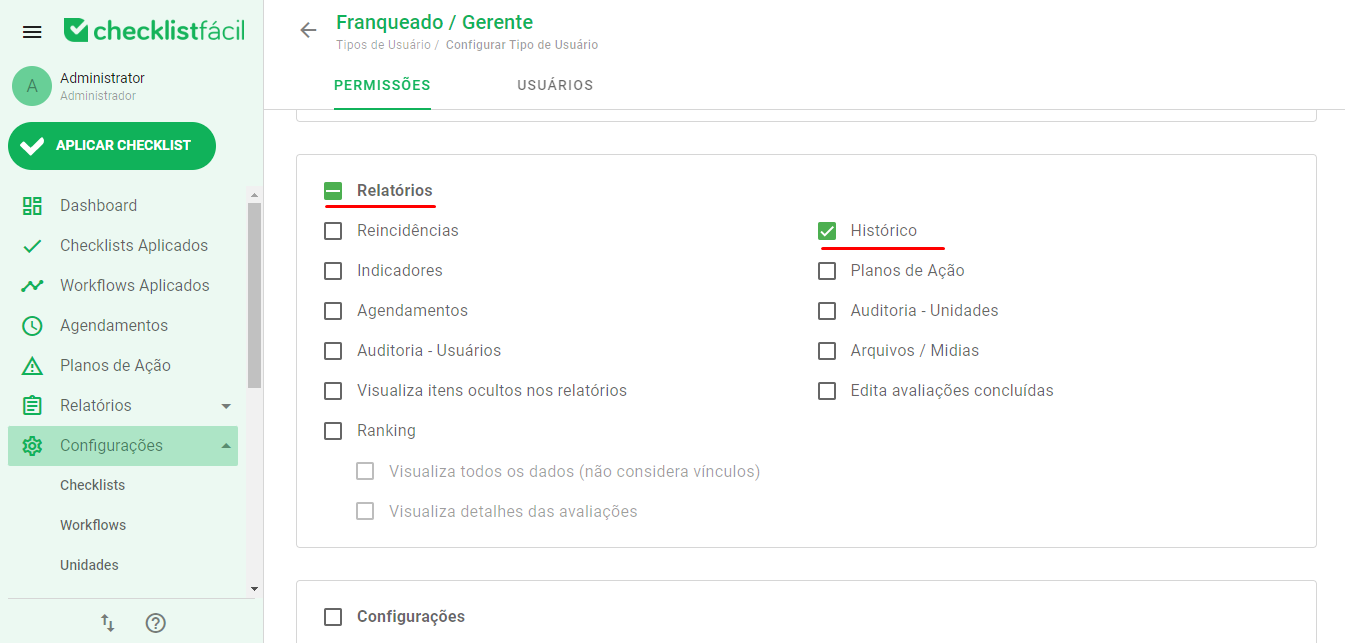
In addition to the links to the features mentioned above, you also need to have the appropriate permissions on the User Type assigned to your user.
These permissions are for the Reports category under User Type. To see the history present in Applied Checklists, it is necessary to have Reports > History:
Checklist not yet synced in the app
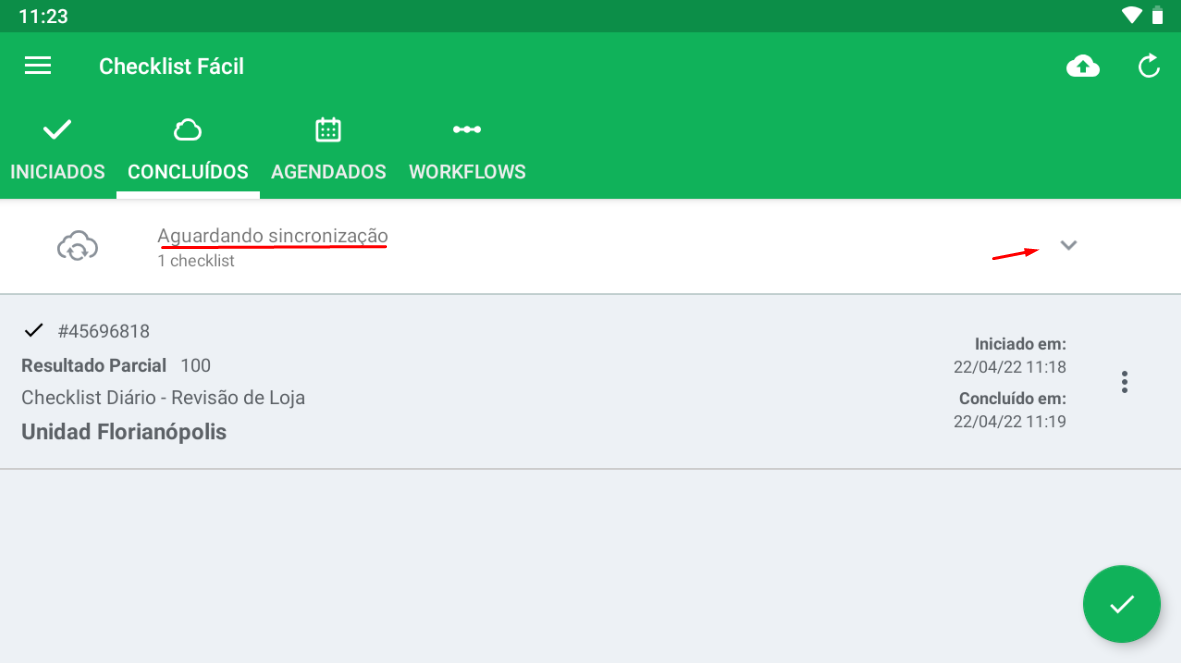
The Checklist Fácil app available for Android and iOS, in general, operates offline. Because of this, it is necessary to synchronize checklists and update data constantly.
Depending on your internet connection on these devices, it is possible that your checklists have not been fully synchronized, and only when there is a stable connection will it be possible to send the information to the web system.
To check the status of your syncs, check the Done tab in your app:
Checklist still being processed by the system
At certain times, there may be a longer delay in processing checklist data due to their size or number of simultaneous synchronizations.
If all the settings and links are correct and your checklist is listed as synchronized in the app, just wait for it to be available in the web reports.
➡️ Was this article useful? Leave your review!
❓Do you still have questions? Contact us via chat or ticket!
❓Tem dúvidas? Entre em contato com nosso time de suporte.