How to delete a workflow
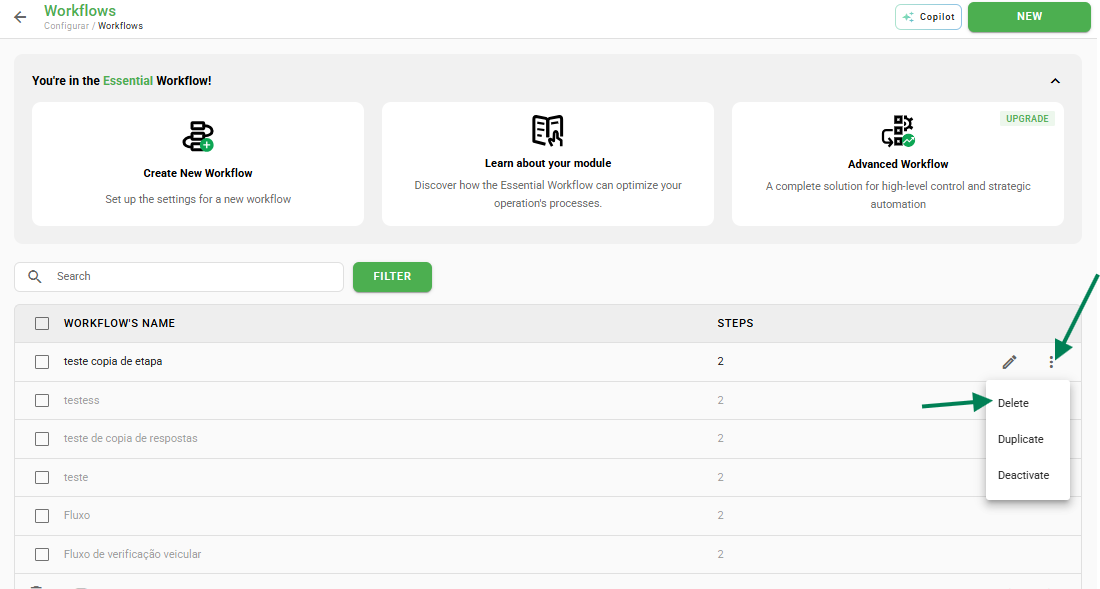
To delete a workflow, navigate to Settings > Workflows and locate the desired item in the list. Hover the mouse pointer over it to view the available options on the right. Finally, click Delete.
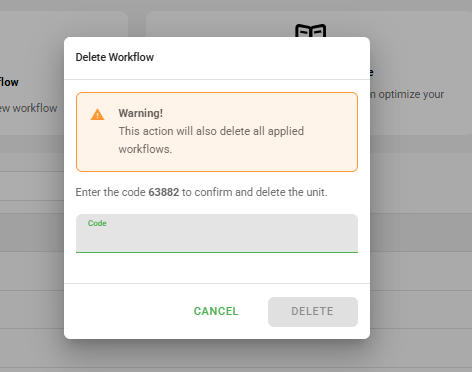
→ Attention: The action of deleting a workflow will also delete all applied workflows (history).
Bulk deletion
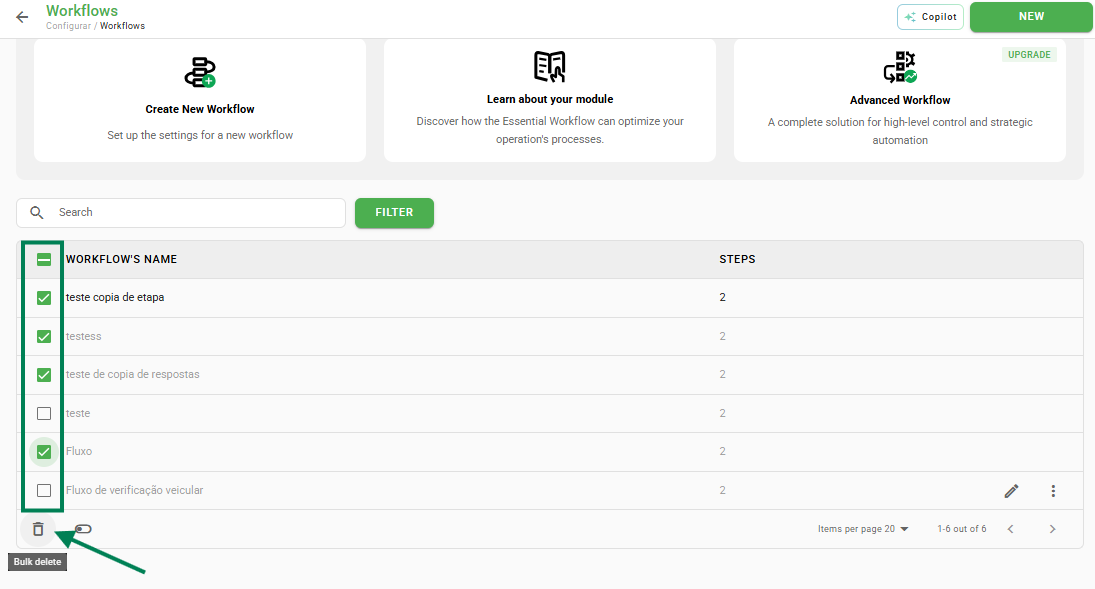
It is also possible to delete several workflows simultaneously. Simply select the desired items using the checkbox to the left of each workflow name.
After selection, click on the Bulk delete icon, located at the end of the list.
Frequently Asked Questions (FAQ)
1. Can I recover a workflow after deletion?
No. Deletion is a permanent action and also removes all previously applied links.
❓Tem dúvidas? Entre em contato com nosso time de suporte.