After applying a checklist, you can access the results via web and export the data to share or analyze externally. It is possible to generate reports in formats such as XLSX (Excel) or CSV.
How to export results to a spreadsheet
To generate the export file, follow the steps below:
1. In the side menu, access Applied Checklists;
2. Use the filters to find the desired evaluation;
3. Hover the mouse over the evaluation to view the options and click on Export;
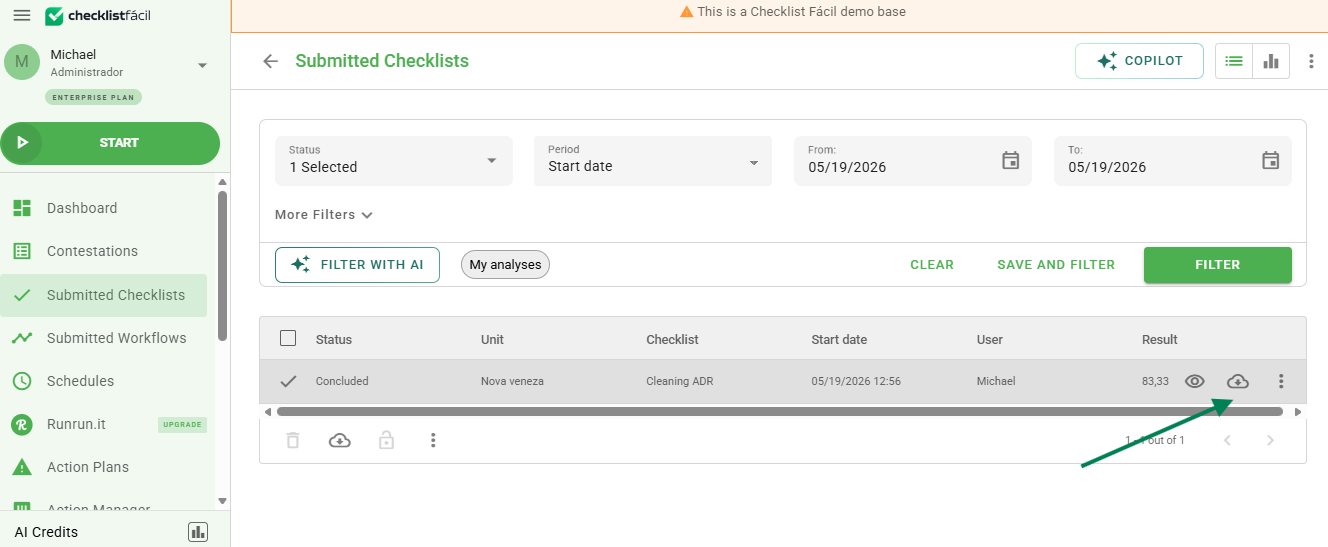
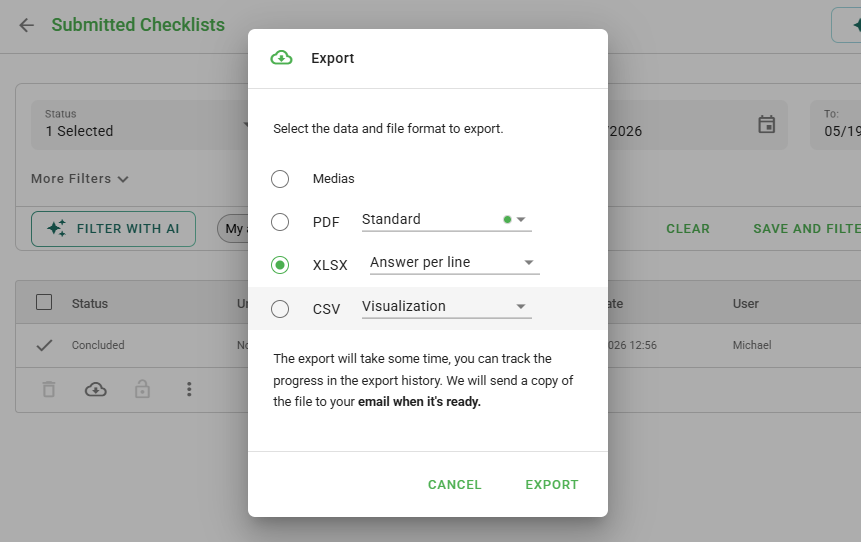
The XLSX format is the standard used by Microsoft Excel, ideal for analysis and charts.
Available result types
After selecting the file format, you must choose how the data will be organized:
- View: Generates a summary of the selected checklists.
- Items per row: In addition to the summary, it displays the item (questions) information separated into rows.
- Response per row: In addition to the summary, it displays each response separated into a row.
- Items in columns: In addition to the summary, it organizes the item (questions) information separated into columns.
How to access and download the file
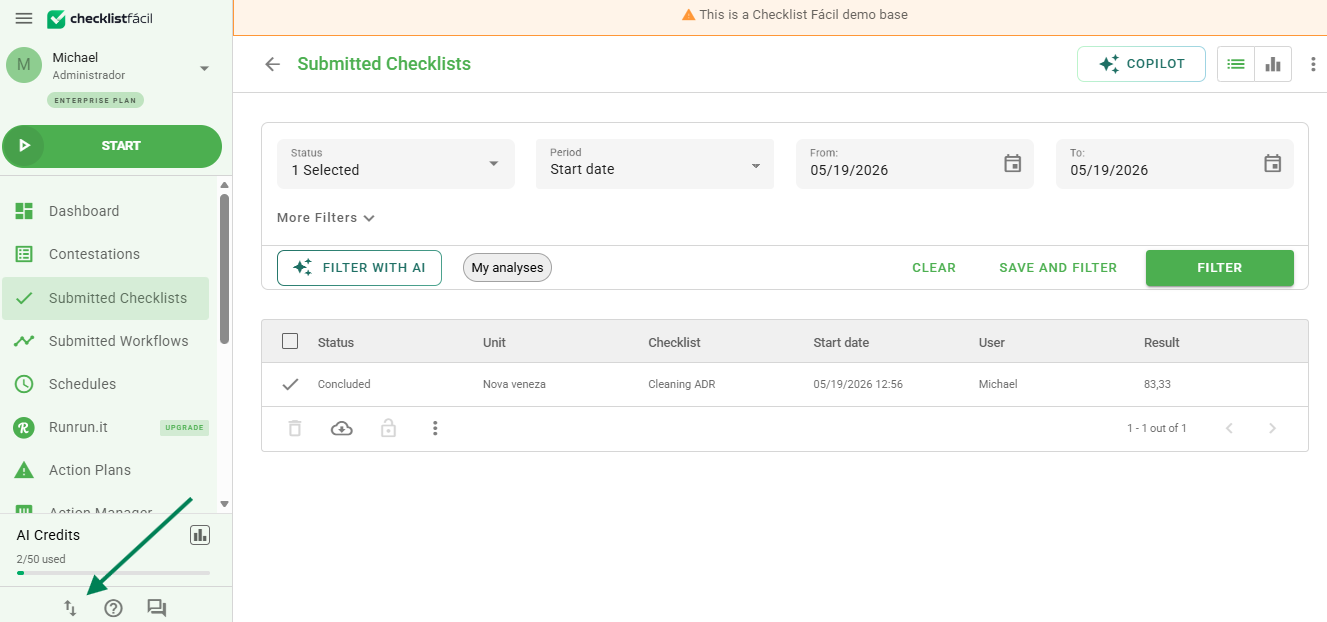
The request does not download the file immediately; it is sent to the Imports / Exports module. To access:
1. Click on the arrows icon (Imports / Exports) located at the bottom of the page, next to the help icon.
2. In the requests list, hover the mouse over the export you have just generated and click on Export (or Download) to save the file to your computer.
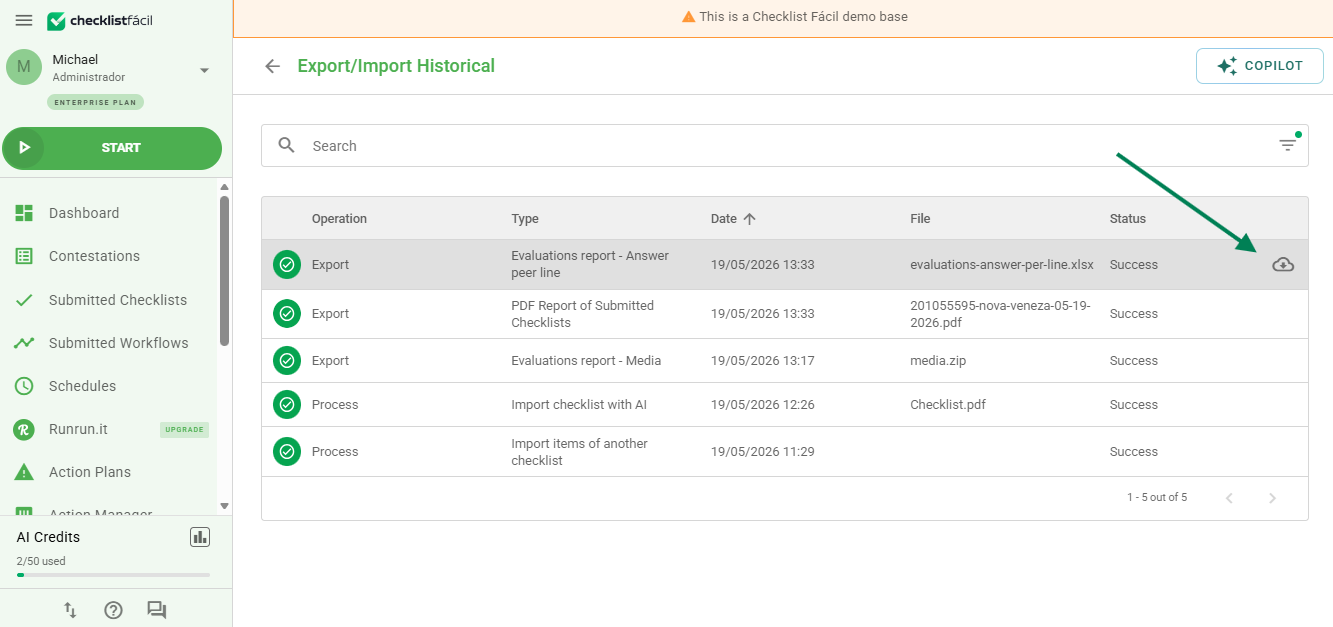
Depending on the amount of data, the file processing may take a few moments to appear in the list.
Frequently Asked Questions (FAQ)
1. What is the difference between Items per Row and Items in Columns?
The difference lies in the visual organization of the spreadsheet. "Items per Row" lists each question in a new row, making it ideal for vertical reading. "Items in Columns" places each question in the header, expanding the spreadsheet horizontally.
2. The file did not appear in the export center, what should I do?
Wait a few minutes and refresh the page. Reports with many images or extensive data take more time to be processed by the system.
❓Tem dúvidas? Entre em contato com nosso time de suporte.