After applying a checklist, you can access the results and report. In addition to being able to check the information on the web, it is possible to export or download these results in PDF format, being easily shared.
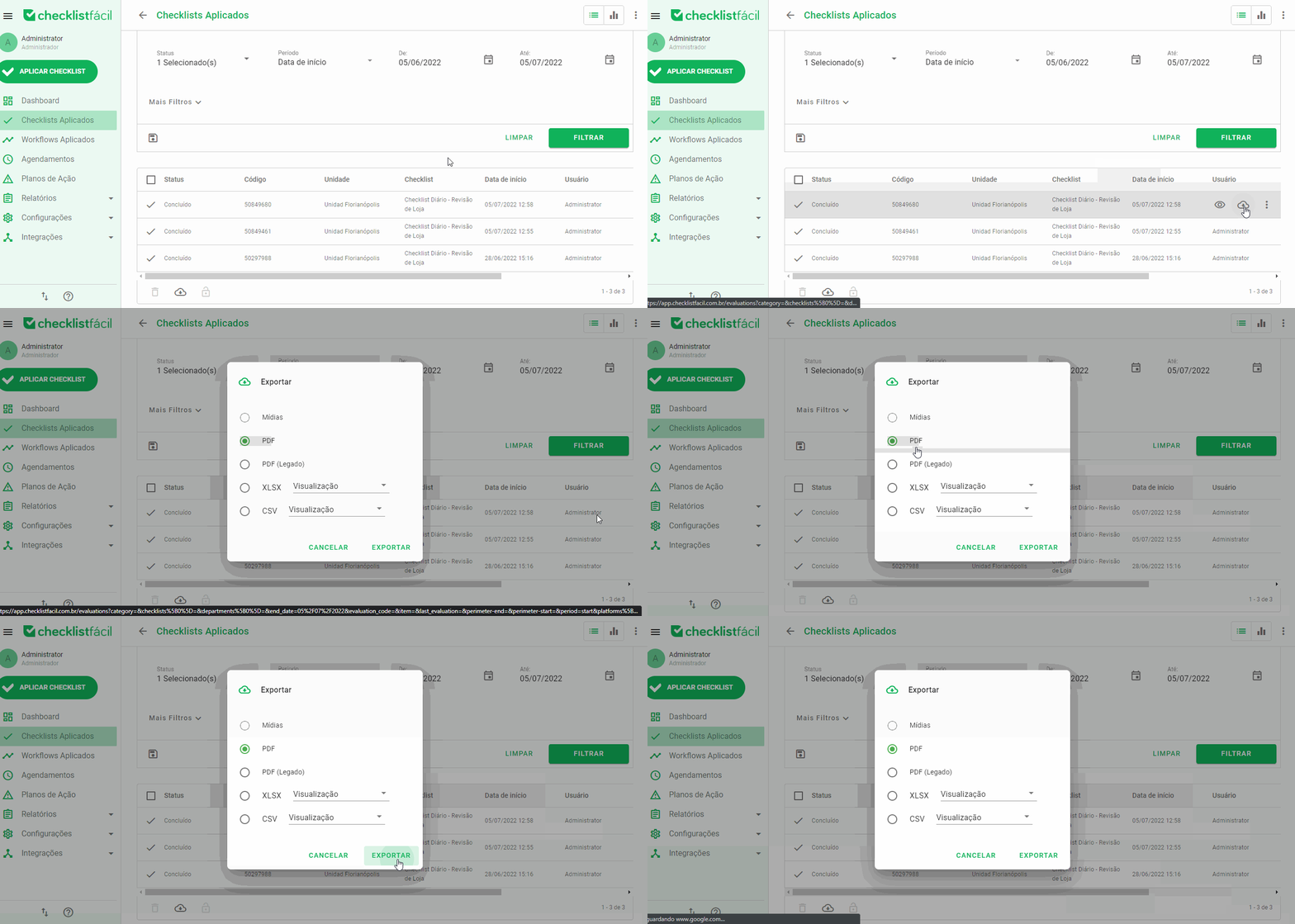
To export a result as a PDF, go to Applied Checklists on the web browser and use the filters to find the desired assessment. Then, pointing over the evaluation, you will see the Export option revealed. Click on it and select the export type. Is this case, it is PDF format:
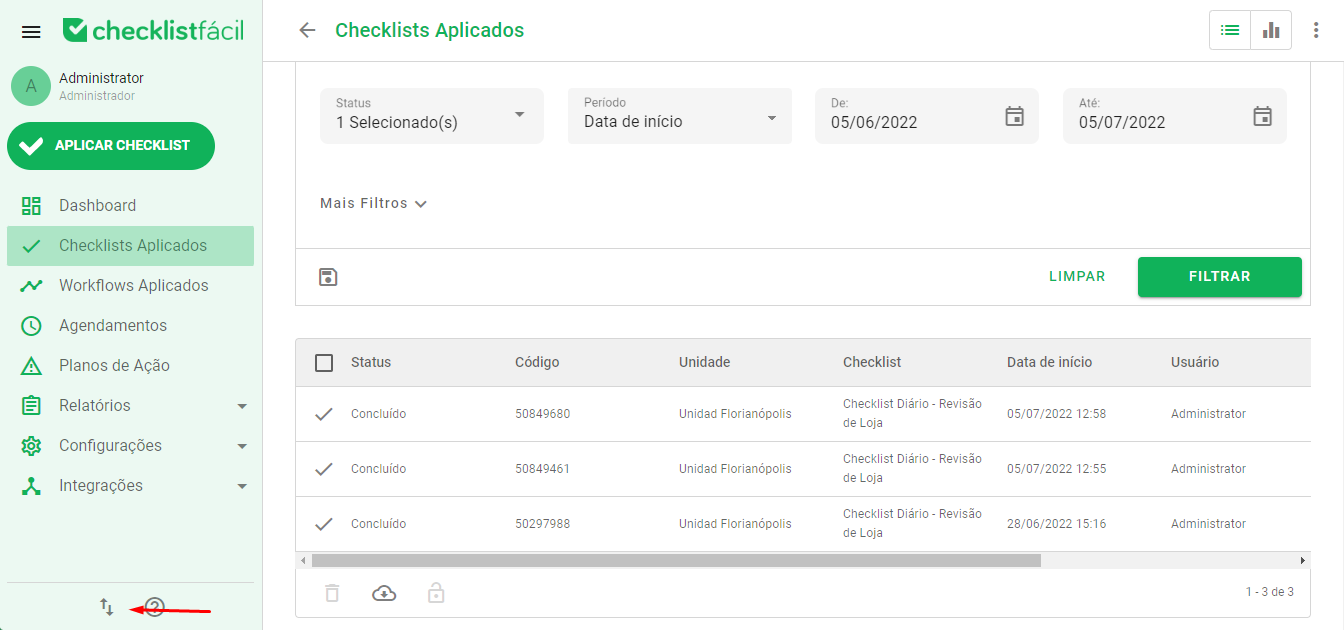
After doing this, your export request will be forwarded to the Importations/Exportations system. To access this option, click on the icon in the footer, next to the help icon:
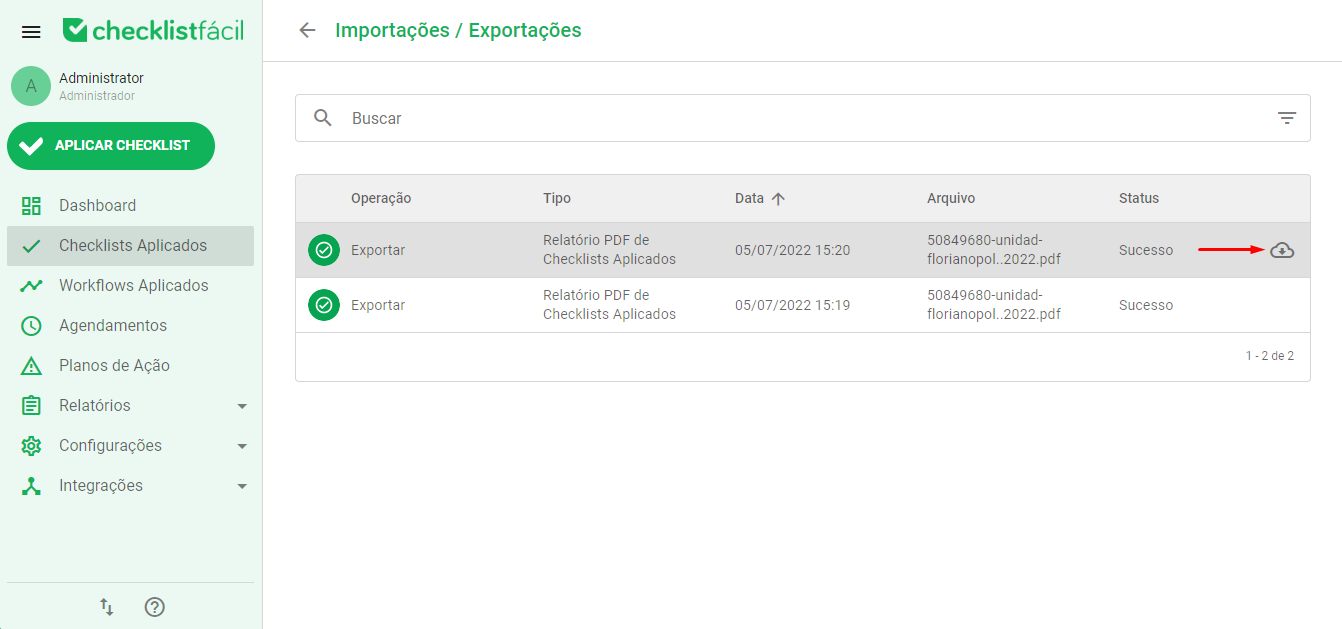
To download your PDF file, position the pointer over the export request and click Export:
Did you like the news? Remember to rate it!
Got questions? Contact us through chat or ticket!
❓Tem dúvidas? Entre em contato com nosso time de suporte.