The priority functionality allows for the creation of Action Plans with different urgency levels, in addition to displaying and filtering these priorities in the listing. This way, you can maximize your productivity, with better use of resources such as time and attention.
What is currently possible:
- Configure the priority field
- Set the priority
- Filter Action Plans by priority in the listing
- Frequently Asked Questions (FAQ)
Configure the priority field
During the Action Plan configuration, you can define the priority field just like the other fields in the standard template.
Set the priority
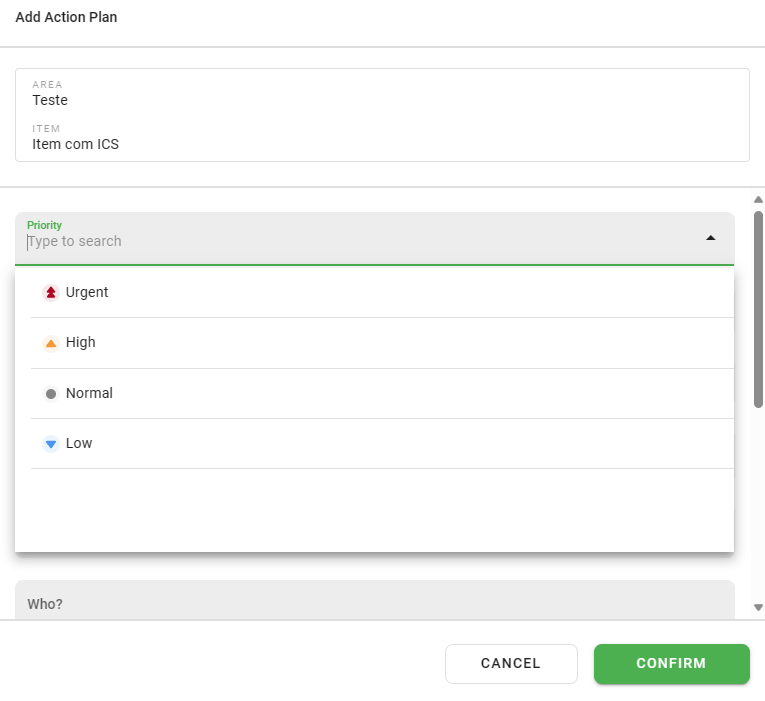
The urgency definition occurs at the time of Action Plan creation when applying a Checklist via browser (web).
Filter Action Plans by priority in the listing
In the Action Plan listing, the filter is multiple choice, allowing you to search for one or more priorities simultaneously:
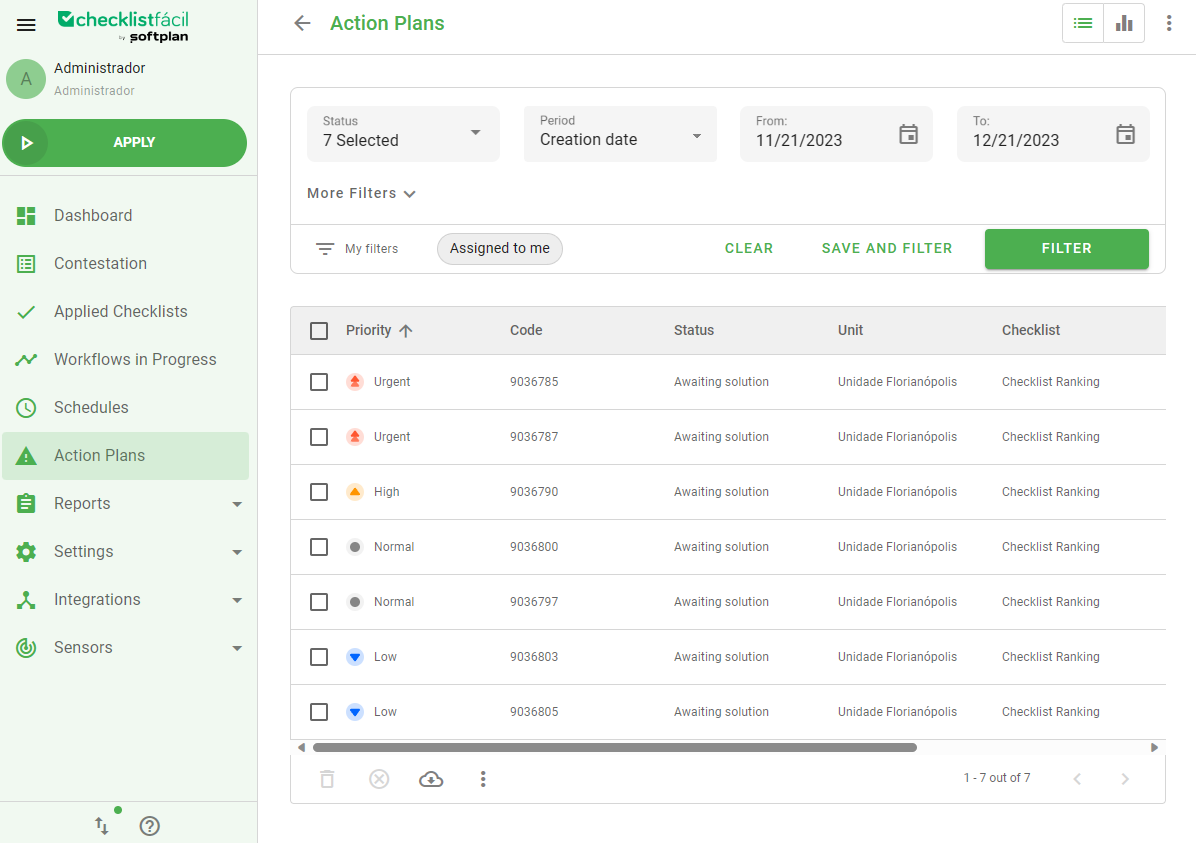
This improvement makes action management much more efficient, allowing activities to be prioritized with more clarity and agility.
Frequently Asked Questions (FAQ)
1. Where can I view the defined priority?
The priority can be viewed directly in the Action Plan listing and also in the details of each plan created.
2. Can I filter more than one priority at the same time?
Yes, the filter is multiple choice, allowing you to select various urgency levels for the search.
❓Tem dúvidas? Entre em contato com nosso time de suporte.