Introduction
The Power BI module allows for easy access to centralized operational data and reports directly within the Checklist Fácil platform. This way, your team does not need additional Power BI licenses to view the dashboards; everything is accessible in one place.
With this functionality, it is possible to apply a checklist and monitor the data generated from the applications, with integrated Power BI visualizations.
This is a standard dashboard with a single view for all authorized users, without customizations. Data is updated daily based on the consolidated figures from the previous day (D-1).
The module can be activated practically through the Marketplace, with automatic contracting and release. If there is any specific need, your company can also count on internal team support through the Account Manager (CS).
How to release the Module?
The module can be released for customers with the following plans:
- Basic
- Pro
- Enterprise
If it has not yet been released for your company, you can contract it through the Marketplace with a 7-day free trial for evaluation. This option allows for automated activation, release, and billing.
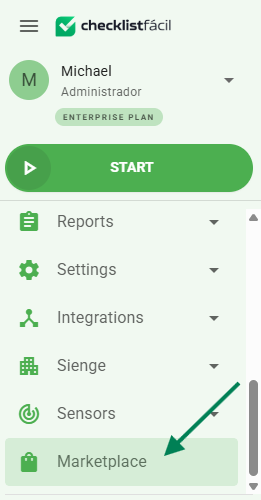
How to access the Power BI module?
To access the module, select the Reports option in the left side menu, and then click on the Power BI option.
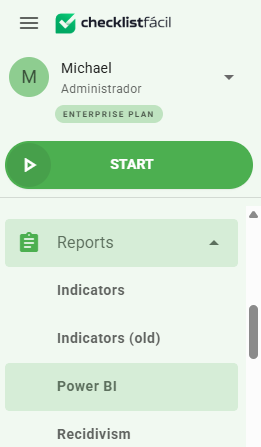
Through this page, you will find a list of all the dashboards produced in your database.
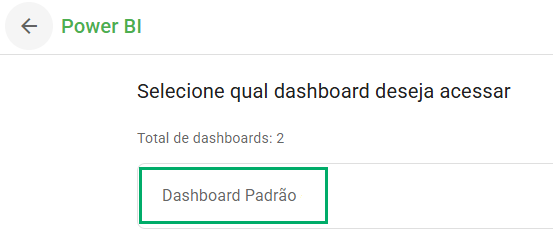
Click on Standard Dashboard to access the available reports. Any user with permission will be able to view the data.
Important!
As this is a standard dashboard, it is not possible to configure different views or custom filters by access profile, unit, department, or group. The visualization is unique and shared by all users in the database.
How to view the Dashboards?
The Standard Dashboard contains tabs where more detailed information can be obtained. At the bottom, you can see all the available tabs for navigation.
In the Applied Checklists tab, you can view everything related to the subject, such as units where it was applied, users, and the number of applications, in addition to being able to add filters to segment the search.
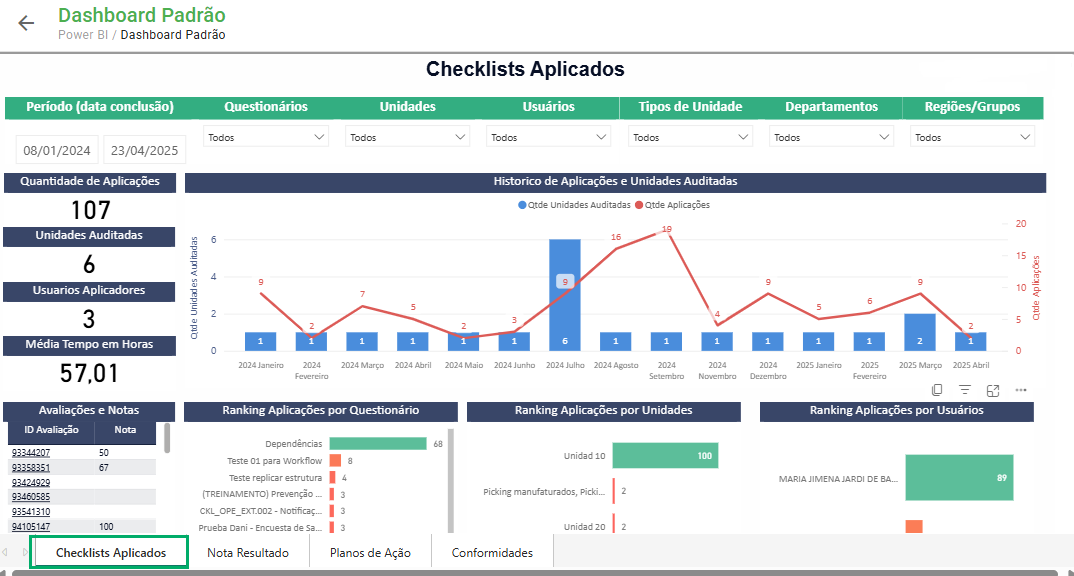
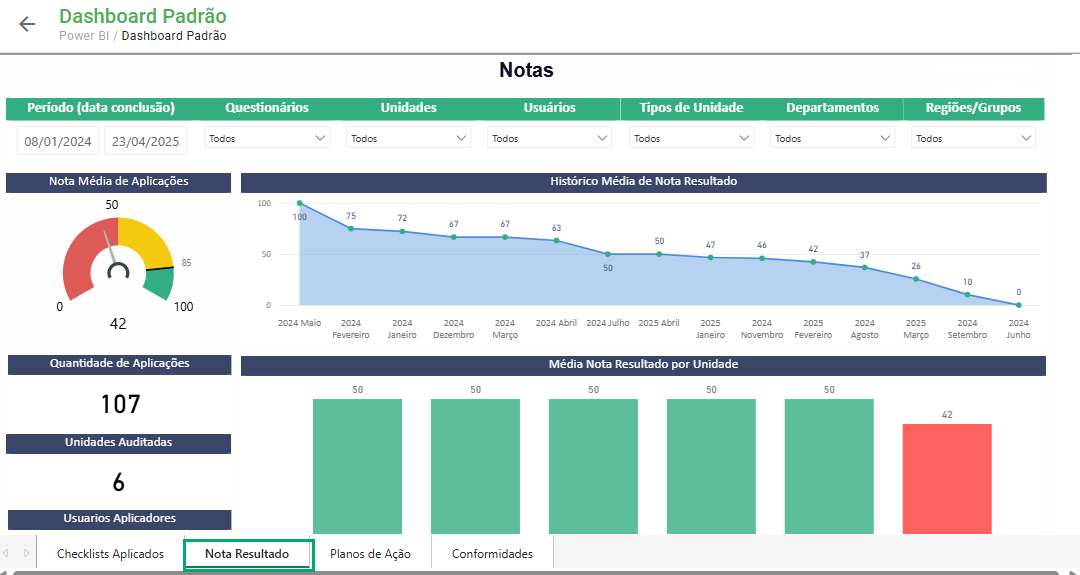
In the Result Grade tab, it is possible to obtain information about checklist grades, such as detailed monitoring of grade averages by each unit, applications, users, departments, among others.
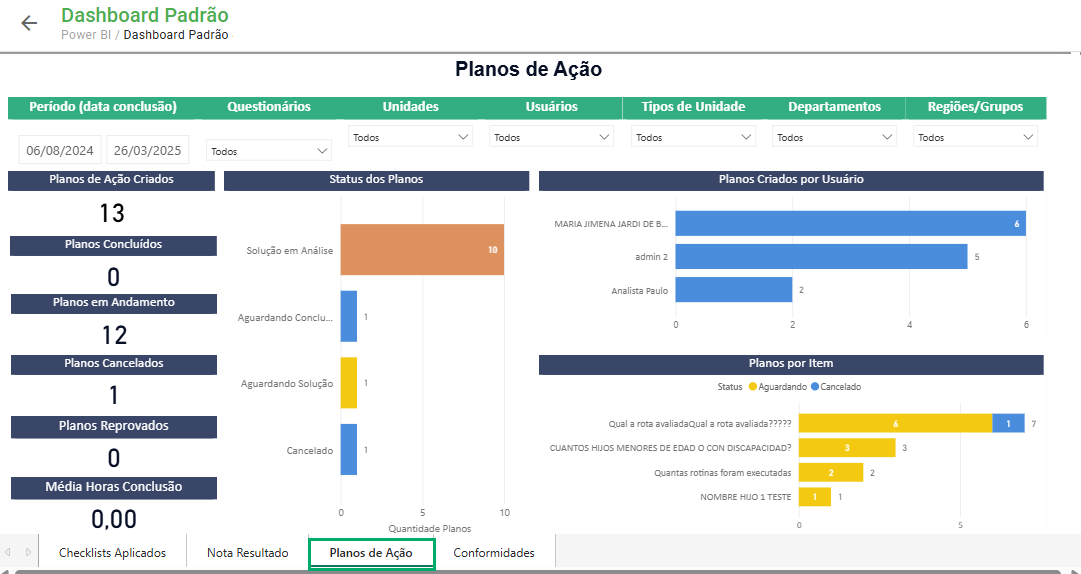
In the Action Plans tab, you can view the status of all nonconformities and how they are being handled, as well as obtain information about users and items.
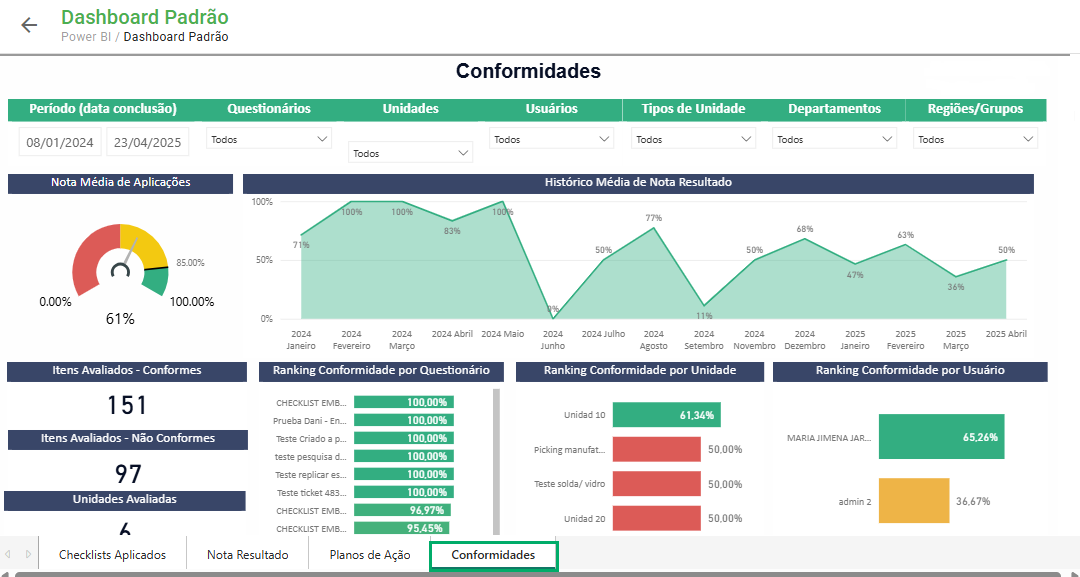
In the Compliances tab, it is possible to obtain information about compliances and nonconformities found during checklist applications and their relationship by units and users, for example.
Frequently Asked Questions (FAQ)
1. Do I need a Power BI license to access the module?
No. Access is centralized on the Checklist Fácil platform, eliminating the need for additional individual Power BI licenses to view the reports.
2. Is the data updated in real time?
Data is updated daily, always based on consolidated information from the previous day (D-1).
3. Can I customize the charts or filters on the dashboard?
No. The dashboard is standard for all users in the database, and it is not possible to create custom views by department or access profile.
❓Tem dúvidas? Entre em contato com nosso time de suporte.