The Technical Support team's Artificial Intelligence was developed to clarify doubts and support day-to-day decisions. This article shows how to speak with the AI to obtain faster, more accurate, and more useful responses.
- What to expect from AI service
- Best practices to help you extract the maximum potential from AI
- Frequently Asked Questions
What to expect from AI service
The AI follows a service pattern that has been trained to improve your experience. Therefore, please cooperate by answering questions and providing as much information as possible.
During the service, you can expect:
- Requests for context before presenting detailed solutions.
- Strategic questions that help the AI understand your situation.
- Structured responses with possible causes and practical guidance.
- Forwarding to human support when necessary.
- An empathetic and collaborative tone.
Despite being a very useful and efficient channel, AI does not replace human service, therefore:
- The AI is not capable of analyzing information contained in the system or database, so it will only use your report to conduct the service.
- The AI will not open tickets or register improvement suggestions. In these cases, request forwarding to human service.
- The AI knowledge base is constantly updated to keep up with product news; however, it may eventually present outdated information or lack information about new features. Whenever you have doubts about the content presented, or if this content is not sufficient, request human service so that an analyst can support you.
Best practices to help you extract the maximum potential from AI
1. Provide relevant context
Include information that matters to your situation: platform (web or app), which functionality you are trying to use, on which screen the problem or doubt occurs, potential error messages or system warnings, and everything you deem relevant to describe the context where the situation occurs.
Example:
- Avoid:
“It is not saving"
"It is not working"
"I cannot perform the action" - Prefer:
“When trying to apply the daily schedule through the mobile app, the app informs that the schedule has already been started on another device”
"When I try to save the configuration on the user edit screen, the system informs that this email is already registered, but this email does not appear in my user list."
"In the applied checklists screen, when I click on the three dots on the right side of the checklist I want to change, the "Reopen" option is missing, whereas this option appears for my environment administrator."
2. Avoid ambiguities
Vague questions generate vague responses. Be direct and ask about the specific functionality you want to understand.
Example:
- Avoid:
“How to use schedules?” - Prefer:
“How can I use schedules to create daily recurrences from Monday to Friday, for all my users in units Store 1, Store 2, and Store 3?”
3. Interact as you would with a person
Explain your problem in complete sentences, describe the usage scenario, and indicate constraints (e.g., permissions of your user type, platform you are using, internet connection issues, etc.). Use practical examples when possible.
Tip: If necessary, mention what you have already tried and the tests you have performed. This prevents the AI from suggesting things you have already tried and speeds up resolution.4. Refine the response when needed
If the first answer does not solve it, ask for adjustments. Request more examples, a different tone (more technical or simpler), or a more detailed step-by-step guide. Furthermore, you can use other AI tools like ChatGPT and Copilot to help you elaborate your doubt or request.
Useful phrases:
“Can you provide more examples?”
"Can you give me a practical application example?"
"Explain it to me again, this time using more technical language."
"Adapt your response for a beginner user."
"Suggest configurations that can help improve this process"
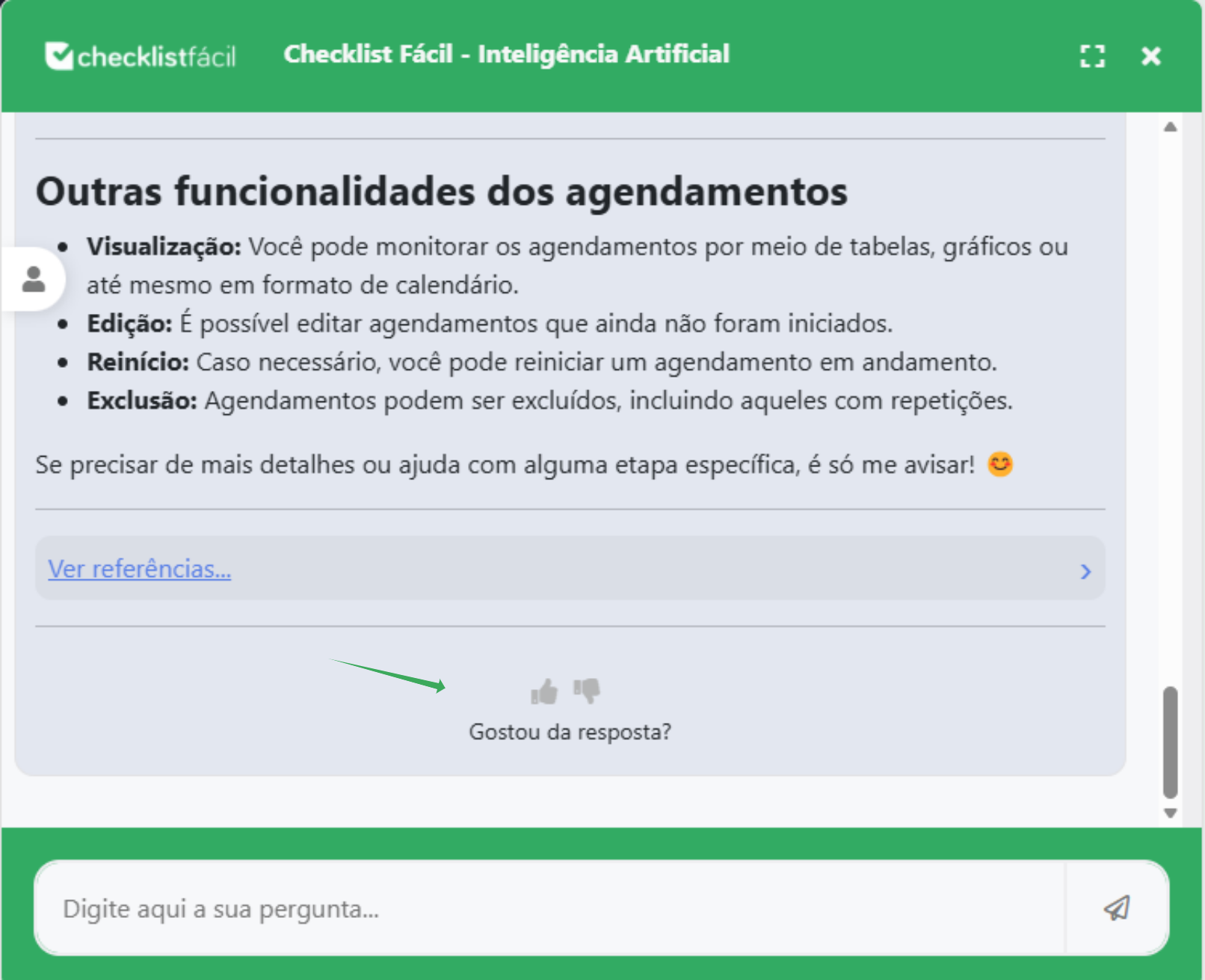
Additionally, evaluate the responses obtained whenever possible through the "Did you like the response?" option. This helps the AI know if it is on the right track or if it needs to improve its knowledge on the topic addressed.
5. Keep the conversation organized
Avoid mixing too many subjects in a single message. If you change themes, signal it clearly so that the AI starts a new line of reasoning.
6. Save efficient prompts
When you find a question that generates a good response, save it to leverage the format on other occasions. Having a prompt bank saves time and standardizes recurring service requests.
Frequently Asked Questions
Can the AI access my private data?
No. The AI operates within the boundaries of your account and company policies. For actions involving sensitive data, it will forward you to human support.
I did not understand the solution — what do I do?
Respond by informing the points that were confusing and ask for a more detailed step-by-step guide.
How to improve my prompt to obtain more complete reports?
Use AI tools like Copilot and ChatGPT to enhance your prompt.:
Conclusion
Interacting well with AI is simple: provide context, be clear, and keep the conversation organized. This way, you receive faster, more complete, and more accurate answers. Try out the practices in this guide and save the prompts that work best for your routine!
❓Tem dúvidas? Entre em contato com nosso time de suporte.