To contact Support, access the system and click on the chat icon.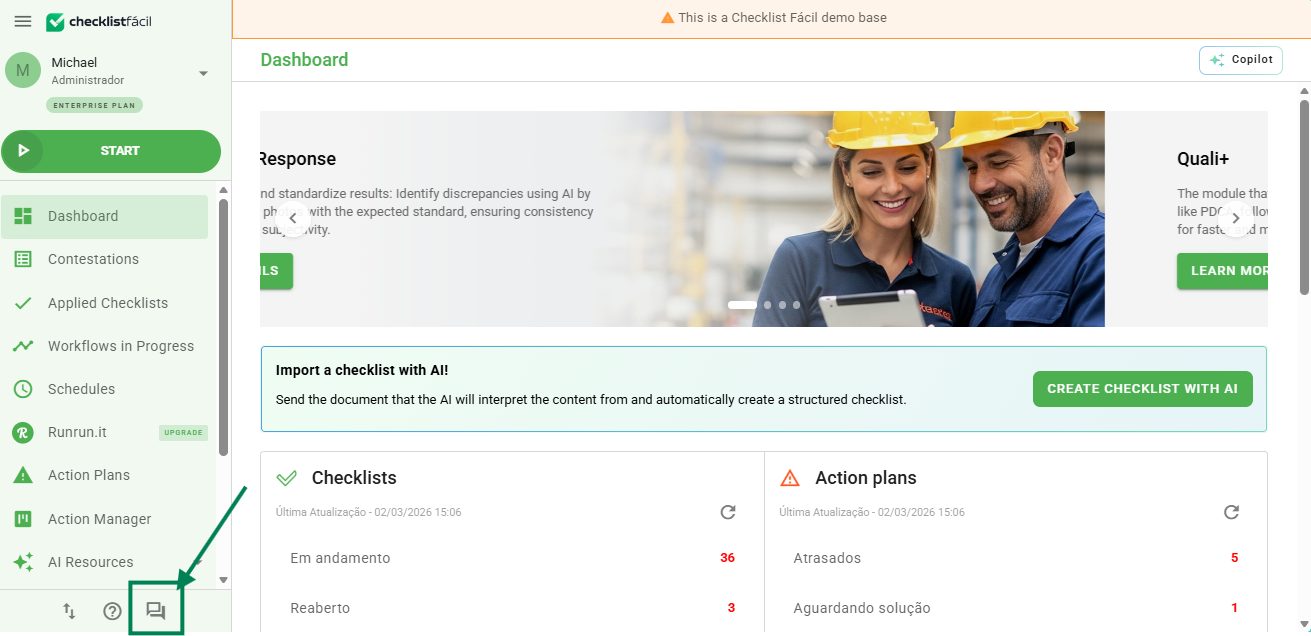
If you have any questions or difficulties while using Checklist Fácil, you can count on the support of our AI Resources and the Technical Support team.
Our online service channel is prepared to offer fast and accurate responses, ensuring you always have the best experience with the tool.
Important: our Support team does not provide service via email or telephone. To ensure agile and organized follow-up, all contact must start via chat. When necessary, the service is internally directed to the most appropriate channel.
Chat support
Our chat is the fastest and most effective way to talk to us! When you start a conversation, our AI will provide the initial service. Therefore, please include all details regarding your question or need.
The more context you provide, the more accurate the response will be.
➡️ Learn More about how to make the most of AI support
If you need human assistance, don't worry: on average, our customers wait less than 40 seconds to speak with an analyst. Furthermore, more than half of the cases are resolved directly in the chat!
How to contact us via chat
You can open the chat directly through the system:
- Access the Checklist Fácil system via web.
- Click on the “Contact Support” option in the left side menu.
- Send your message following the guidelines in the article Best practices for AI support.
The first contact will be made by our AI, which attempts to resolve your request immediately. If the case is more complex or if you prefer to speak with a person, simply request it from the AI, and the service will be automatically transferred to a specialized analyst.
Thus, we guarantee the agility of technology combined with the care of human service.
Tickets created via chat
When the analyst needs more time to resolve your request, a ticket will be created for internal follow-up by the technical team. You can track this ticket in two ways:
- By email: All responses and updates will be sent to the registered email address. Simply reply to the message to continue the service.
- Through the Help Center: You can view, respond to, and track the progress of your tickets by accessing the Help Center in two ways:
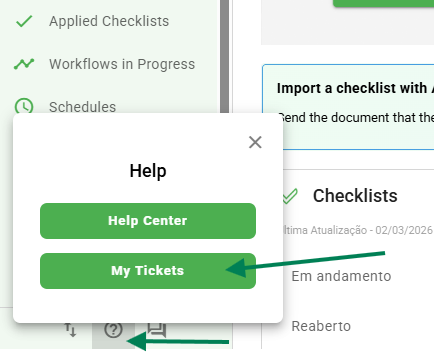
- System Shortcut: In the bottom left corner of the screen, click on the Help (?) icon and select the "My Tickets" button.
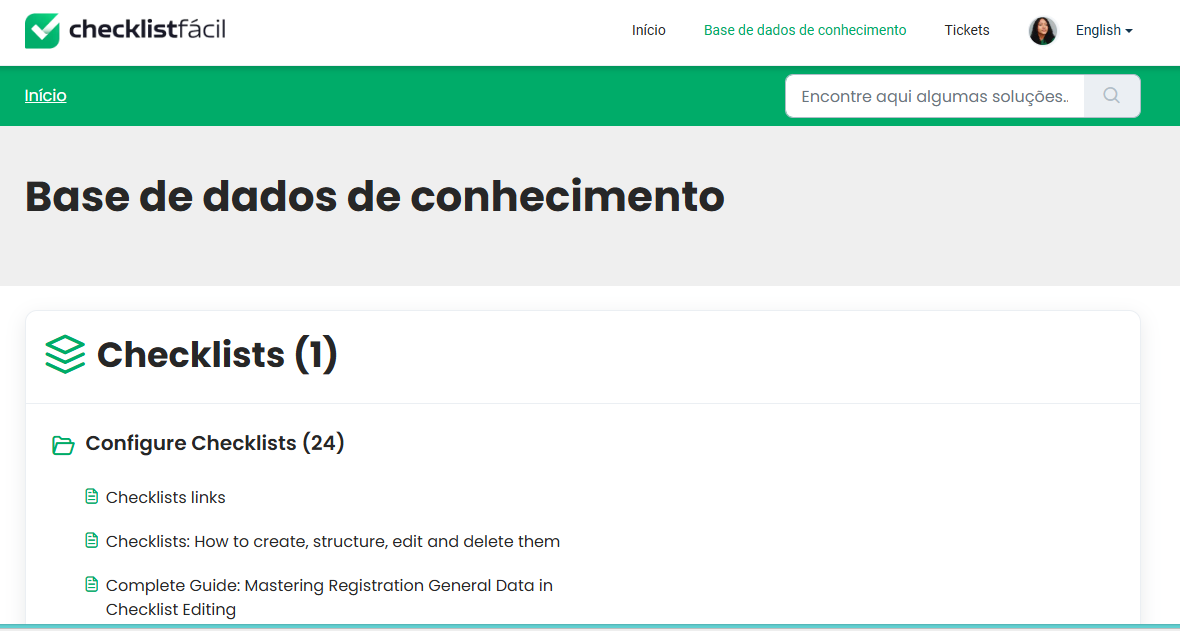
- Direct Navigation: Within the Help Center page, access the “Tickets” section in the main menu.
- System Shortcut: In the bottom left corner of the screen, click on the Help (?) icon and select the "My Tickets" button.
More than 50% of chat services are resolved instantly, but when a referral is necessary, we guarantee that your request will be handled until the final solution.
Service hours
Our human chat service hours are: Monday to Friday, from 08:00 AM to 08:00 PM.
Outside of these hours, you will continue to be assisted by our AI Resources, which can guide you through main questions and register your request for the next service period.
❓Tem dúvidas? Entre em contato com nosso time de suporte.