- Overview
- How to access the AI Credits page
- Artificial Intelligence Plans
- How to subscribe to the Plus Plan
- Purchasing Extra Credits
- Registering Interest (Ultra Plan and Upgrades)
- Permission and Access Rules
- Frequently Asked Questions (FAQ)
Overview
The AI Credits module in the Marketplace allows you to view, subscribe to, and manage artificial intelligence plans in a self-service manner directly on the platform. The goal is to provide a clear journey for expanding the use of AI Resources, eliminating the need to contact support for most upgrade cases.
The functionality centralizes the entire purchasing journey, from discovering plans to effective subscription.
How to access the AI Credits page
The AI Credits page can be accessed through three distinct paths within the platform:
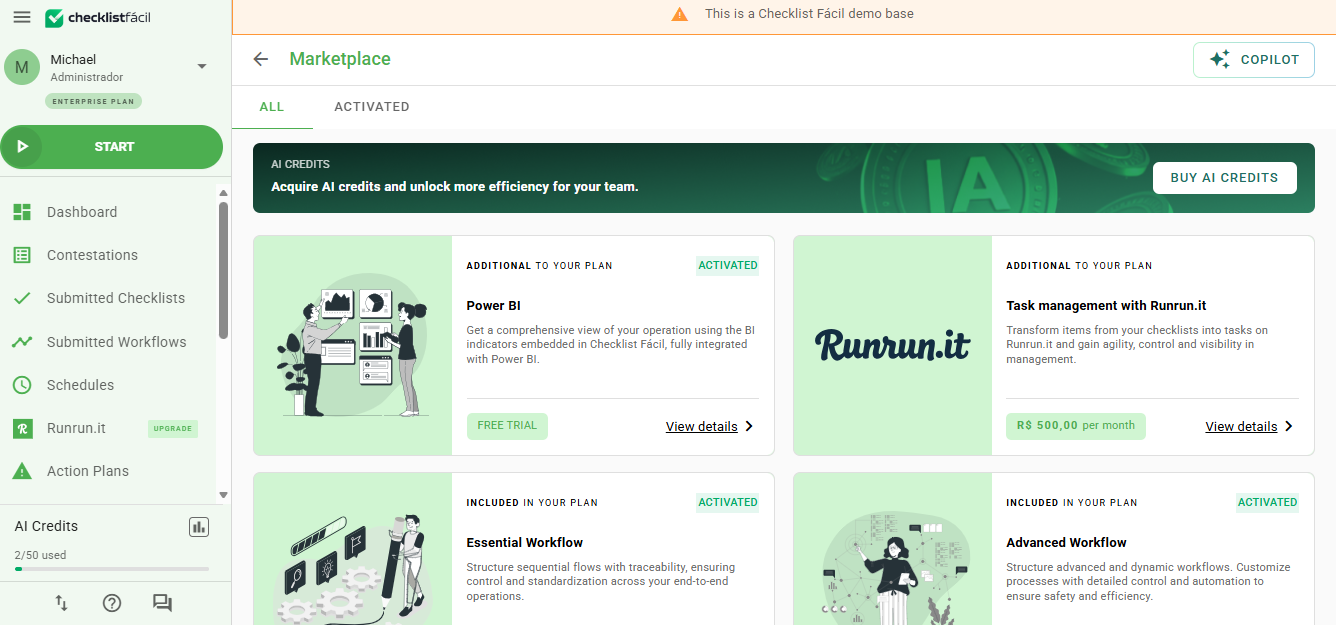
1. Marketplace Banner: Always visible when accessing the Marketplace home page.
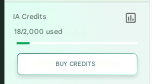
2. Sidebar: The quick access button appears contextually, based on the credit consumption of your base.
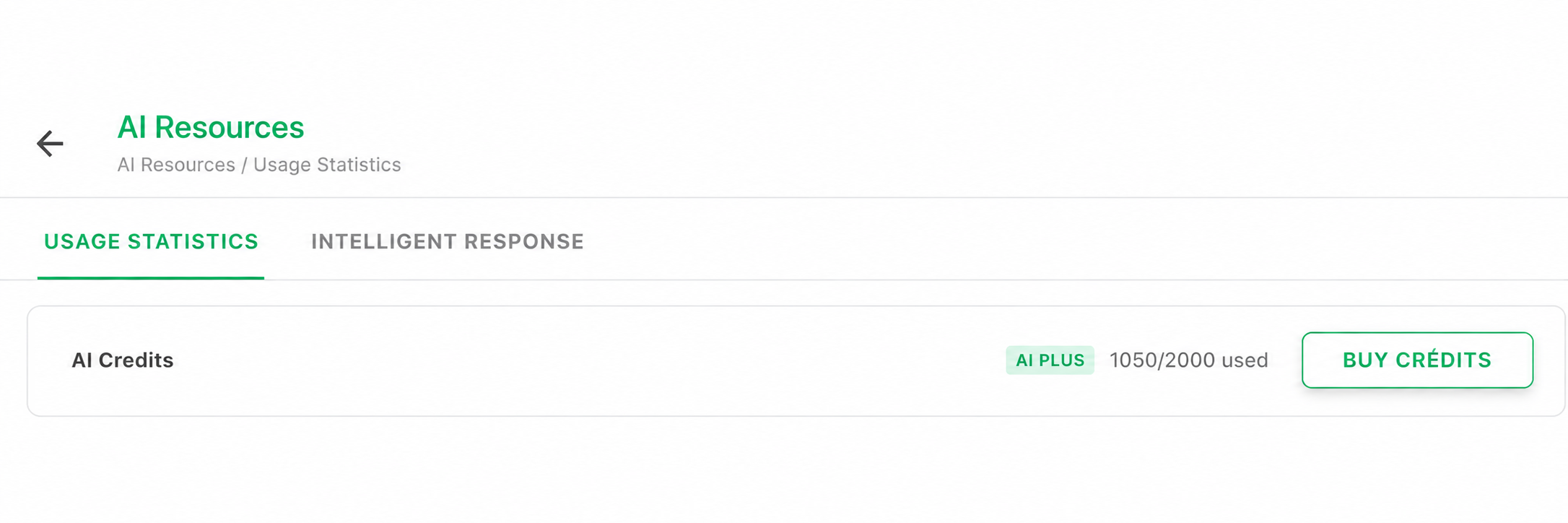
3. AI Statistics: Within the Statistics area, there is a permanent element that directs to the Marketplace purchase.
Artificial Intelligence Plans
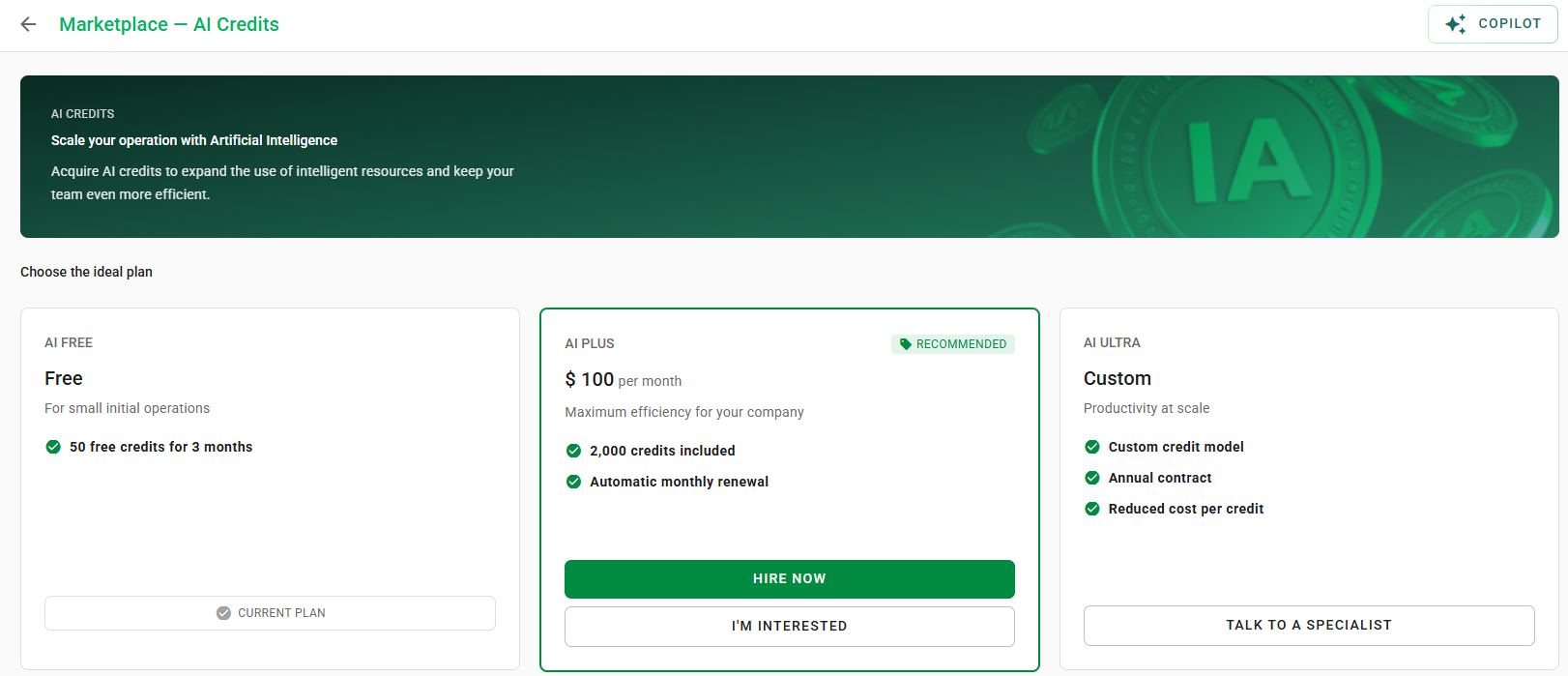
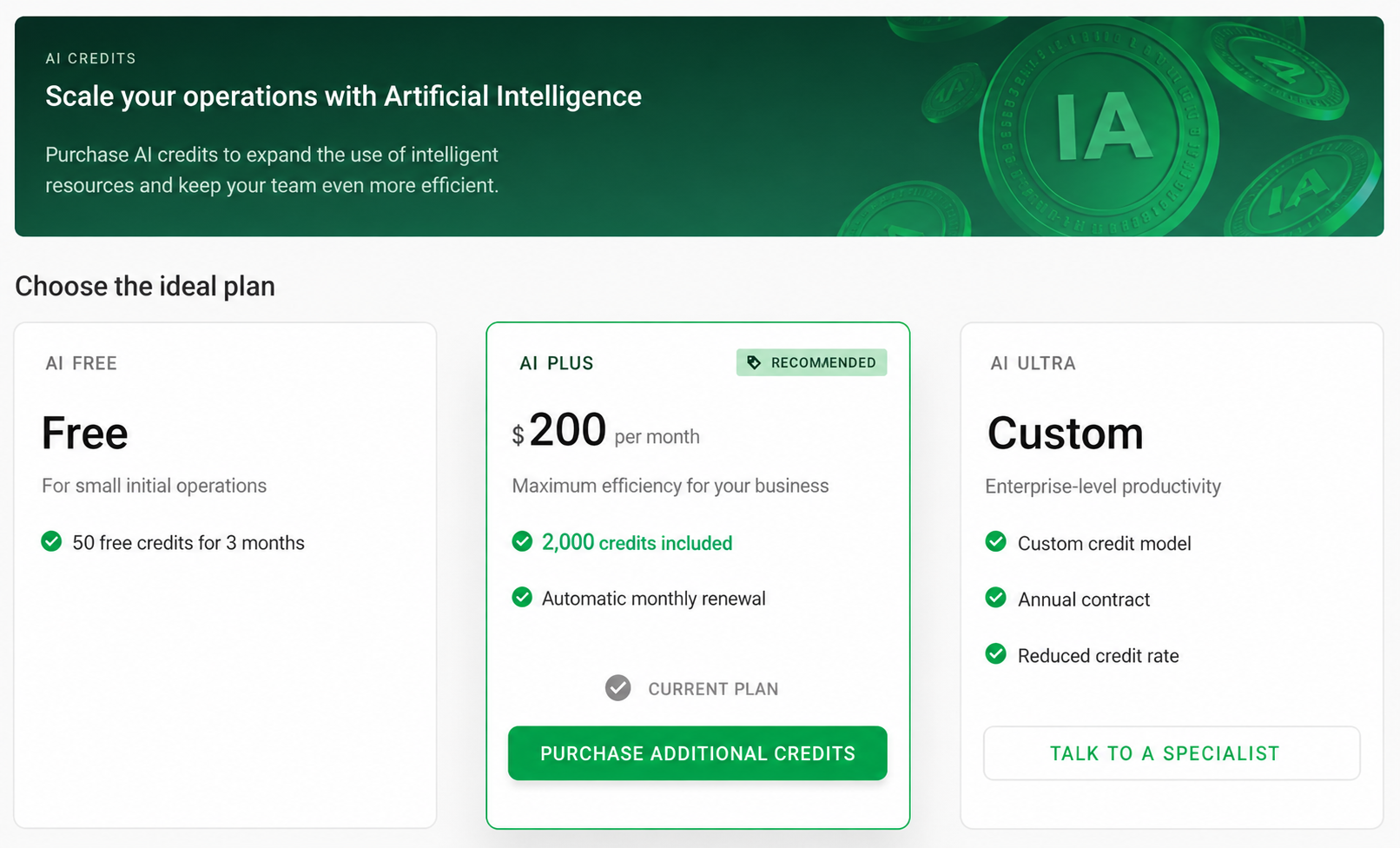
There are three types of plans available to meet different operational needs:
• AI Free: Entry-level plan with limited credits for experimentation (50 credits for 3 months).
• AI Plus: Intermediate plan with 2,000 credits included and automatic monthly renewal.
• AI Ultra: Customized plan for high productivity, contracted via the sales team.
Understand consumption: 1 credit equals 1 Smart Response or 10 AI Reviewer reviews.
How to subscribe to the Plus Plan
The subscription process occurs entirely within the platform for users with an Administrator profile:
1. Access the AI Credits page in the Marketplace.
2. Click the "Subscribe Now" button displayed on the Plus plan card.
3. A confirmation modal will request a security code.
4. After confirmation, the update is immediate and the credits are available for use.
Purchasing Extra Credits
If your base is already on the Plus plan, you can purchase extra credits if the current balance is insufficient.
• Validity: One-off extra credits are valid for up to 30 days.
• Limit: The platform allows only one extra credit package active at a time.
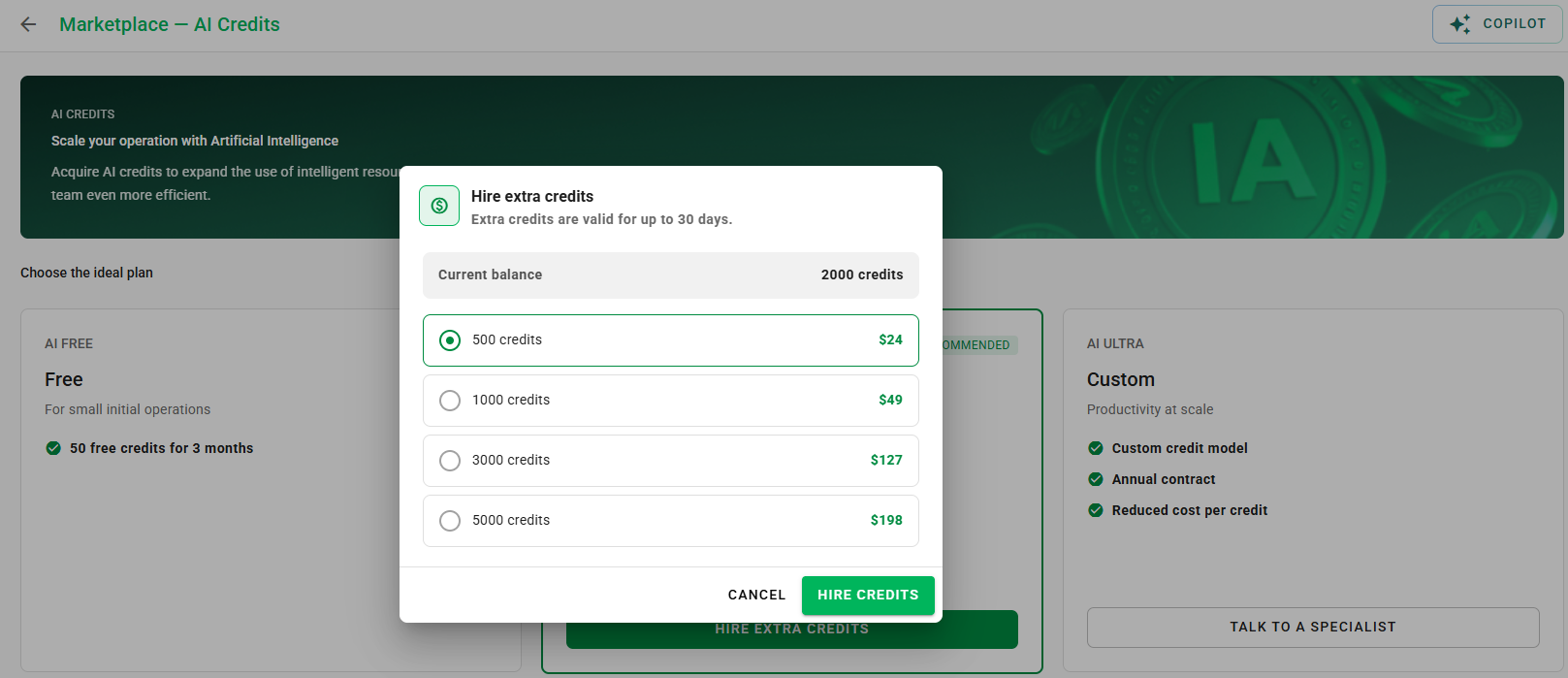
When the extra package reaches the expiration date according to current rules, expired credits are no longer counted in the available balance. From that moment on, the base can subscribe to a new extra package normally.
Registering Interest (Ultra Plan and Upgrades)
For plans that require customized negotiation, such as AI Ultra, the available mechanism is registering interest:
1. Click on "Speak with Specialist" in the Ultra plan section.
2. A record will be created in our CRM system.
3. Our sales team will contact you to present the personalized solution.
Permission and Access Rules
Actions on the AI Credits page depend on the user profile and the base's current plan:
• Administrator: Can purchase Plus packages and extra credits.
• Non-Administrator: Can register interest in Plus or Ultra, but does not have purchase permission.
• Free Trial: Can only register interest.
Package deactivation can only be requested from the Customer Success team and is not available via self-service.
Frequently Asked Questions (FAQ)
1. I am a Non-Administrator. Can I subscribe to a plan?
Non-Administrator users cannot purchase packages. However, all profiles can register interest in both the Plus and Ultra plans. To subscribe, please ask your account administrator.
2. Can I subscribe to the Plus plan even if my Free plan has expired?
Yes. The "Subscribe Now" button for the Plus plan is displayed even when the Free package has expired, allowing for a normal subscription.
3. How many extra credit packages can I have at the same time?
Only one extra credit package can be active at a time on the Plus plan. After the current package expires, it is possible to purchase a new one.
4. What happens after I subscribe to the Plus plan?
The update is immediate: the plan is updated in the Marketplace, the AI Statistics reflect the new balance, and the credits are available for use instantly.
5. How does the Ultra plan work?
The Ultra plan involves customized contracting and cannot be purchased directly through the platform. To demonstrate interest, click on "Speak with Specialist" on the AI Credits page so that our sales team can get in touch.
6. How do I deactivate an AI Credits package?
Package deactivation is not available via self-service. To request deactivation, please contact the Customer Success team.
7. The "Buy Credits" button does not appear for me. Why?
Visibility depends on your current plan, profile (Administrator or Non-Administrator), and consumption level. If you have the Ultra plan or are not an Administrator, the purchase button will not be displayed — only the options to register interest.
❓Tem dúvidas? Entre em contato com nosso time de suporte.