The Optical Character Recognition (OCR) module recognizes texts through the app's camera and transcribes them into the item's response. There is no need to make any additional configurations in the checklist, just adjust the response options so that OCR is available in the application.
To make it available in the app, you need to adjust the response type in the item configuration, in the checklist structure. Initially, the app can recognize text for two purposes: License plates or Short text. To recognize license plates and register them properly formatted, use the Registration response type and select the License Plate or Mercosul License Plate field type.
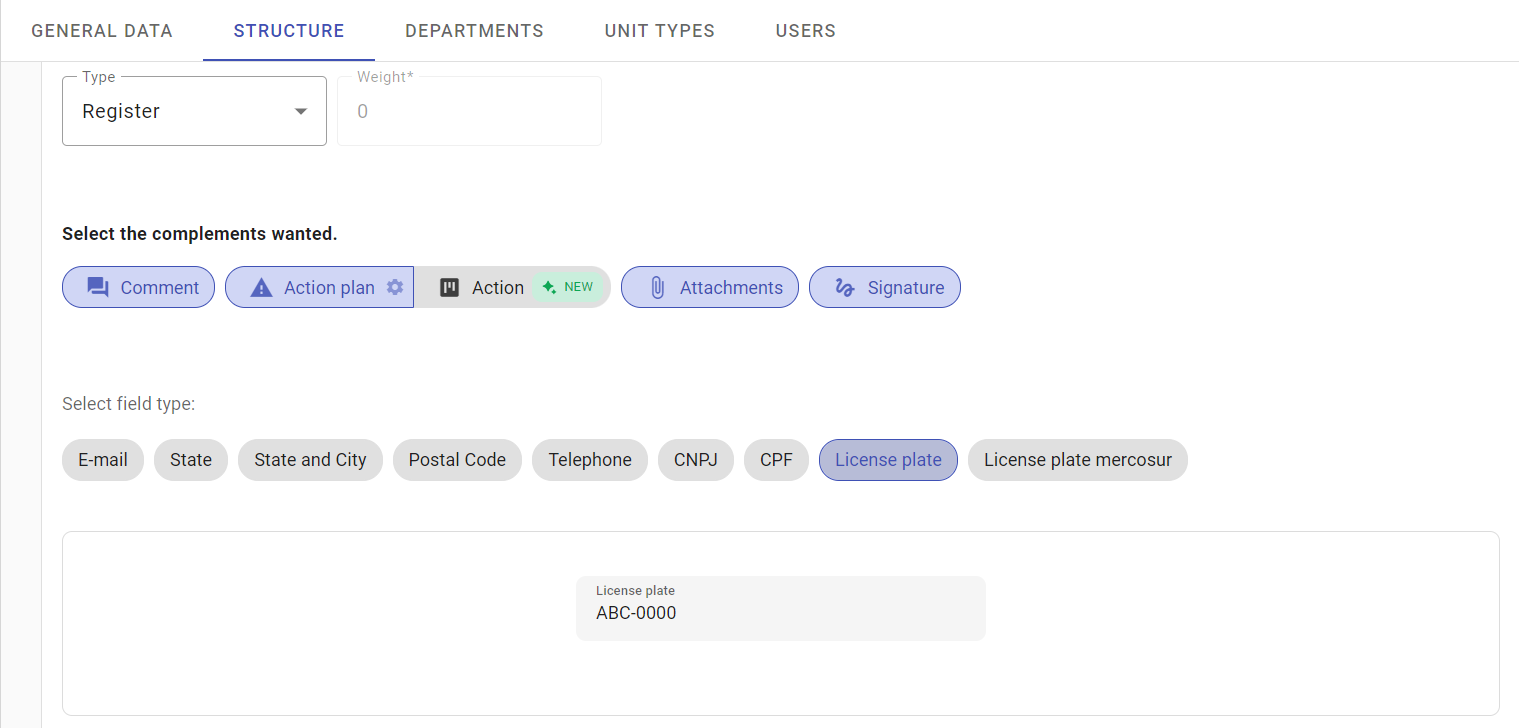
To recognize short texts, it is necessary to consider that only the fonts below are recognized with guaranteed accuracy:
Courier new, arial, verdana, times new roman, helvetica, cambria, serif, roboto e poppins.
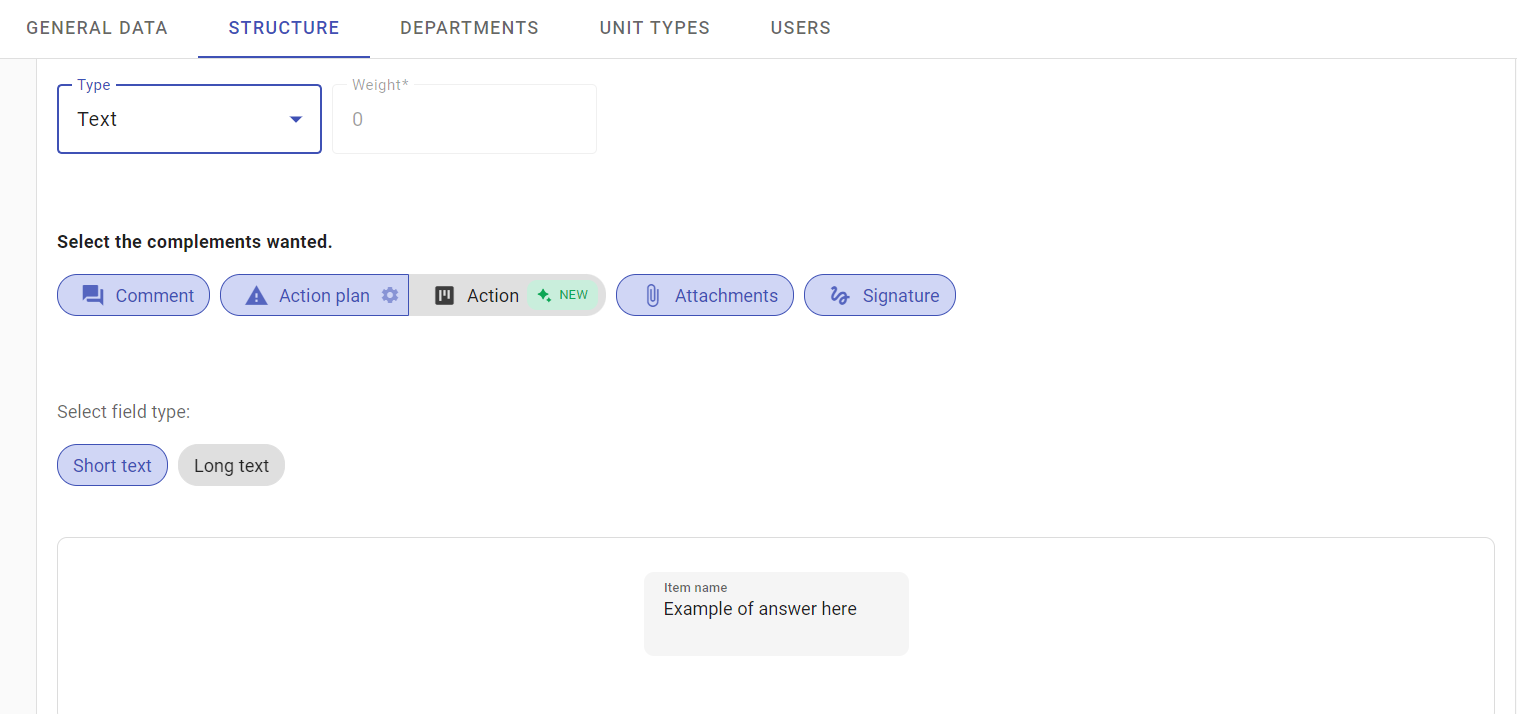
Other fonts may be recognized, but reading may not be perfect. To use short text recognition, use the Text response type and the Short text field type.
➡️ Was this article useful? Leave your review!
❓Do you still have questions? Contact us via chat or ticket!
❓Tem dúvidas? Entre em contato com nosso time de suporte.