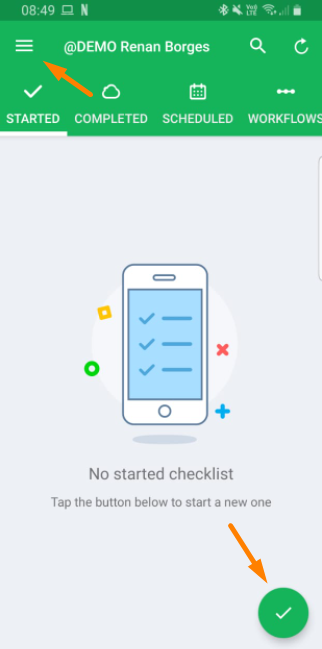
To start the application, just click on the check icon at main screen footer, or access the left sided menu by clicking at three dashes, and apply checklist.
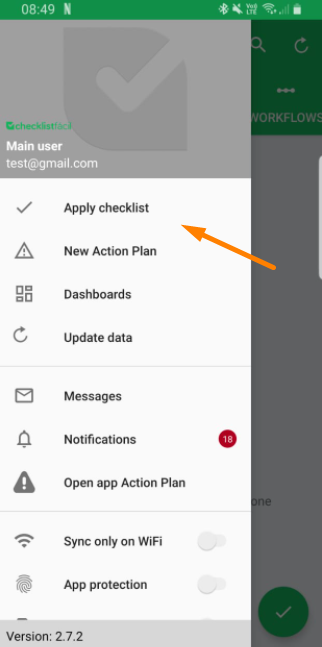
Then, you have to select the unit which will be evaluated, and the checklist which should be applied.
During the application, you can visualize the partial result*, and the checklist areas. When visualizing areas, you can identify if it exists some item pending fill, in addition to get easier the areas access. The partial result presents the calculation of the answered questions so far, in addition to a sum of options already used at the application.
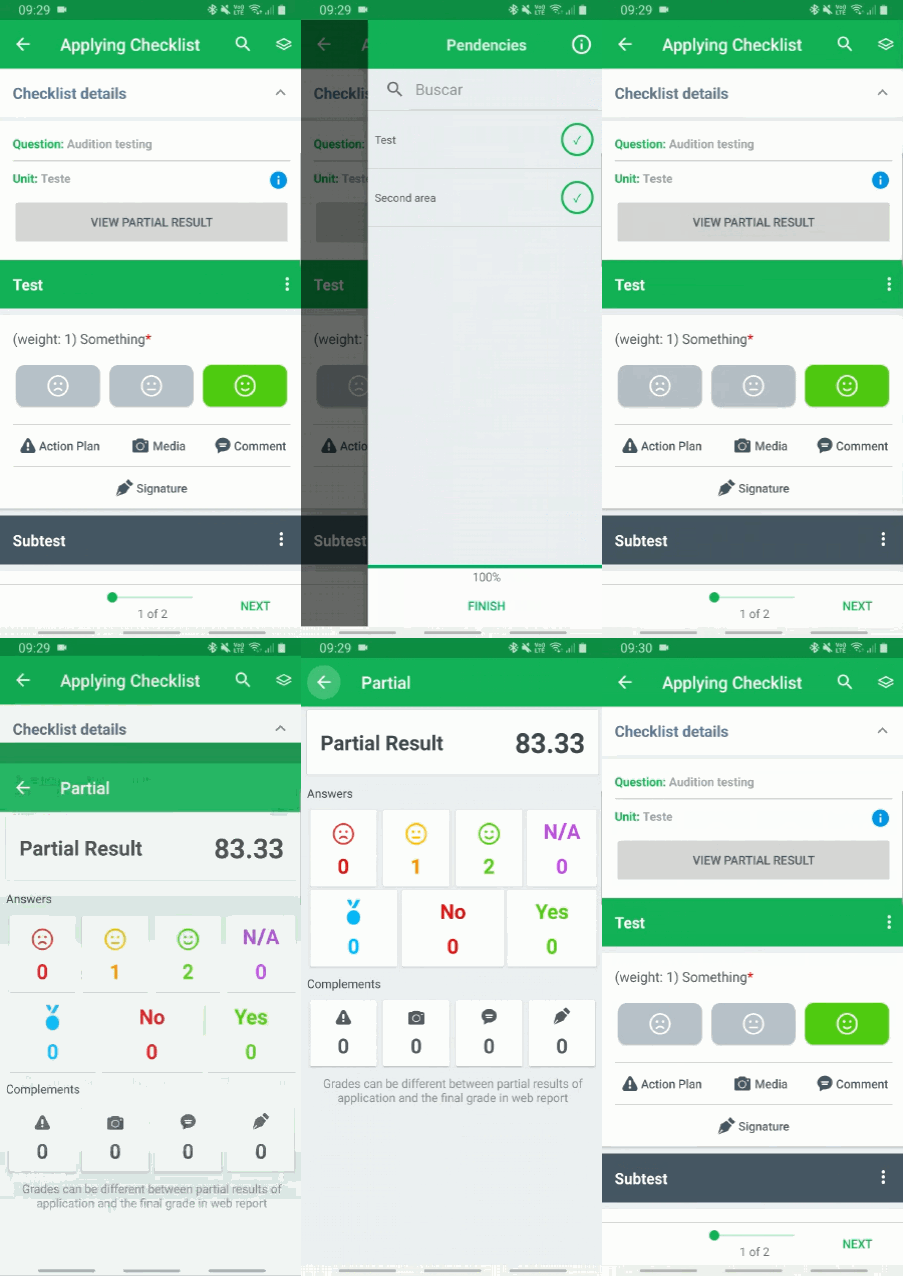
*The partial result doesn’t consider penalty, and doesn’tguarantee accuracy compared to the final grade.
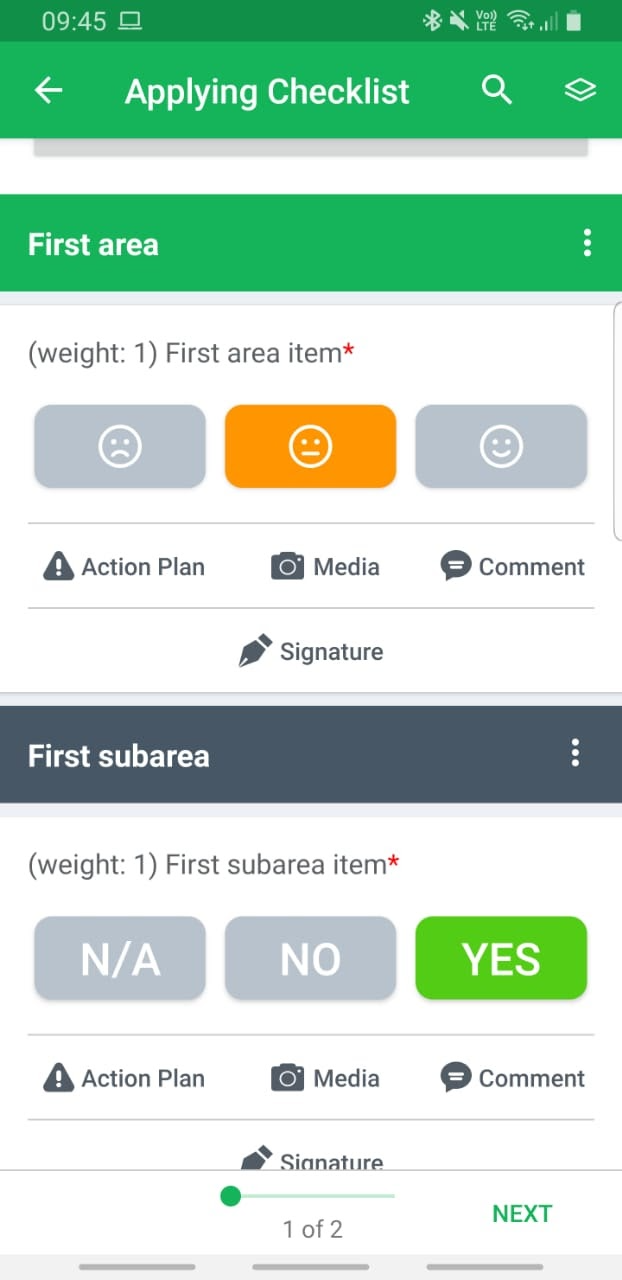
The item’s answer complements are configuraded on the Web, and may vary between action plans, attachments, comment and signature.
Finally, there is the conclusion screen. In addition to some general complements that can be configured via Web, such as an general action plan, files, signatures and a final comment, is possible to share the checklist with any e-mail address, even if not register on the tool.
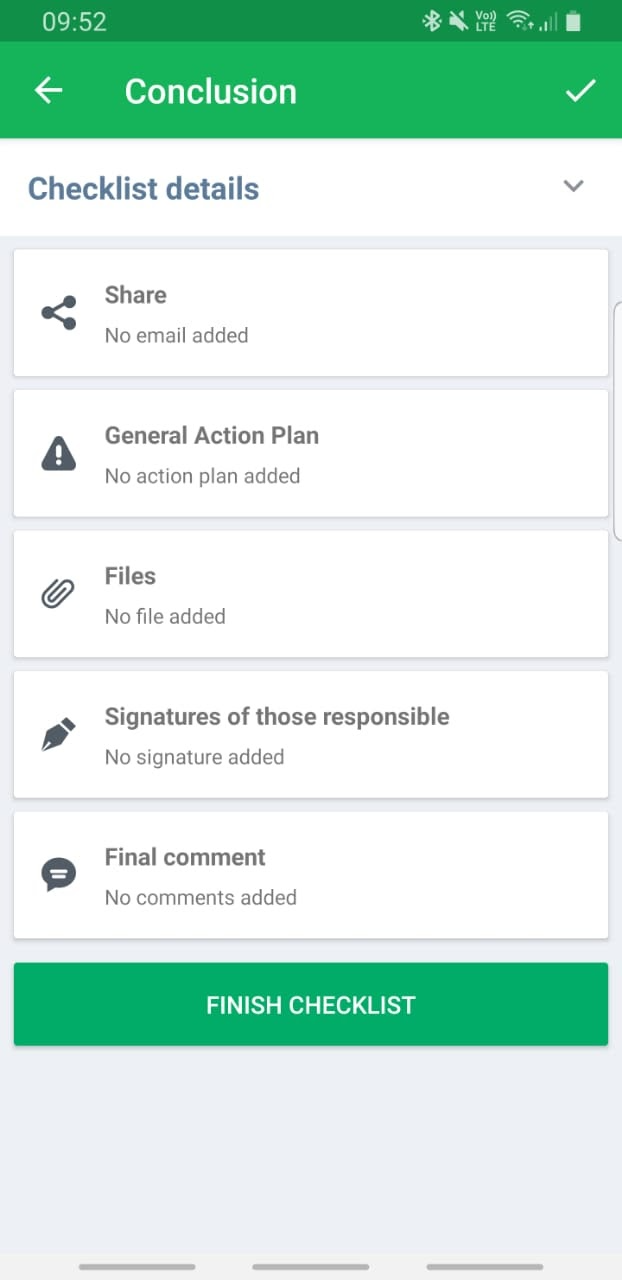
To finish the application, just click at the check button on the top of screen, or at the finish checklist button.
Was this article useful? Remember to rate it!
Got questions? Contact us through chat or ticket!
❓Tem dúvidas? Entre em contato com nosso time de suporte.