Deleting the evaluation
If it is necessary to delete an already applied checklist, you can perform this procedure directly through the Web environment.
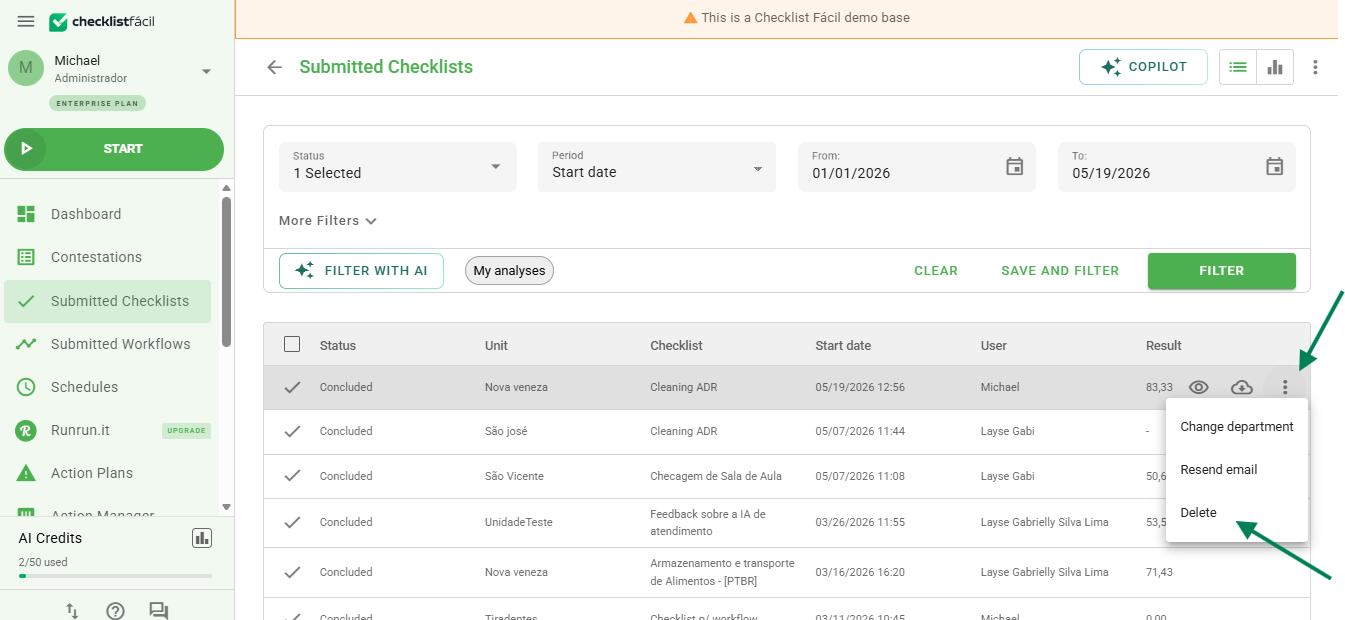
1. Navigate to the Applied Checklists tab;
2. Use the filters to locate the desired evaluation;
3. On the right side of the evaluation, click on the three-dot icon and select the Delete option.
Security confirmation
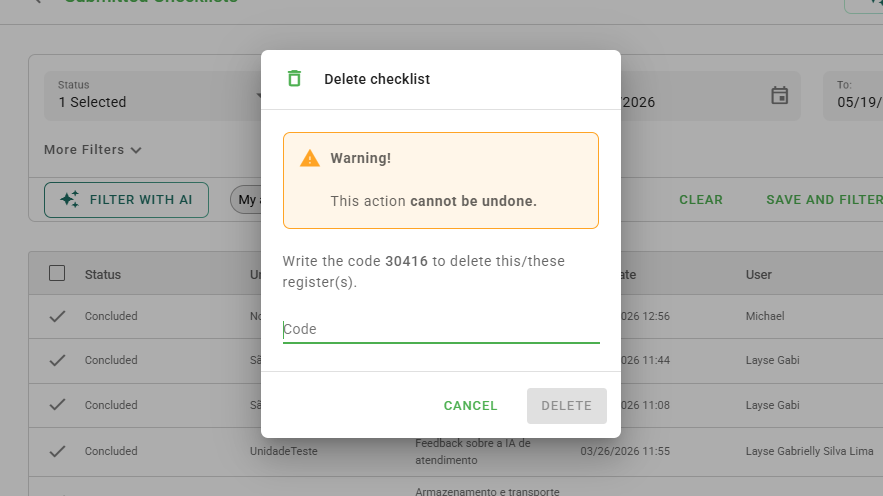
To ensure the security of your data and prevent accidental deletions, the system will request a confirmation.
A window will open displaying a numerical sequence. Type the exact code in the indicated field and click on Delete to finish.
Frequently Asked Questions (FAQ)
1. I deleted an evaluation by mistake, can I recover it?
Yes, please contact Support.
❓Tem dúvidas? Entre em contato com nosso time de suporte.