If you are applying a checklist through the app and need to complete it through a computer, you can use the Continue on Web option available in the app. By using it, the checklist present in the app will be synchronized to the web system, where the application can be resumed.
Required: the option "Can checklist be continued on the web?" must be active.
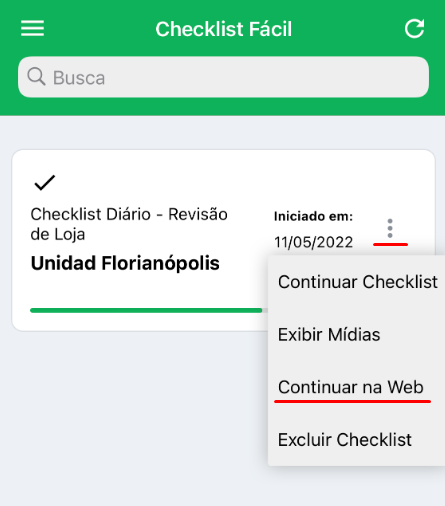
To continue on the web, simply exit the ongoing checklist and return to the app's Started tab. Here, locate the desired checklist and click on the menu with three dots and Continue on Web:
Once synchronized, you will be able to log in to the Checklist Fácil web portal and click Applied Checklists.
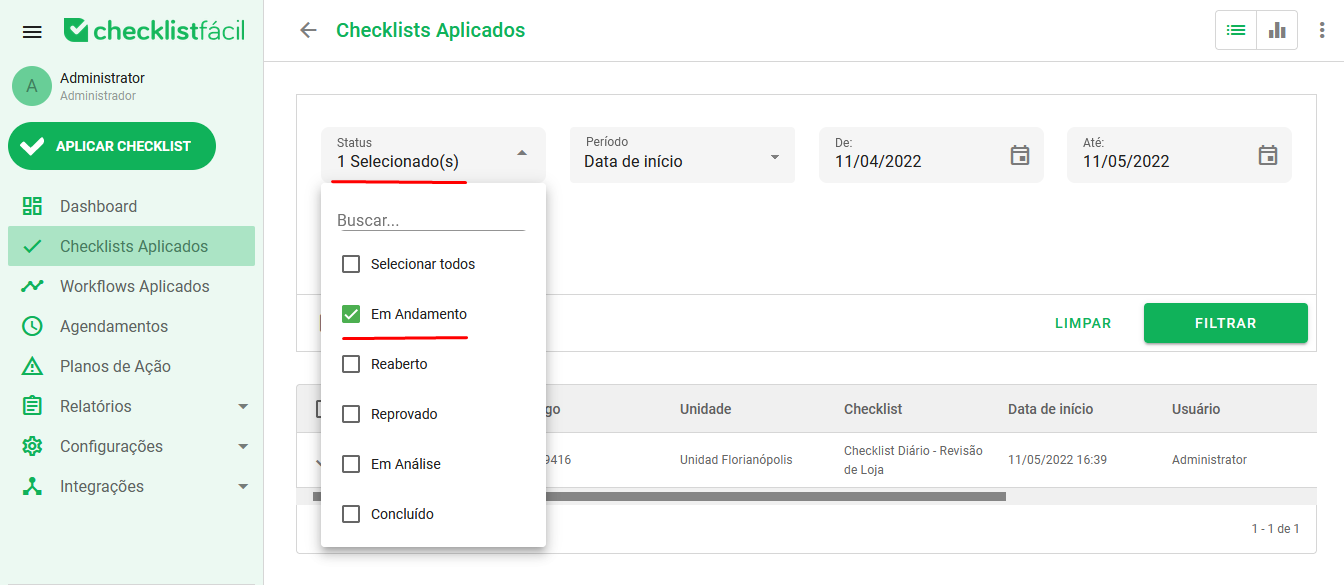
Filter the checklists that have the In Progress status:
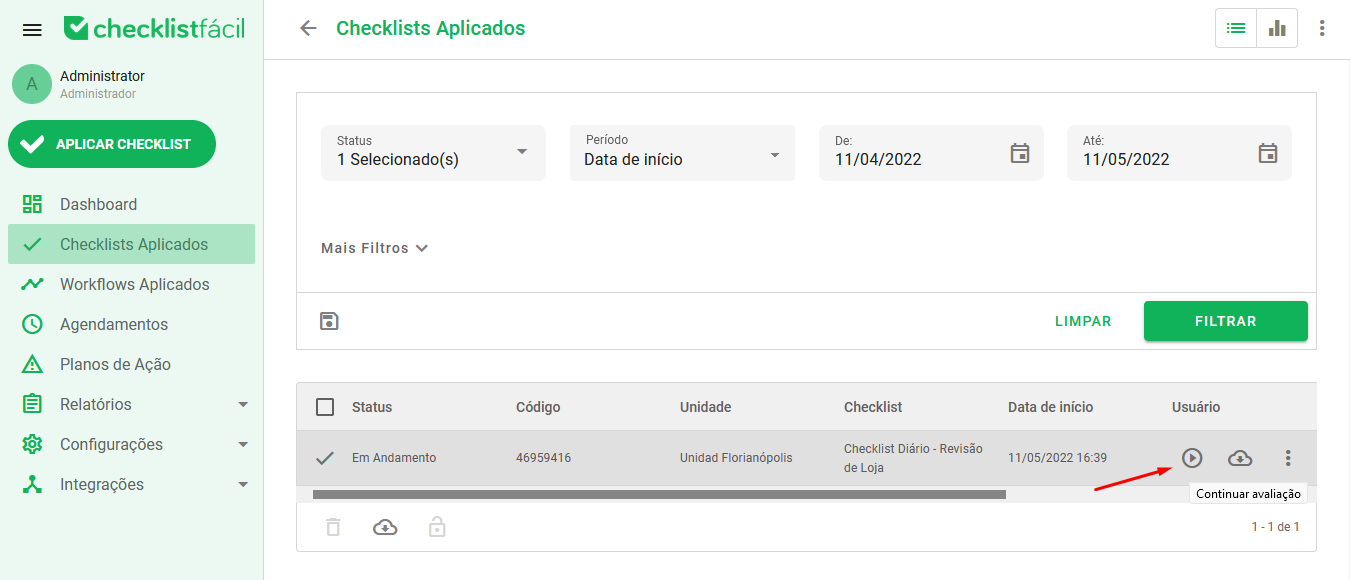
Once this is done, you can find the checklist in the list below. Identify the checklist you want to continue and click the Continue Assessment button:
After clicking on Continue Assessment, just continue and finish filling out the desired checklist, completing it.
➡️ Was this article useful? Leave your review!
❓Do you still have questions? Contact us via chat or ticket!
❓Tem dúvidas? Entre em contato com nosso time de suporte.