It is possible to configure the checklists started by the Checklist Fácil app to be continued through a computer, on the web. You can use this feature when you are going to finalize or review a checklist, or when there is missing media on your smartphone or tablet.
To enable continuation on the web, it is necessary to edit the properties of the desired checklist in Settings > Checklists > Edit. In the Registration Data tab, under Filling, you can activate the option Checklist can be continued on the web?:
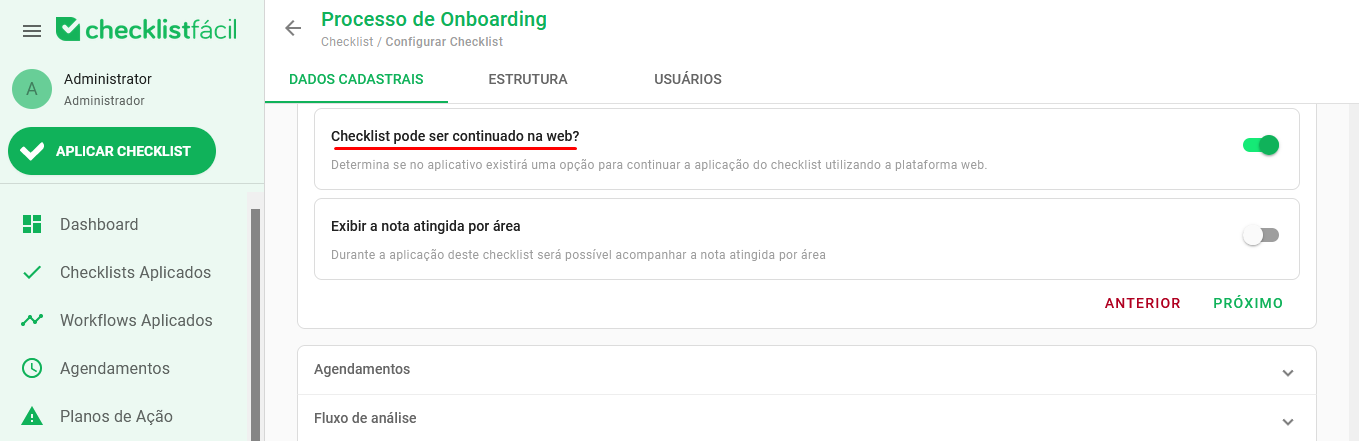
Once enabled, save your settings to the bottom of the screen. The ability to continue on the web will be available after the app's data update.
➡️ Was this article useful? Leave your review!
❓Do you still have questions? Contact us via chat or ticket!
❓Tem dúvidas? Entre em contato com nosso time de suporte.