What is OCR
The Optical Character Recognition (OCR) module allows recognizing texts using the application's camera and automatically transcribing them into the item's response.
No additional configuration is required in the system, only adjusting the response options within the checklist structure for the feature to become available in the app.
Currently, the application recognizes texts for two main purposes: License plates and Short texts.
License Plate Recognition
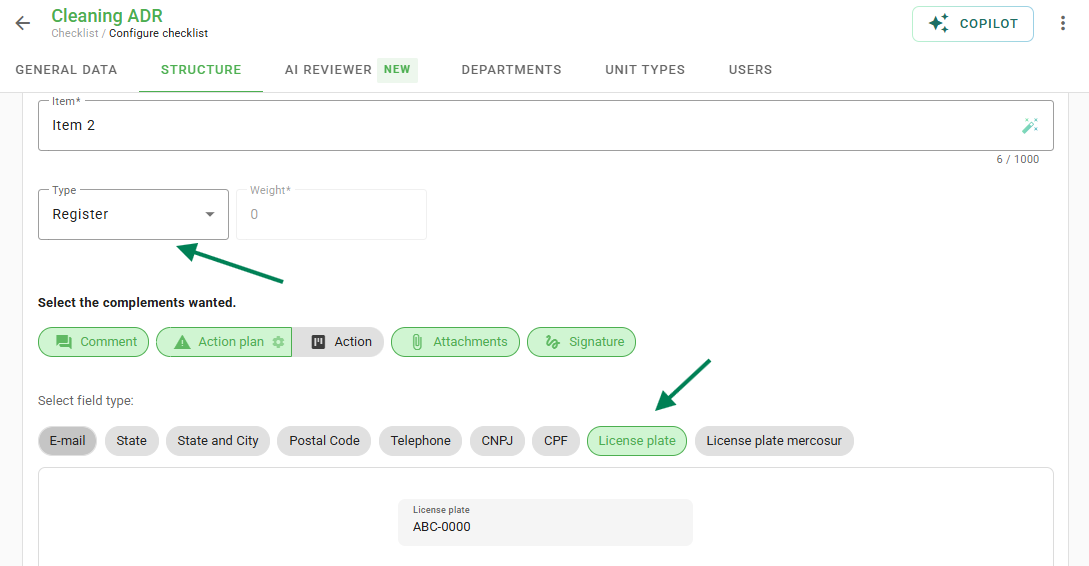
For the application to recognize license plates and register them with the appropriate formatting, you must configure the item in the checklist structure as follows:
- Response type: Registration;
- Field type: Automobile Plate or Mercosur Plate.
See the configuration example below:
Short Text Recognition
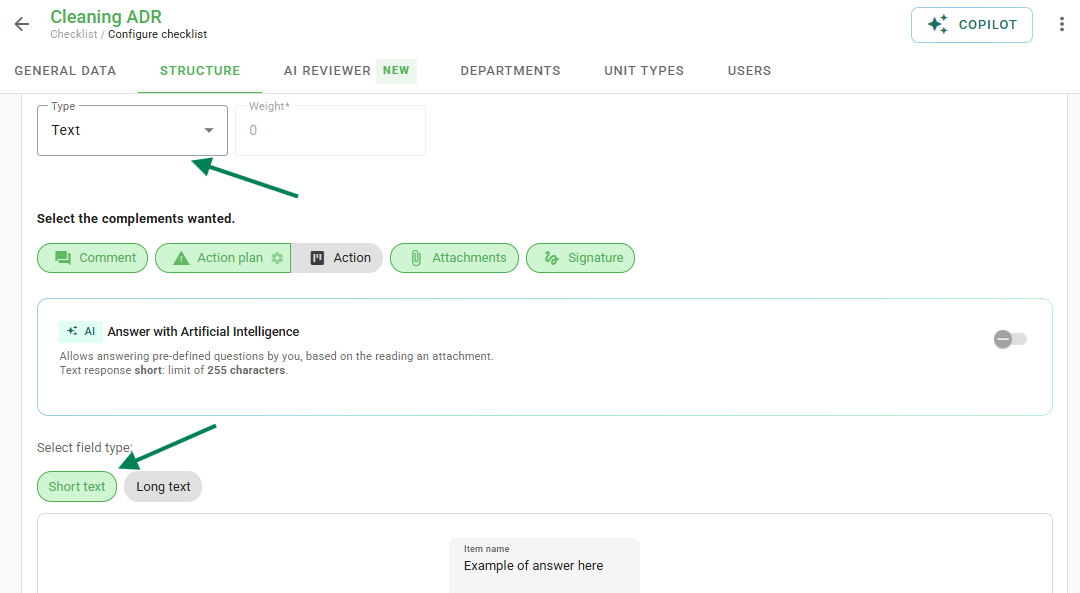
To use general text reading, configure the item in the checklist structure in this manner:
- Response type: Text;
- Field type: Short text.
See the configuration example below:
Attention to supported fonts:
Recognition works with guaranteed precision on the following fonts: Courier New, Arial, Verdana, Times New Roman, Helvetica, Cambria, Serif, Roboto, and Poppins.

Other fonts may be read, but reading precision is not guaranteed.
Frequently Asked Questions (FAQ)
1. Does OCR work with handwritten letters?
Accuracy is only guaranteed for specific digital fonts (such as Arial, Roboto, etc.). Handwritten letters or highly stylized fonts may not be recognized correctly.
2. Do I need to enable any permission on the phone?
Yes, the Checklist Fácil application must have access permission to the device's camera to perform the scan.
❓Tem dúvidas? Entre em contato com nosso time de suporte.