When applying a checklist, it is possible to fill out an action plan.
The action plan is intended to report any impediment or problem observed while filling out your answers. It is also possible that filling out the plan is mandatory, depending on the answer completed in a certain item or the configuration defined by managers or administrators of your company in the Checklist Fácíl.
By default, action plans are offered using the 5W2H model.
There are different types of action plans depending on how specific your need is. The plan could be:
For the item or question;
For your checklist area as a whole or;
For the entire checklist, in general.
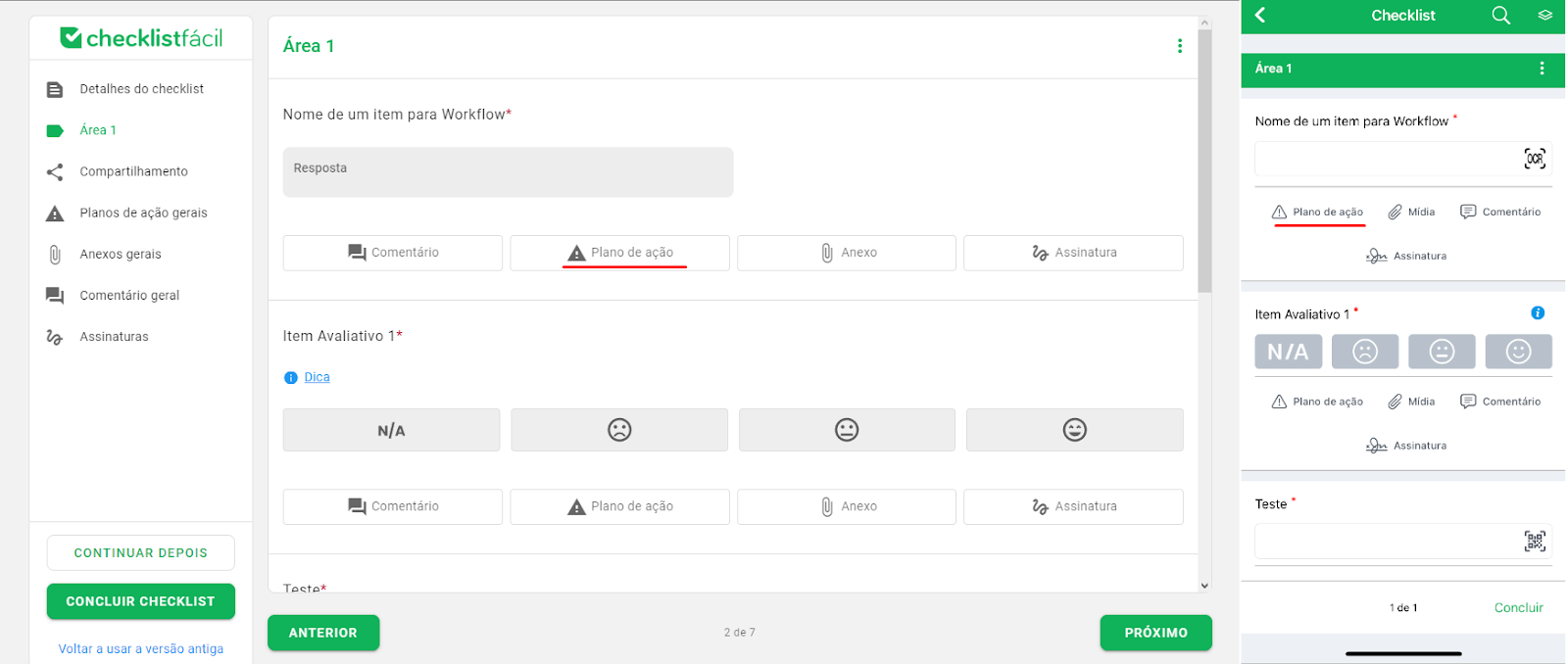
To create an action plan on a specific item, identify the desired item and click on the Action Plan icon. Then, fill in the necessary questions.
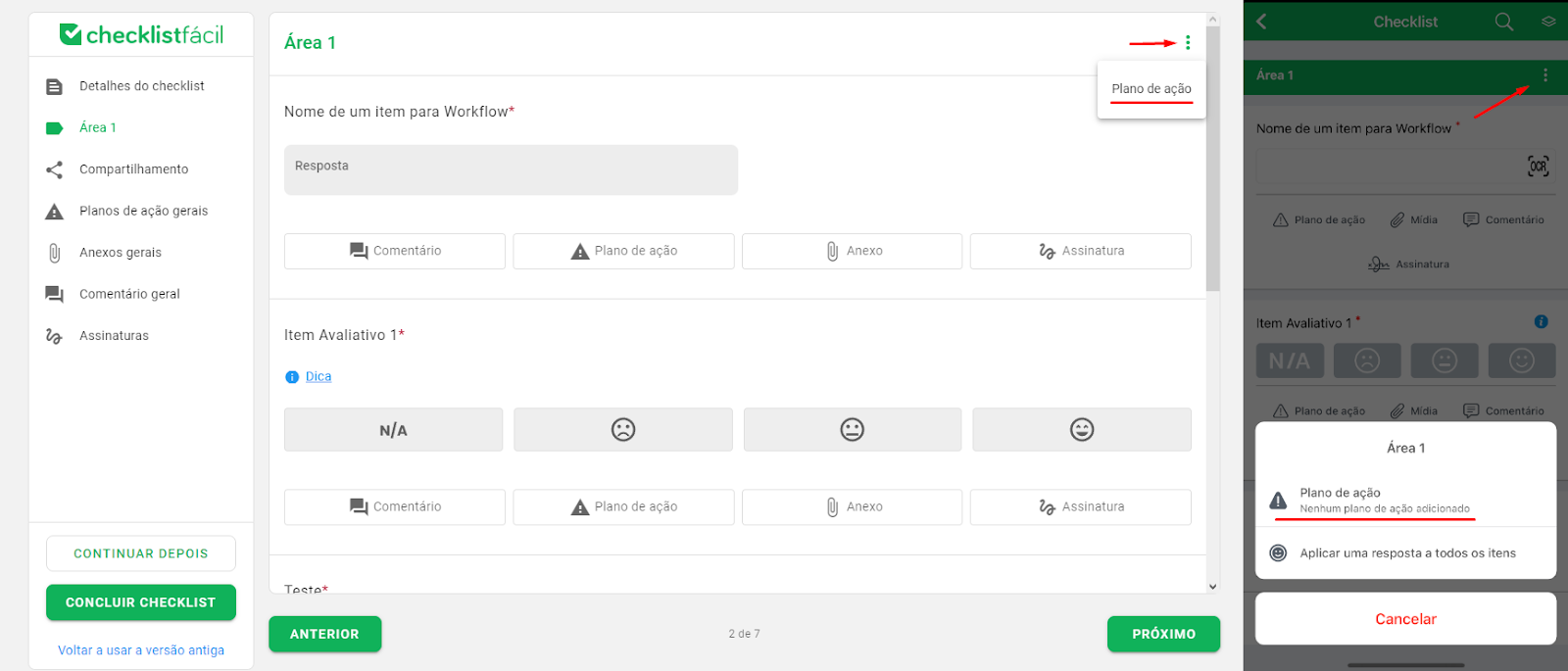
To create an action plan in the current area, click the three-dot menu next to the area name. Then click on Action Plan.
Finally, the General action plan will be available on the app’s completion screen. On the web, it will be available in the index.
❓Tem dúvidas? Entre em contato com nosso time de suporte.