The app version indicates which version of Checklist Fácil your device is currently using.
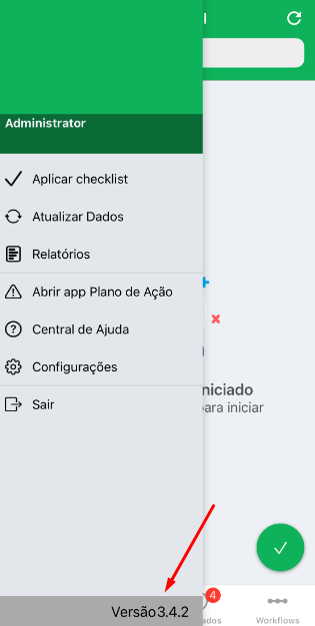
To see which version you're using, go to the Checklist Fácil app on your device and open the menu on the left-hand side. Then, the version can be found in the footer:
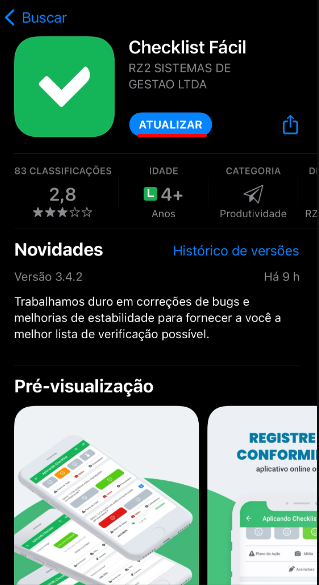
To update the app or check for updates, go to your device's app store (Play Store on Android, App Store on iOS/iPadOS) and search for "Checklist Fácil" If updates are available, the Update button will become available.
We recommend using the latest possible version of the app, as new versions offer new features and bug fixes, providing a better user experience.
➡️ Was this article useful? Leave your review!
❓Do you still have questions? Contact us via chat or ticket!
❓Tem dúvidas? Entre em contato com nosso time de suporte.