Checklist Fácil has the Value Range functionality for numeric items. This means that it is possible to enter interval rules for the numeric type items, changing the behavior of the item and its grade according to the completed answer.
The intervals allow you to implement your business rule regarding the numerical items and have them participate in the calculation of the checklist score, through the weight, something that was not possible before.
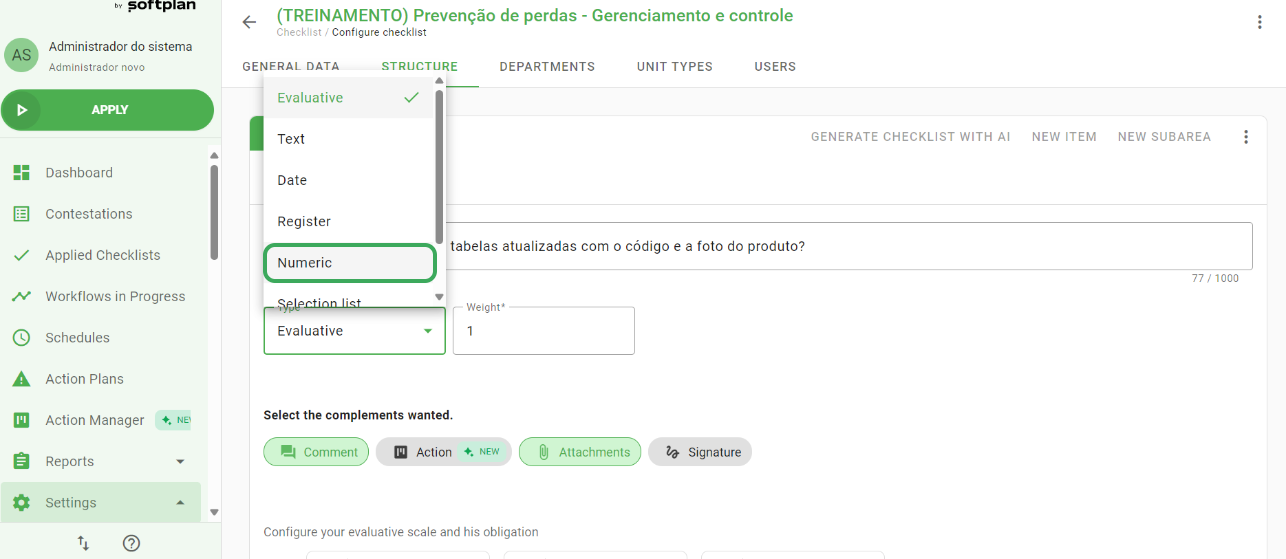
Another change made is in the configuration of the required add-ons: they have been moved to the intervals configuration, instead of being in the body of the item directly. When an interval is met, the rules configured for the add-ons in that interval will be obeyed.
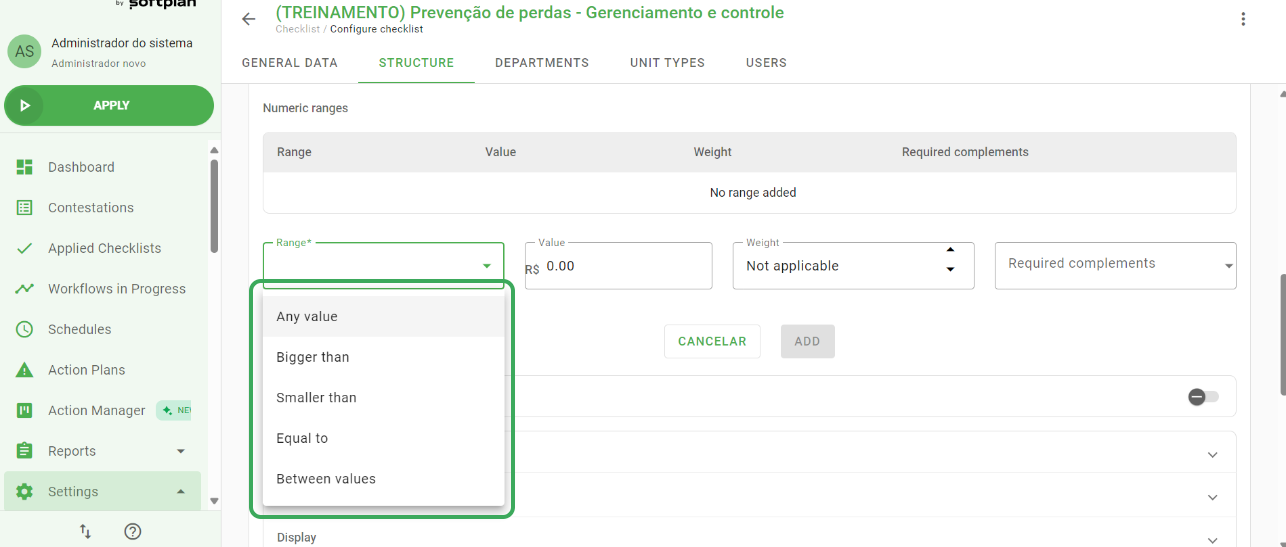
In the interval configuration, we will be able to select the following options:
Any value: Any value will be accepted. similar to the previous behavior of the numerical item;
Greater than: when the value filled in the checklist is greater than the interval rule;
Less than; when the value filled in the checklist is less than the interval rule;
Equals ; when the populated value is equal to the range rule;
Between values: when the populated value is between the two values determined in the range rule.
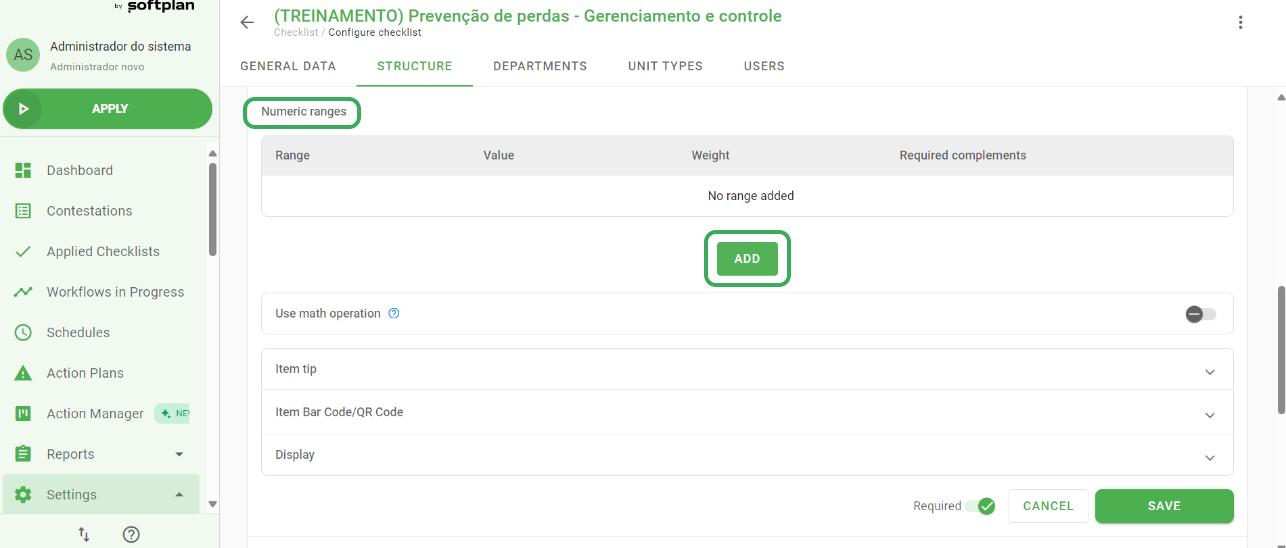
We are also making available a new article, about the rules and details of how the intervals work and their configuration.
➡️ Was this article useful? Leave your review!
❓Do you still have questions? Contact us via chat or ticket!
❓Tem dúvidas? Entre em contato com nosso time de suporte.