The Unit change can be performed if the incorrect Unit was selected at the beginning of the checklist application.
Before you begin, make sure you meet the following requirements:
The applied checklist has a status of Completed;
It's a normal application. Applications made by scheduling, workflows or Integration with Sienge cannot be modified;
Your user has the General Administration permission;
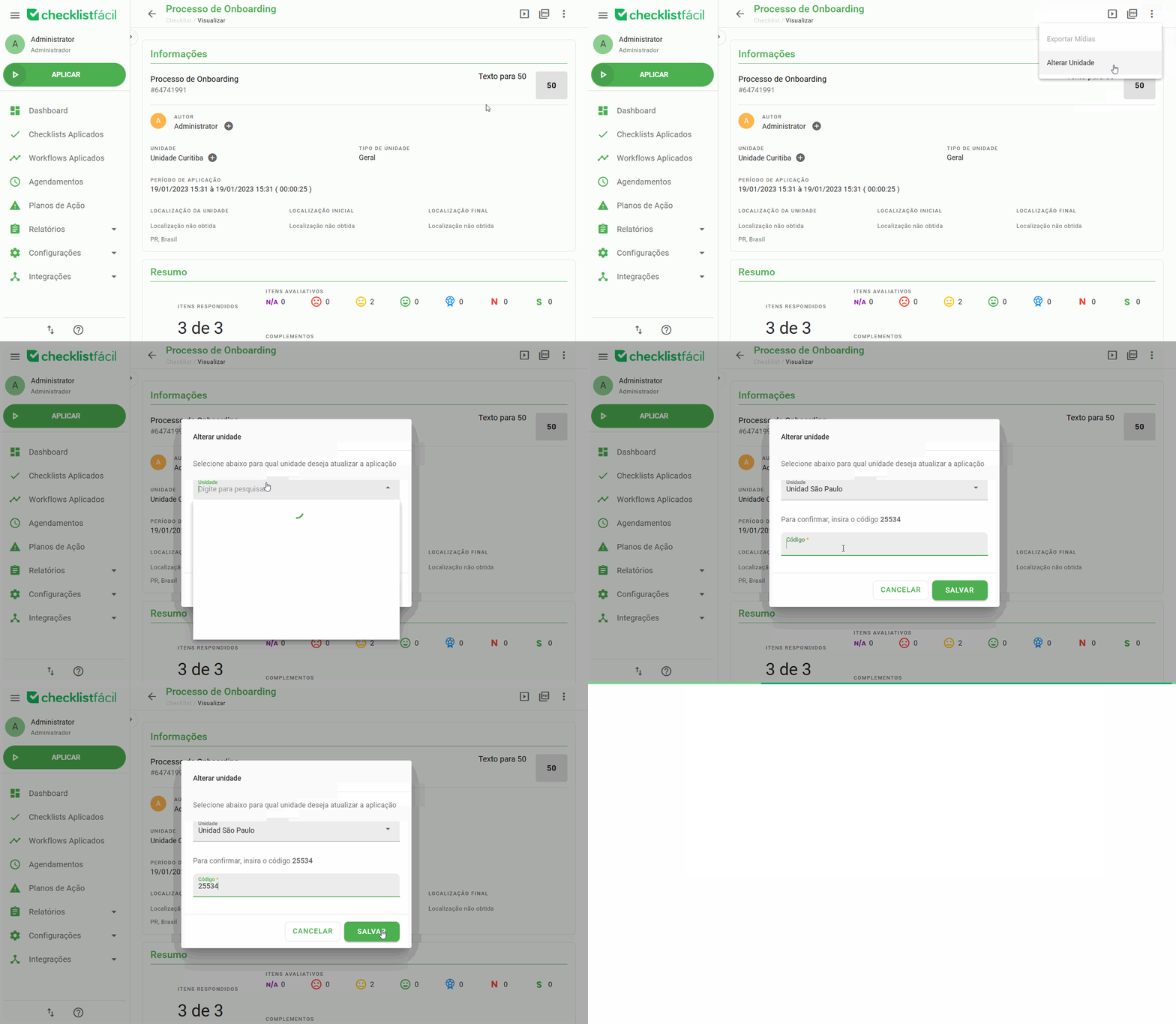
Access the checklist web report through the Applied Checklists screen. Then, click on the menu button, found at the top right, and then click on Change Drive.
Select the new Drive you want and enter the confirmation code. Finally, click Save.
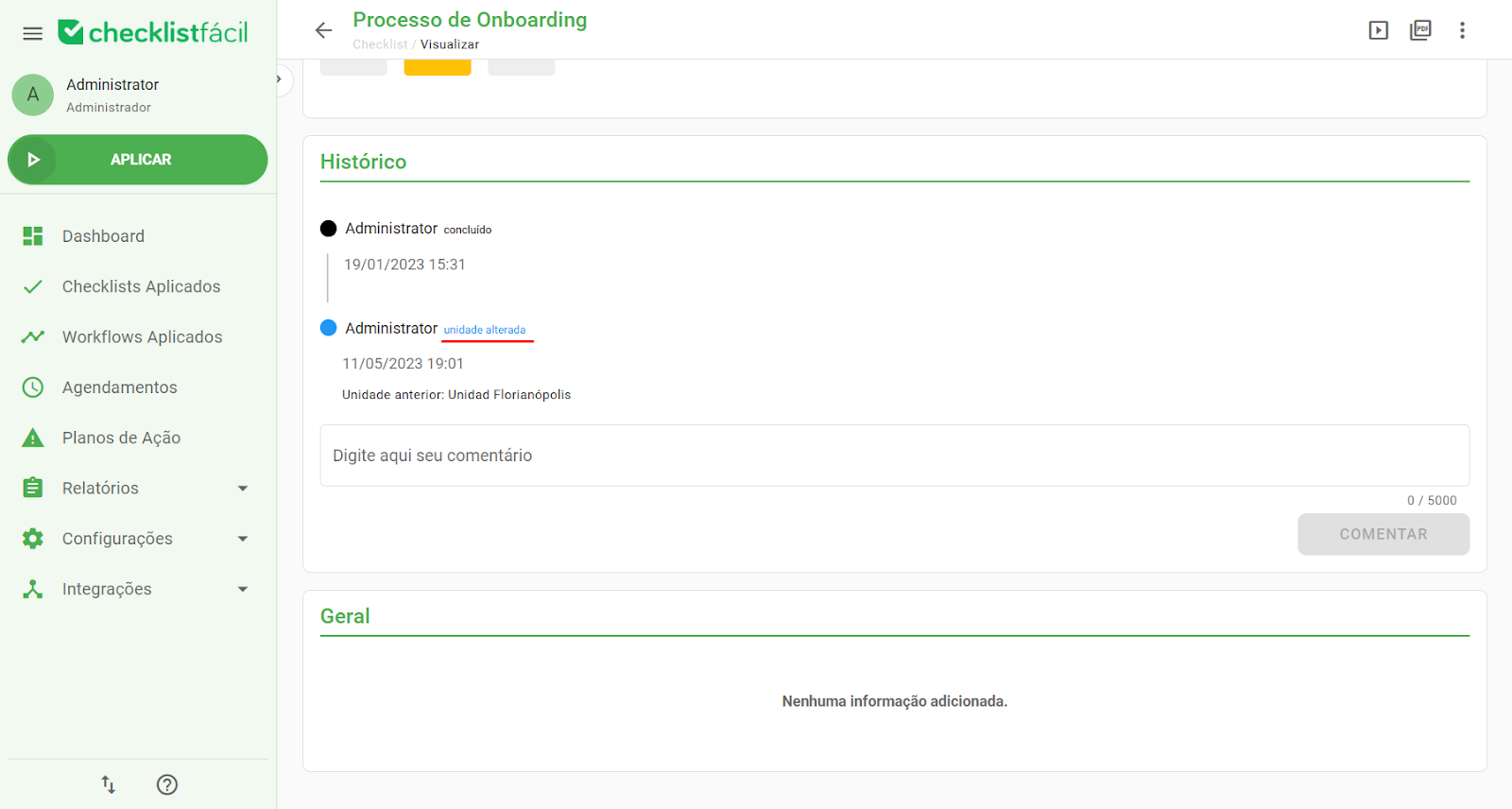
Unit changes will be recorded in the checklist history:
➡️ Was this article useful? Leave your review!
❓Do you still have questions? Contact us via chat or ticket!
❓Tem dúvidas? Entre em contato com nosso time de suporte.