There is the possibility of reopening a completed checklist. This is useful when it is necessary to make adjustments to the responses, create Action Plans, or add missing media at the time of application.
Required: the option "Can the checklist be reopened after its completion?" must be active.
"Reopen completed checklist" permission must be active for User Type.
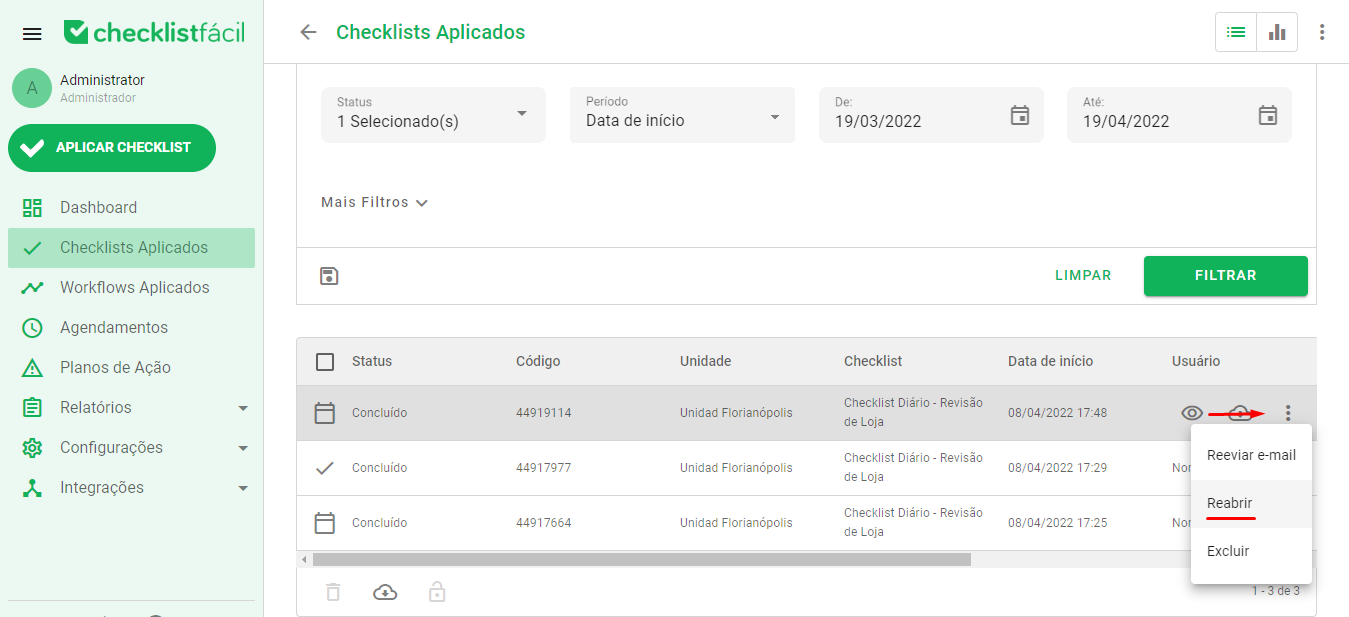
On the applied checklists screen, just filter by the assessment you want to reopen, click on the three dots on the right side of it, and reopen.
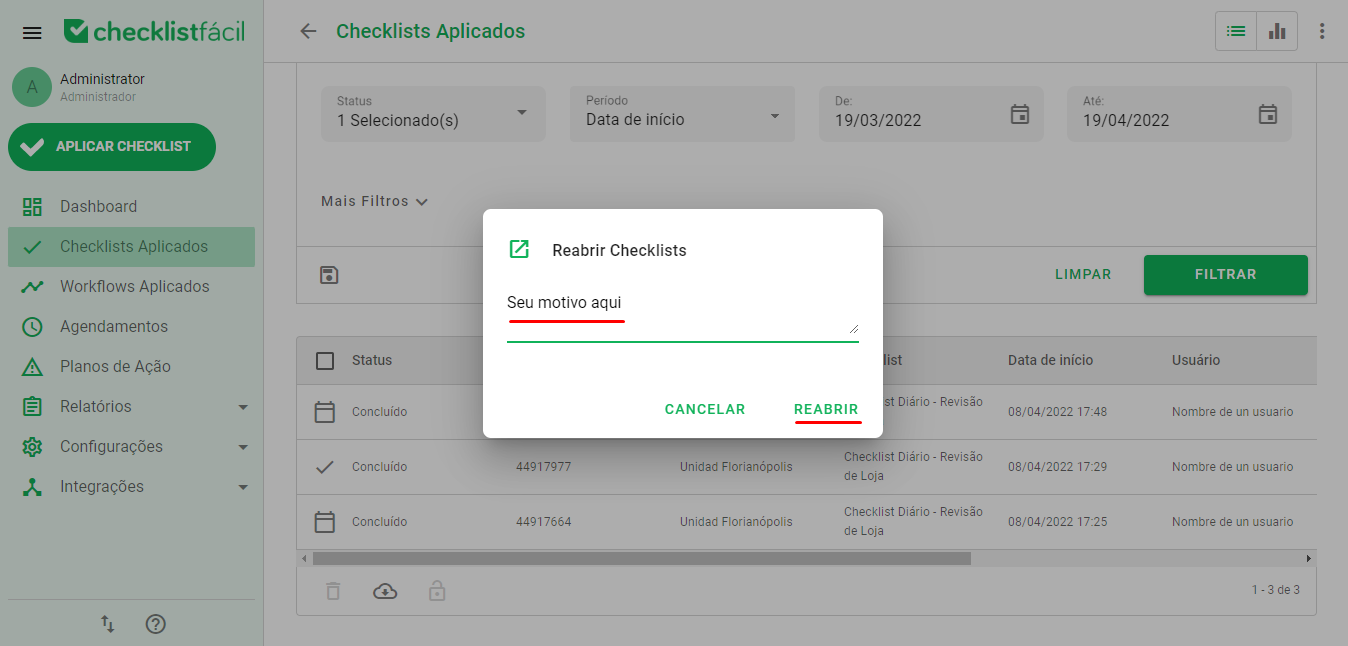
Next, you must describe the reason for the reopening, and select what should happen to the Action Plans of this assessment, if any, and click on reopen:
Done! Your assessment will now have the status in progress, and can be continued on the web, on this same screen.
➡️ Was this article useful? Leave your review!
❓Do you still have questions? Contact us via chat or ticket!
❓Tem dúvidas? Entre em contato com nosso time de suporte.