We are publishing an update for the visualization of Action Plans information. It is now possible to configure the custom fields of the additional module Customize Action Plan in the Reorganize columns option, directly on the Action Plans screen.
This feature allows you to view strategic information at a glance, without the need to open each plan individually.
Action Plans Viewing
When accessing the list of plans, you will be able to add your custom fields. These fields will automatically appear at the end of the selection list:
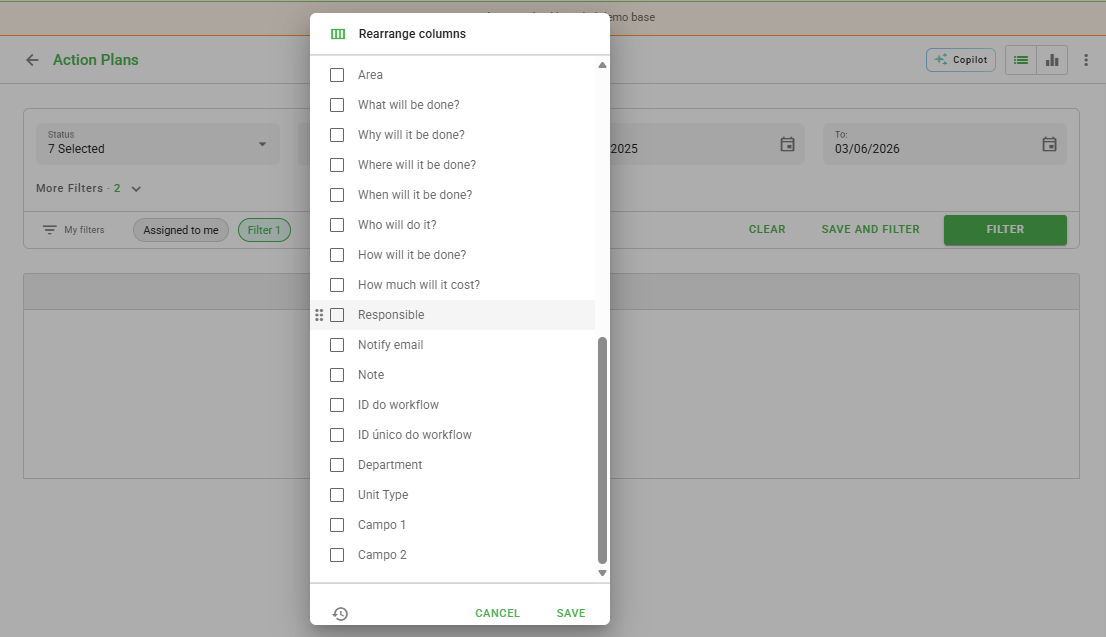
Reorganize Custom Columns
In addition to the viewing, you have total flexibility to change the order of the custom columns, following the same behavior as the system's standard columns.
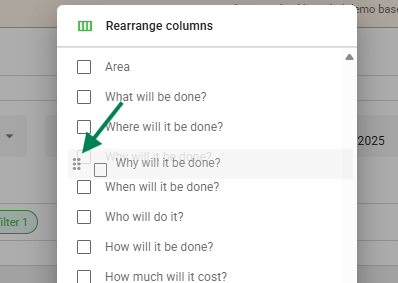
Data Export
When exporting your list of plans to a spreadsheet (.csv or .xlsx), the custom fields that are active in your screen view will also be included in the exported file.
Remember: for the field to appear in the export, it must be marked as visible in your viewing grid.
Frequently Asked Questions (FAQ)
1. Why do my custom fields not appear in the export?
Make sure the fields are selected in the "Reorganize columns" option and visible on the screen before clicking export.
2. Can I change the field order at any time?
Yes, the column organization can be adjusted whenever necessary through the list Settings gear icon.
❓Tem dúvidas? Entre em contato com nosso time de suporte.