It's possible to personalize the checklists reports offered in the desktop version and PDF model. You can adjust how the data will be presented and choose a favorite format.
To set up a checklist report, go to Settings > Checklists > Edit > Checklist. In the general data tab, you can find a reports section:
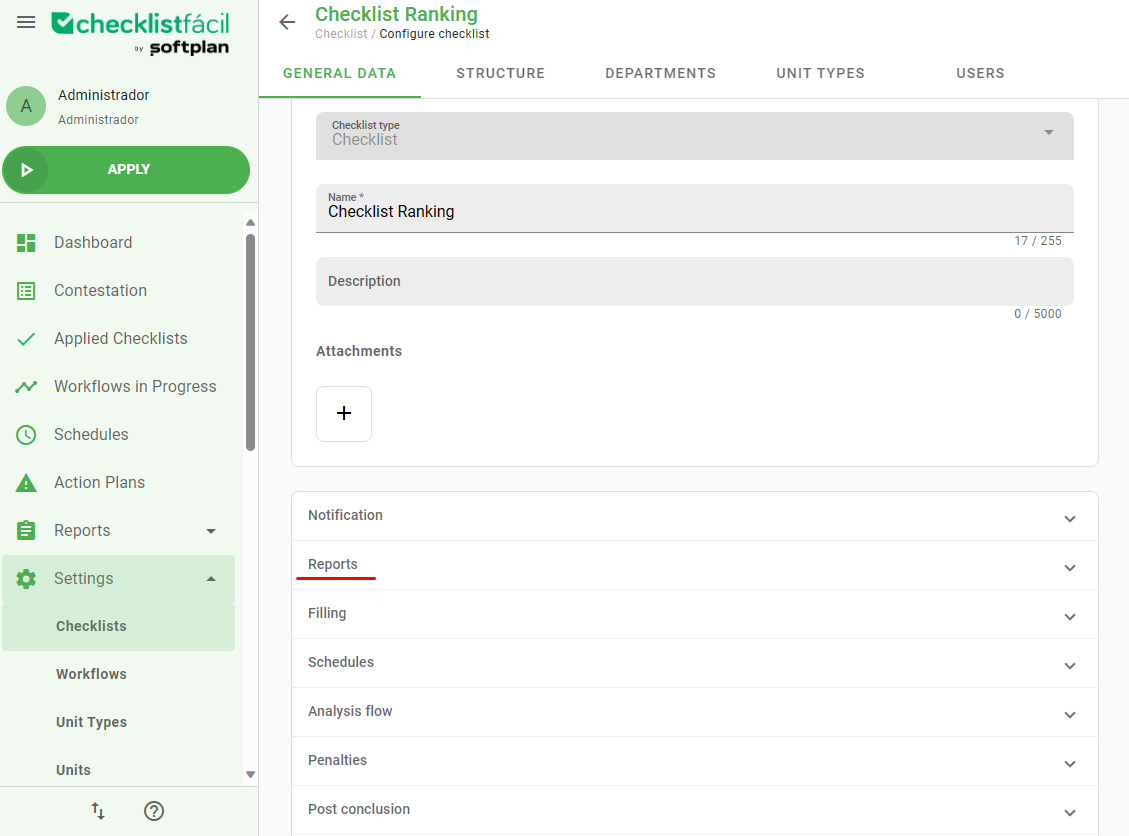
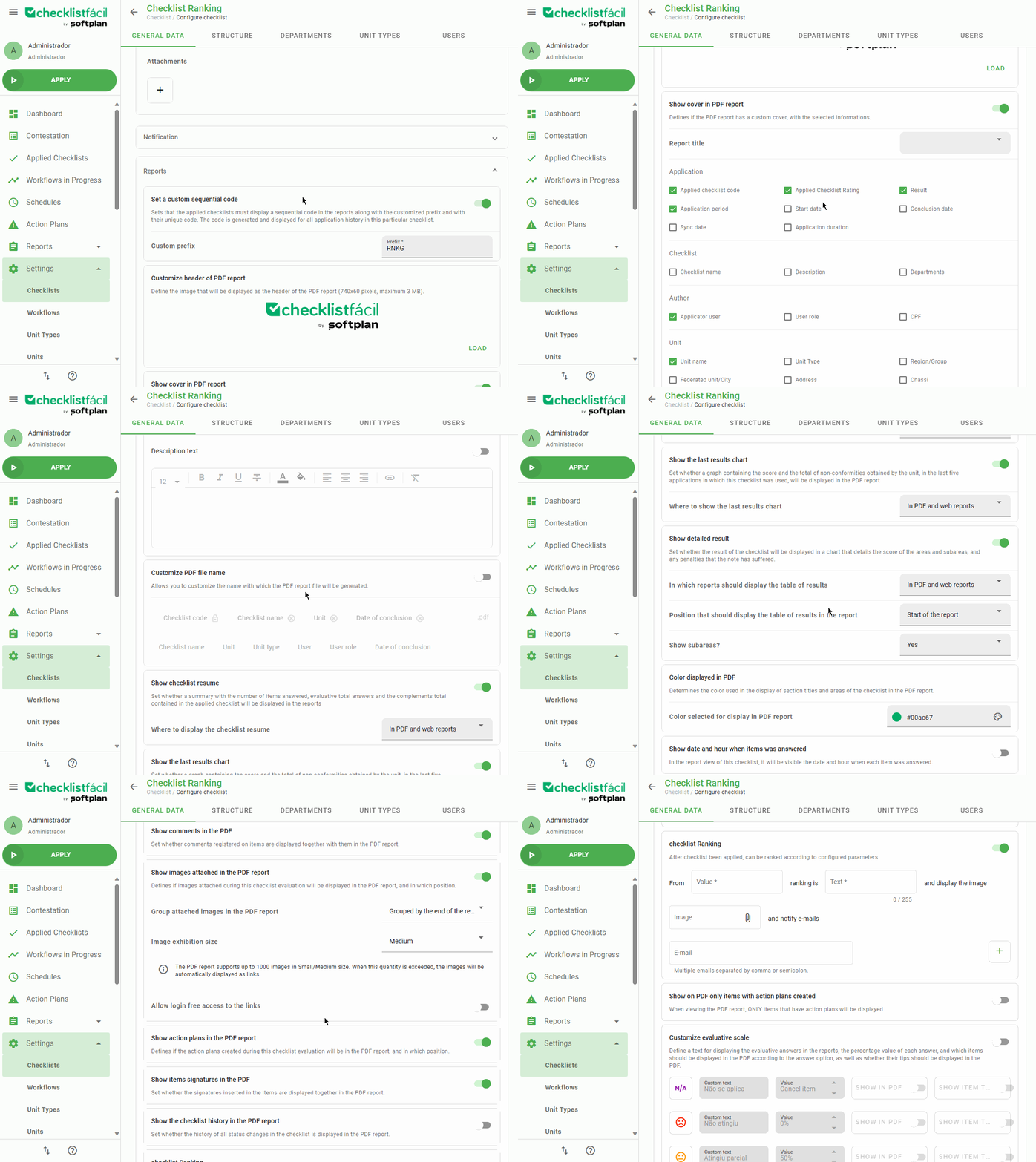
Here it will be possible to do a lot of set up about the presentation, organization and classification of the reports created after a checklist application. Some of the available adjusts are:
Set up of a personalized sequential code;
Header image;
Personalize the PDF information, how the name has to be generated, if it needs comments or attached files;
Include summaries of the checklist information, like graphs of the last results;
Automatic classification based in limits you can change;
Set up a scale to evaluate the answers and your presentation.
Was this article useful? Remember to rate it!
Got questions? Contact us through chat or ticket!
❓Tem dúvidas? Entre em contato com nosso time de suporte.