- How answer copying works
- Configuring the link between items
- Editing lock
- Frequently Asked Questions (FAQ)
In the Workflow, it is possible to optimize filling time by automatically bringing in the answers entered in a previous stage. This functionality is ideal for processes where information collected at the beginning should only be checked or complemented in the following stages.
How answer copying works
The option Copy answers from items in the previous stage is available starting from the second stage of your Workflow configuration.
The logic follows chronological order:
• In Stage 2, you can copy answers from Stage 1;
• In Stage 3, you can copy answers from Stage 2, and so on.
Configuring the link between items
When accessing the settings of the desired stage, activate the option Copy answers from items in the previous stage.
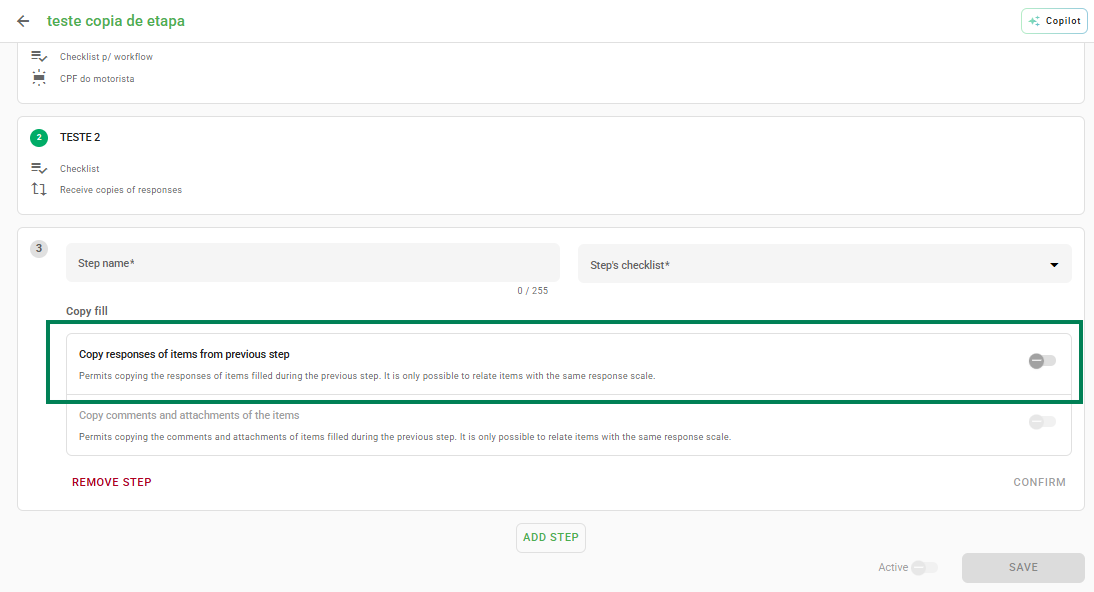
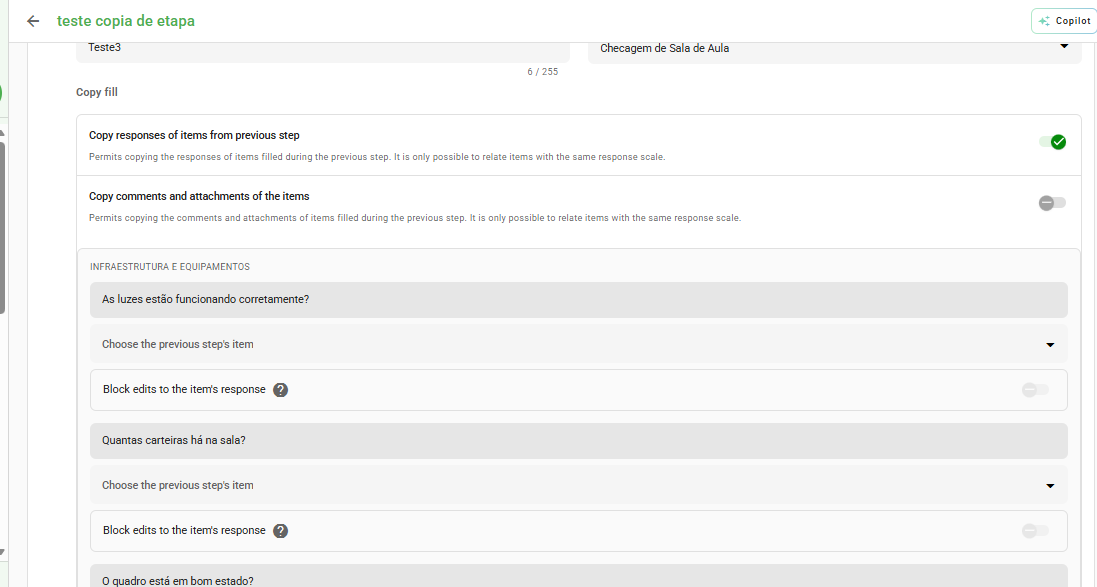
By enabling this function, the system will display a list for you to relate the fields:
- In the top row, the items from the current stage are displayed.
- Below, you must select which item from the previous stage will provide the answer.
Attention: The system only allows linking items that have the same type of answer (e.g., text with text, number with number).
Editing lock
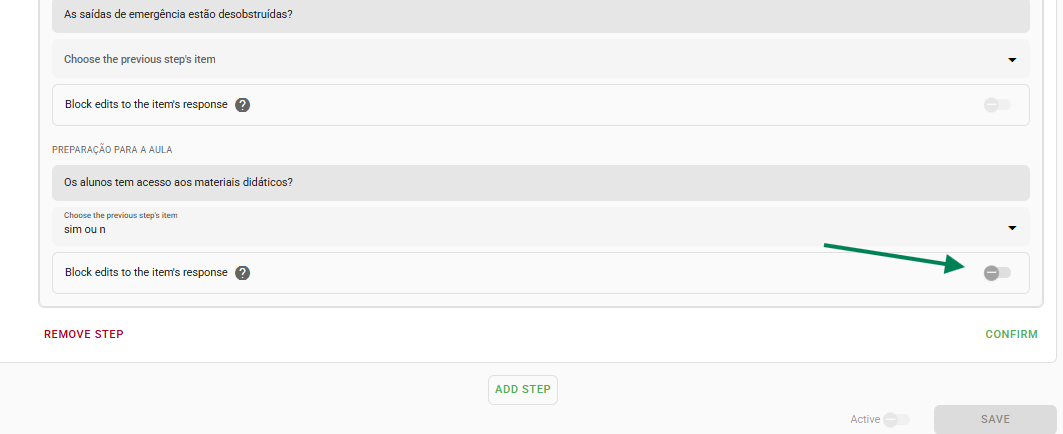
If the intention is only to display the previous information for verification without allowing changes, you must check the box Lock edits of the item answer.
This ensures that the copied data remains faithful to the original stage, preventing the current user from modifying the content or answer complements.
Frequently Asked Questions (FAQ)
1. Can I copy an answer from Stage 1 directly to Stage 3?
Not directly. The workflow logic is sequential. For the information to reach Stage 3, it must be copied from Stage 1 to Stage 2, and then from Stage 2 to Stage 3.
2. Why does an item not appear in the list to be linked?
The answer types are likely different. Check if both items (from the current and previous stage) are configured with the same format (e.g., both as "Short text" or both as "Numeric").
❓Tem dúvidas? Entre em contato com nosso time de suporte.