If you have users who cannot view and apply all applied workflows, you can restrict the viewing of applied workflows according to the units with which the users are linked.
By enabling the functionality for the workflow, only users who have links to all the units selected in the previous steps of the applied workflow will be able to view it.
These users will also be able to start pending steps and will receive the email of the step that is available.
Let's say the user is linked to units A and B.
- When the applied Workflow has steps applied to units A and B, the user will be able to view this applied workflow.
- When the applied Workflow has steps applied to units A and C, then the user will not be able to view this applied workflow.
How to activate
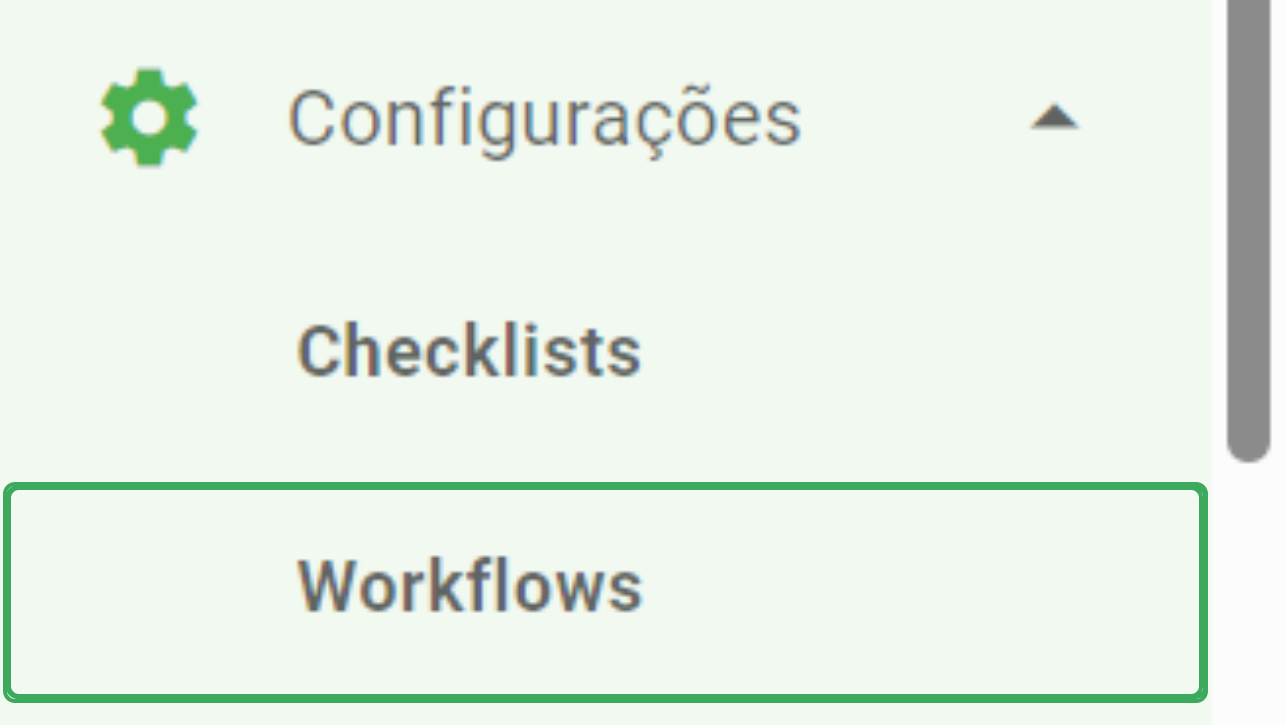
Going to the main menu, select Settings > Workflows.
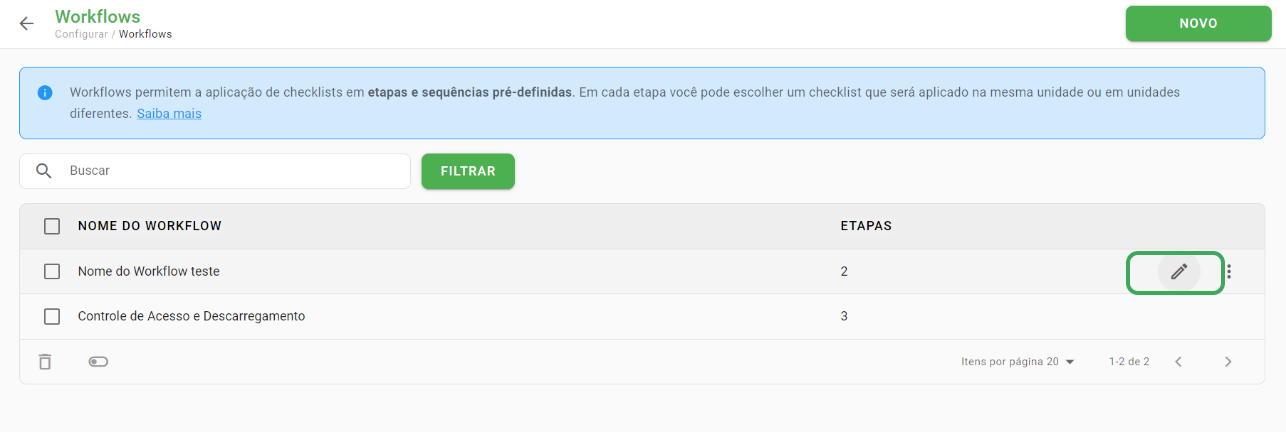
In the workflows listing, go to the workflow you want to edit and select the pencil icon to change the settings.
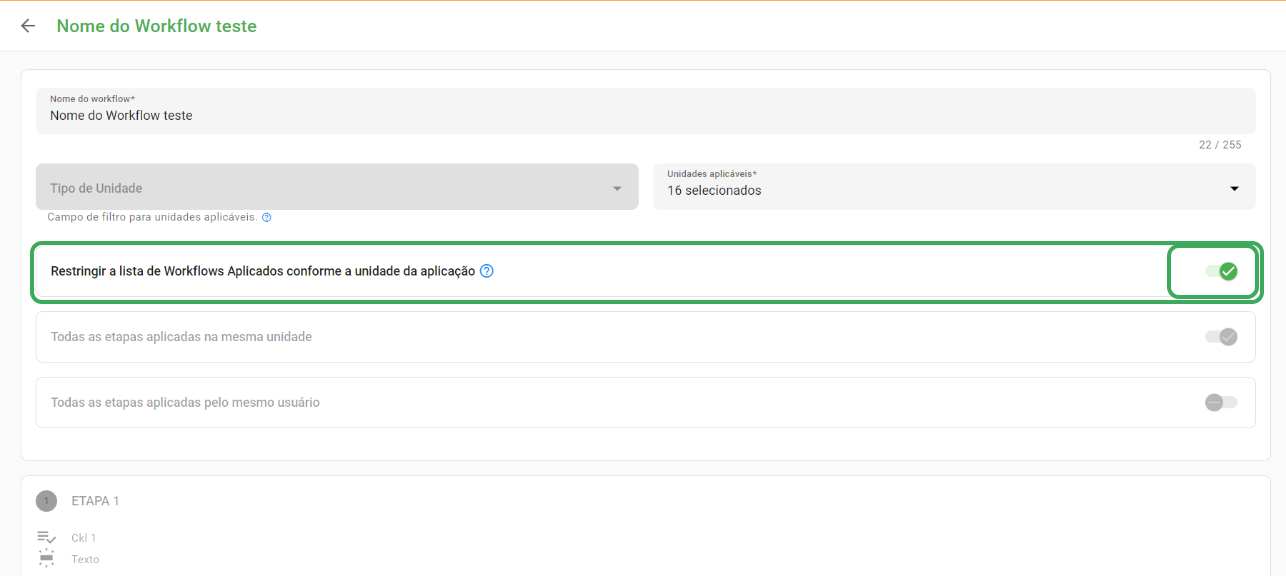
On the edit page of the chosen Workflow, the setting "Restrict the list of Applied Workflows according to the application unit" is available for activation.
➡️ Was this article useful? Leave your review!
❓Do you still have questions? Contact us via chat or ticket!
❓Tem dúvidas? Entre em contato com nosso time de suporte.