- What is the Account Manager?
- How to identify and change the Account Manager?
- What to do if the Account Manager left the company?
- Frequently Asked Questions (FAQ)
What is the Account Manager?
The Account Manager is the main user of a company within the Checklist Fácil system. They are the first administrator who created the company's base on the platform.
This position has specific privileges and plays a central role in account management, mainly in the administration of accesses and permissions of other users. These privileges ensure control over the base and the continuity of the system's management.
The Account Manager cannot be deleted or deactivated without first designating another user to assume this role.
How to identify and change the Account Manager?
Only the Account Manager themselves can view on their profile that they hold this position. Likewise, only they have the permission to transfer this role to another person on the team.
To transfer the role, the current manager must access the settings of the user who will be the new responsible party and activate the "Account Manager" option, as shown in the example below:
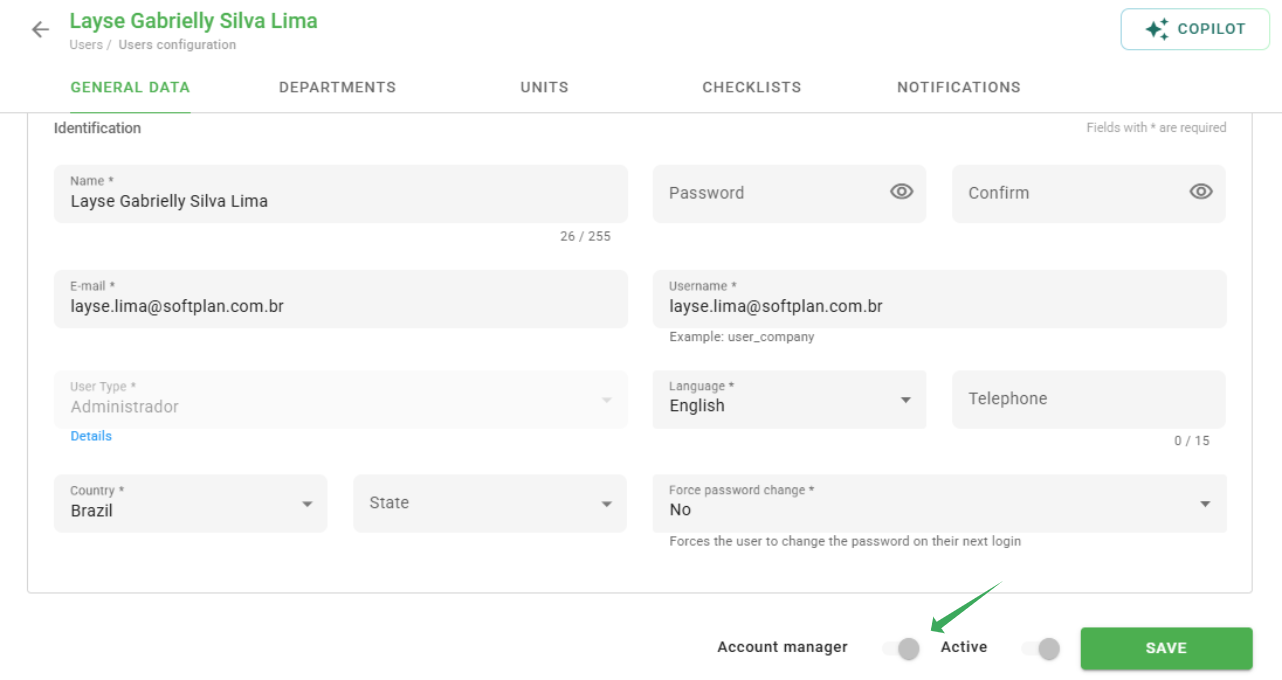
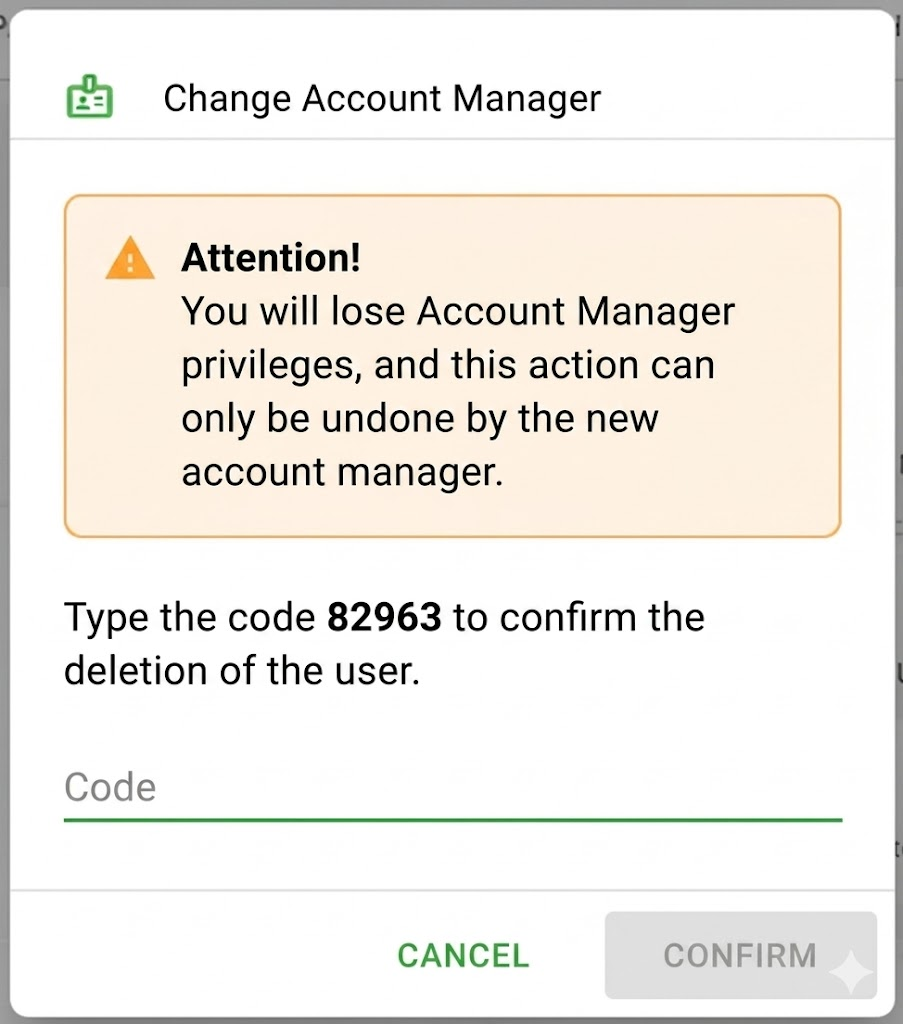
Upon making this change, the system will display a security alert informing that the current manager will lose their privileges.
What to do if the Account Manager left the company?
In some cases, the person who acted as Account Manager may be dismissed from the company before transferring ownership to another administrator. When this happens, since the other users cannot view who the current manager is, no one can make this change manually.
If you are not the manager, do not know who the responsible party in your company is, and the person who created the account has already been dismissed, it is necessary to contact our support team. Our team has the resources to verify who the current manager is and assist in this change.
Frequently Asked Questions (FAQ)
1. Can I have more than one Account Manager in the same company?
No. The system allows only one Account Manager per base. This ensures that the central account management does not have conflicts with critical changes.
2. What happens if I try to delete the Account Manager profile?
The platform will block the action. You will be required to assign the role to a new administrator on the team before you can deactivate or delete the previous manager's user.
❓Tem dúvidas? Entre em contato com nosso time de suporte.